

Socket Integration

Sodium has a comprehensive proposals feature, but some of our customers love Socket for creating and managing proposals — and they want to use Sodium for everything else. So rather than asking them to choose, we built a first-class integration.

Socket

Win in Socket, run it in Sodium.

Your Tools, Your Choice

Walled gardens are bad for practices. When a company forces you to use their products for everything just because you use one from their suite, their greed forces you to compromise. That's not how we do things.

Sodium is built to play nicely with the tools you already rely on — whether that's accounting software, cloud storage, payment providers, email, or proposal software. The Socket integration is proof of that commitment: we think our proposal feature is great, but Socket also does it brilliantly. So if you want to use Socket for proposals and Sodium for tasks, workflows, billing, client management, and everything else — we're here to support that.

How It Works

Once connected, the native proposal features in Sodium are replaced with Socket. Proposals, clients and pricing that you create in Socket flow through to Sodium automatically — no rekeying, no copy-pasting, no switching between spreadsheets.

Your Sodium proposals page shows every Socket proposal with its status, client name, total value, and start date. You can view proposal details directly in Sodium or jump back to Socket with one click.

Connect in Seconds

Setup takes less than a minute:

  1. In Socket, go to Settings > Integrations > API Keys and generate a key
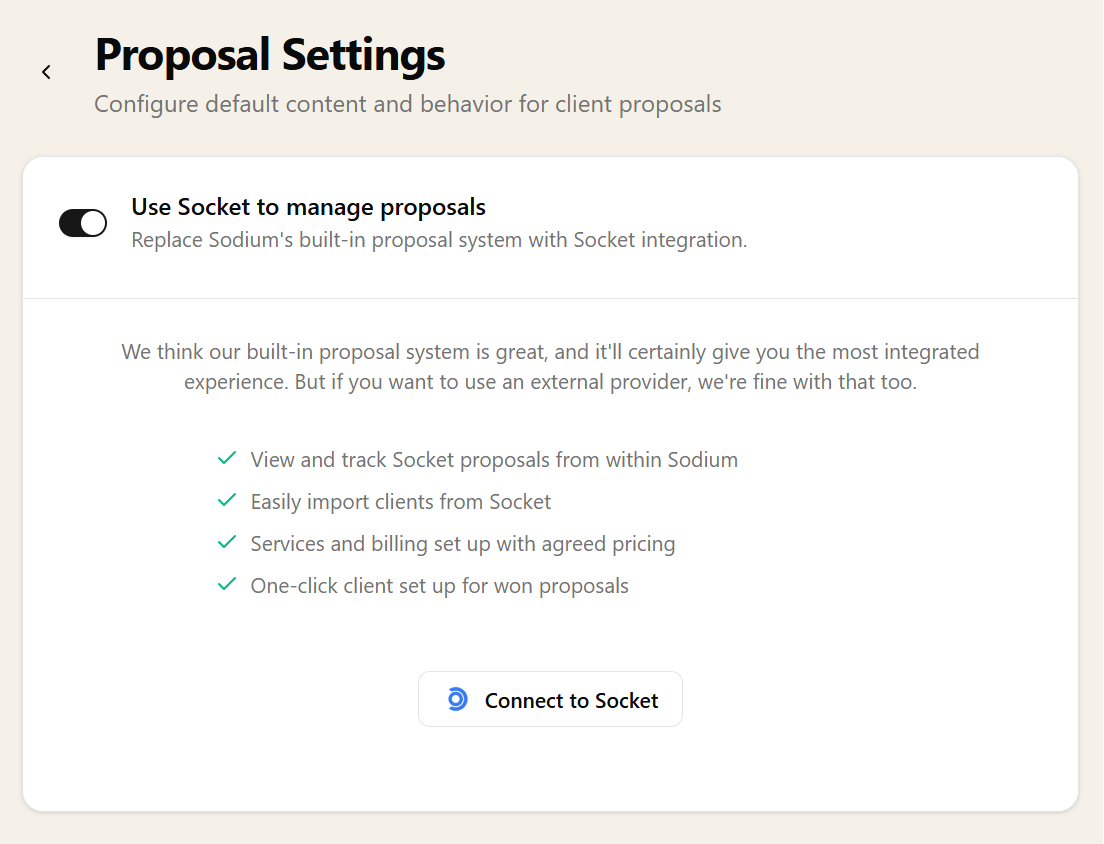
  2. In Sodium, go to Settings > Proposal Settings and enable Use Socket to manage proposals
  3. Click Connect to Socket and paste your API key

That's it. Sodium starts pulling your Socket proposals through immediately. The main menu Proposals button still takes you to the proposals list in Sodium, but the proposals you see are exactly what you have in Socket — real-time data.

Socket proposal settings in Sodium showing the connection configuration

Client Import and Matching

When a proposal comes through from Socket, the client might already exist in Sodium — or they might be brand new. The integration handles both:

  • Import Client — creates a new client record in Sodium from the Socket data, automatically enriching it with Companies House information (company number, incorporation date, registered address, SIC codes)
  • Map to Existing — links the proposal to a client already in Sodium, preventing duplicates

Automatic Service Mapping

Socket and Sodium both have their own service catalogues. The first time a Socket service appears on a proposal, Sodium asks you to match it to one of your Sodium services — or create a new one on the spot.

Sodium remembers these mappings, so future proposals with the same services are matched automatically. Map once, never think about it again.

From Proposal to Billable Client

We don't dictate how you use this. Some practices prefer to wait until a proposal is won before importing the client and setting up services. Others want to get ahead and import clients and services while the proposal is still in progress, with services set to "Proposed" until the deal closes. The system is built to be adaptable to how you want to work.

If you import a client before the proposal is won, their services start as "Proposed". When the proposal is won in Socket, Sodium knows — it prompts you to activate the client's services and billing with one click. Everything flows through at the agreed pricing and frequency, no rekeying required.

A fully set up, billable client without retyping a single piece of information.

Everything Else in Sodium

Once the proposal is won and services are active, Sodium takes over. Your team gets everything they need to deliver:

Socket handles the winning. Sodium handles the running.

Ready to try it? Sodium is free to try. Sign up, connect Socket, and see your proposals flow through in minutes.

Start Free Today
Anne Sievewright
I've tried other practice management solutions but find they're always heavy work to get them set up - but yours feels a breeze! Anne Sievewright, charlesblack.co.uk

Want to learn about other capabilities?

Explore all features

Have questions or suggestions?

Get in touch