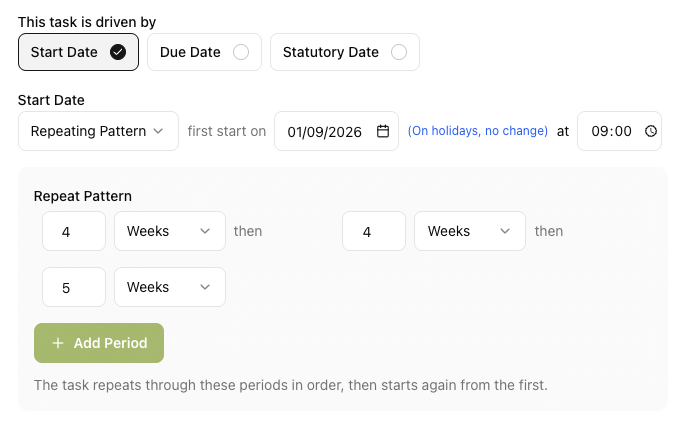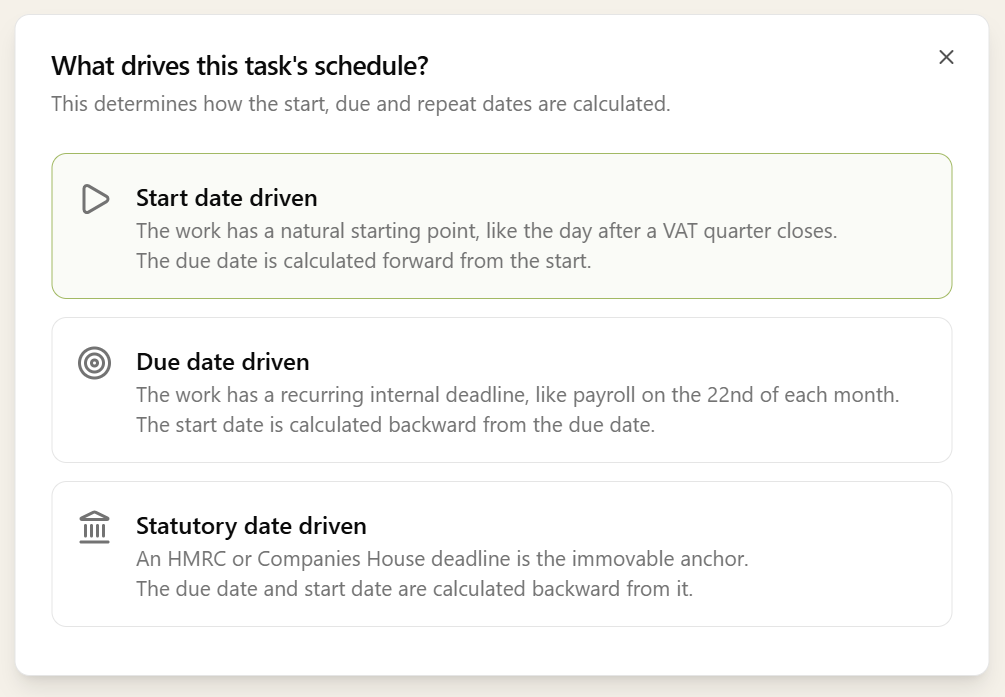
Every recurring task has three dates: when the work starts, when it's due internally, and when the statutory deadline falls. You pick which one drives the cycle - that date is what lands on the recurrence pattern. The other two are set separately on the task.
- Start Date driven - useful when the work has a natural starting point, like the day after a VAT quarter closes. The due date can be set as an offset from the start (e.g. "7 days after start"), a fixed calendar date, or anchored to a client date such as their year-end.
- Due Date driven - useful when the work has a recurring internal deadline, like payroll on the 22nd of each month. The start date is offset back from the due date (e.g. "30 days before due"), so the cycle lands on the deadline and the work opens that many days earlier.
- Statutory Date driven - useful for compliance work where the HMRC or Companies House deadline is the immovable anchor. The due date is offset back from the statutory date as an internal buffer, and the start date is offset back from the due date - so you set the safety margin and the working window in two steps. Year-end accounts and corporation tax fit this shape naturally.