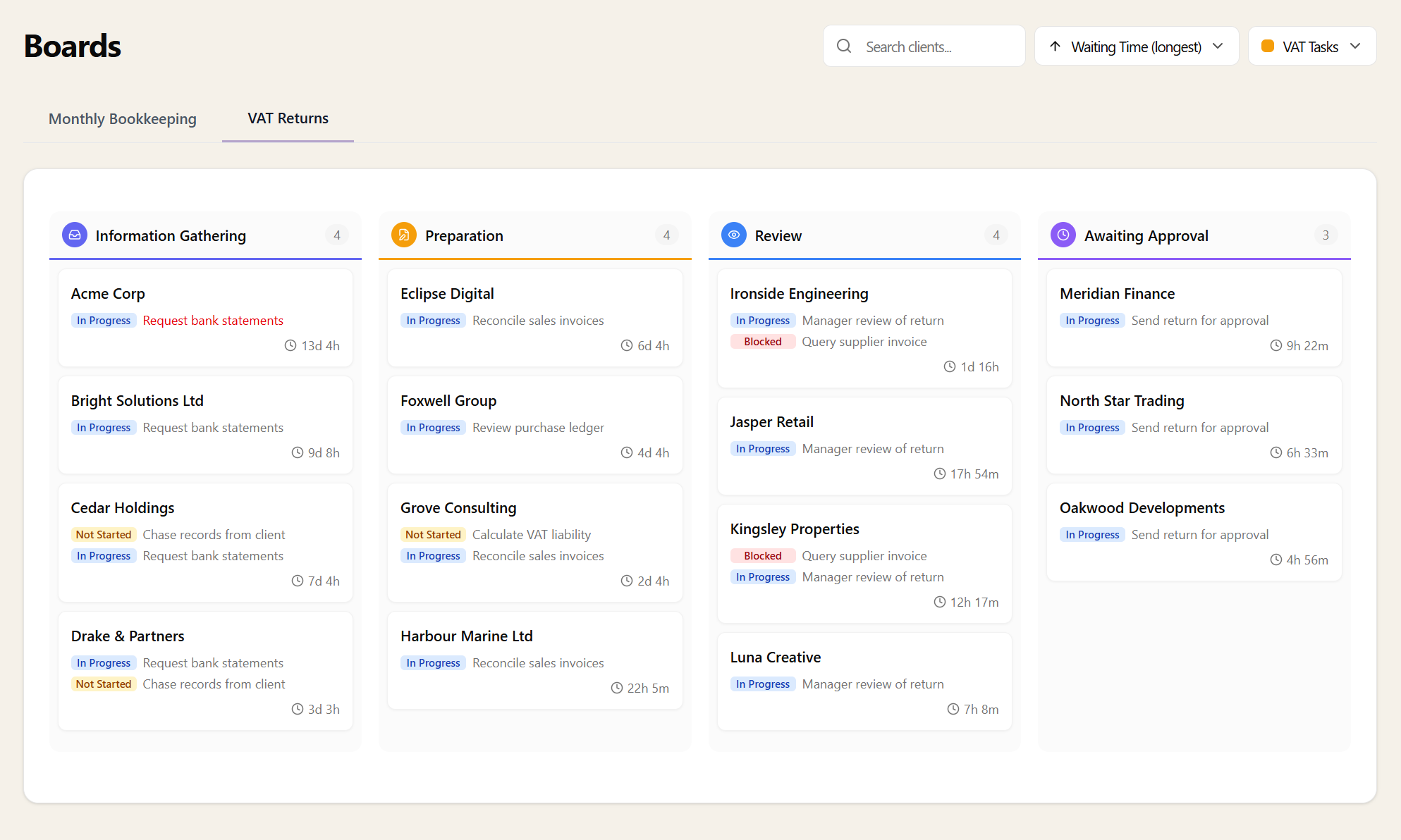
Kanban boards build on service stages. Once you've defined stages on a service, toggle "Show Kanban Board" in the service's Stages tab. A Boards section appears in your main navigation, giving your team one-click access to a visual overview of every client at every stage.
Each column represents a stage. Each card is a client. The board fills itself from your live data — no setup beyond the stages you've already defined.