Connect Sodium to your chosen accounting platform. Once services are active on a client, Sodium creates a preview invoice for you to approve. Once approved, the invoice goes straight through to your accounting software. When you're comfortable with how it works, you can turn on auto-approval so the whole cycle runs without you.
Client Billing
You've defined your services, set your pricing, and your clients are on board. Now Sodium can handle the invoicing too.
Sodium automatically generates billing lines from your service prices, bundles them into invoices, and pushes them straight to your accounting platform. No spreadsheets, no copy-pasting figures, no forgetting to bill a client. Sodium will automatically set up invoicing when a proposal is accepted.
How It Works
Optional Approval Workflow
Some firms want to review every line before it goes out. Others trust the automation and just want invoices sent. Sodium supports both.
In your billing settings, you can choose whether generated line items are automatically approved or held as pending for manual review. This default can be overridden per client, so you might auto-approve for most clients but require approval for a handful that need special attention.
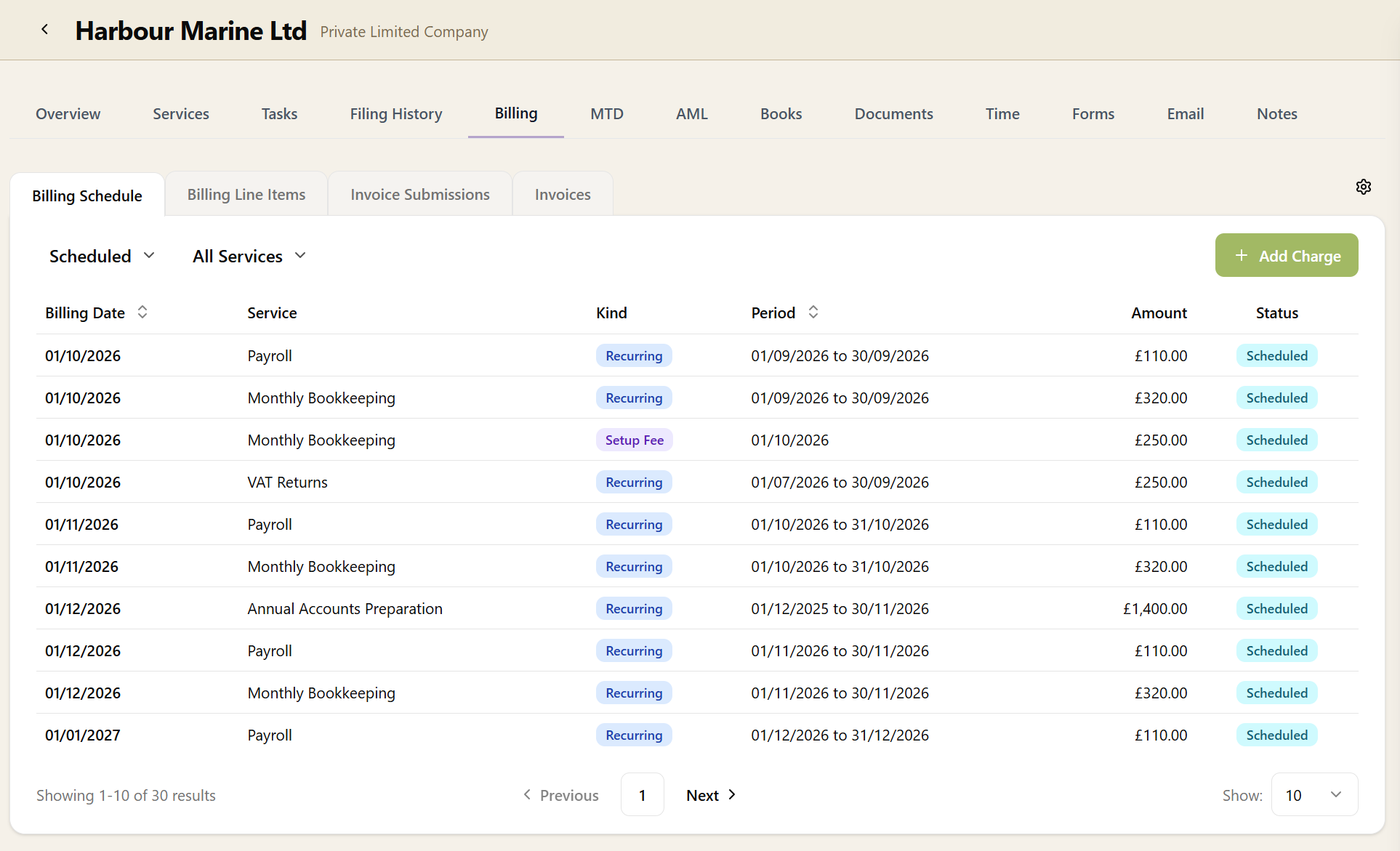
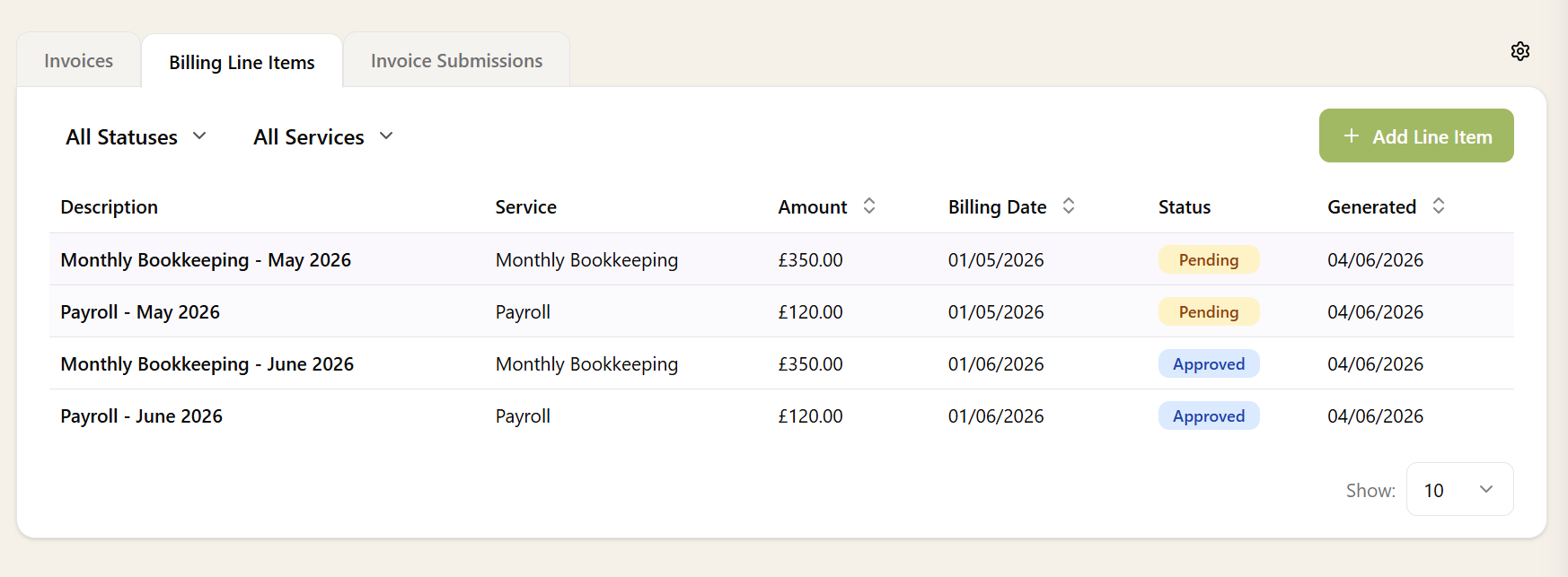
Pending line items sit in a review queue on the client's Billing tab. Approve them individually, or approve in bulk — once approved, they're picked up by the next invoice submission run.

Ad-hoc Billing Lines
Not everything you bill is recurring. When you need to charge a client for a one-off piece of work — a consultation, a late filing, an extra return — you can add a billing line by hand straight from the client's Billing tab. Set the description, amount, accounting code, and VAT rate, and it sits alongside the lines Sodium generates automatically.
Manually added lines are treated exactly like generated ones: they follow the same approval rules and are picked up by the next invoice submission run, so there's nothing separate to remember. Add an ad-hoc line whenever you like and it lands on the client's next invoice.
Smart Invoice Descriptions
Each service can define a description template for its invoice lines using tokens like {{ ServiceName }}, {{ Month }}, and {{ Year }}. A service called "Bookkeeping" with the template {{ ServiceName }} - {{ Month }} {{ Year }} produces line items like "Bookkeeping - June 2026".
If you don't set a template, the service name is used as the description. Either way, you can edit the description on any individual line item before it's invoiced.
Billing Settings
Client billing is enabled in Settings, where you configure the defaults for your practice:
- Invoice day of month — which day (1–28) invoices should be dated. Can be overridden per client.
- Payment terms — default payment terms in days (e.g. 28 days). Can be overridden per client.
- Approval required — whether generated line items need manual approval before invoicing.
- Default accounting code — pulled from your connected accounting platform, used when a service doesn't specify its own code.
Each service can also have its own accounting code (nominal code) and VAT rate — Standard, Reduced, Zero, Exempt, or Out of Scope. When you're choosing the code, Sodium presents a list pulled directly from your accounting software, so you pick from the real codes in your chart of accounts rather than typing them in. The code and VAT rate flow through to every invoice line automatically.
Once enabled, a Billing tab appears on every client page, giving you a clear view of that client's billing lines, submissions, and settings.
Combine client billing with Direct Debit collection for a fully automated billing and payment pipeline — invoices are created in your accounting platform and fees are collected automatically.
Want to learn about other capabilities?
Explore all featuresHave questions or suggestions?
Get in touch