


Email

A practice management system sends a lot of email on your behalf: proposals, engagement letters, records requests, chasers, approvals, forms. Sodium sends every one of them from a real mailbox in your practice, in the name of the person the client actually deals with, with that person's signature. Connect Microsoft 365, Google Workspace or your own mail server, and the client never sees a no-reply address again.

Microsoft 365 / Outlook
Google Workspace / Gmail

You may want the other direction

Receiving email in Sodium

This page is about sending. If you want Outlook or Gmail inside Sodium, with every client's email on their record, shared inboxes and attachments filed into requests, that is the Connected Mailbox.

At a glance

  • Microsoft 365, Google Workspace or any SMTP server, connected in a couple of minutes
  • One practice mailbox, every team member's own, or both at once
  • Nothing connected yet? Sodium still sends, and replies come back to your address
  • Each email chooses its sender: the client's manager, the task assignee, a partner, or a named mailbox like payroll@
  • A signature for every mailbox, swapped in automatically when the sender changes
  • Practice-wide header, footer and design theme on everything that goes out
  • Attach files from your practice document library without downloading them first
  • Preview any automated email exactly as one client would receive it, with missing data flagged
  • Write it now and deliver it in office hours

Everything Sodium Sends, Sent As You

Most of the email your clients get from your practice isn't typed by hand. It's the proposal and the engagement letter, the records request and the chasers that follow it, the approval link for a set of accounts, the onboarding form, the Direct Debit mandate, the HMRC authorisation request, every email a workflow step fires off, and the bulk email to your whole client list.

All of it goes out through your connected mailbox. So it arrives from an address the client recognises, it sits in your sent items like any other email, and when they hit reply, the reply lands in your inbox, not in a system somewhere.
Configured Around Your Practice

Every practice is different. Email in Sodium fits the way yours already works, whether that is one person and one inbox or a hundred people across a dozen shared mailboxes and as many personal ones.

Connect a single shared mailbox, hello@ or accounts@, as the practice default and everything goes from it. You can also let team members connect their own mailboxes alongside it, each choosing for themselves if it's shared with others for sending. They can also choose which, if any, of the emails they receive can be seen by their colleagues.

Then decide who each email comes from. Switch on manager matching and every automated email to a client goes from their manager's mailbox, falling back to the practice default if they haven't connected one. A workflow email step can be more specific still: the task assignee, the client's partner, the service's Preparer or Reviewer, or a named mailbox such as payroll@.

A shared accounts@ mailbox as the default, three managers with their own, and a payroll@ mailbox for the payroll workflow is a perfectly normal Sodium practice.

Your Name, Your Signature, Your Brand

Every connected mailbox carries its own signature, so a partner signs off with their name and direct line while the shared info@ address uses the general practice sign-off. When the sender changes, the signature changes with it. Nobody pastes a signature into a message again.

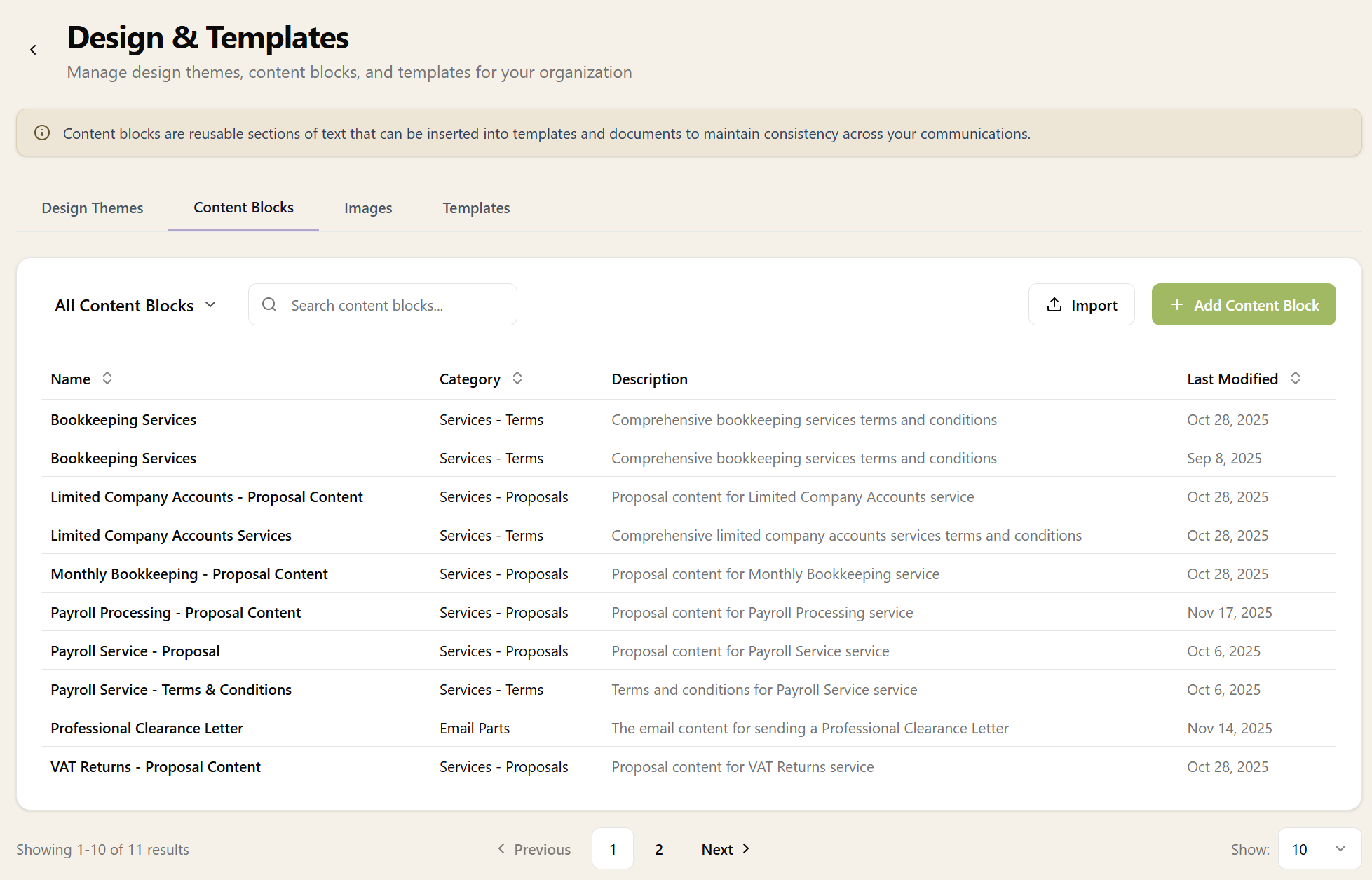
Around the signature sits the practice's branding: a header and footer built from reusable content blocks and a design theme, applied to every automated email so the logo, colours and regulatory footer are always right. Change the footer once and every email from then on picks it up.

Content blocks manager showing reusable email header and footer templates

Features to Make Life Easier

Writing an email in Sodium looks and feels like writing one in Outlook or Gmail, so nobody has to learn a new way of doing it. Underneath, it knows your practice.

  • Addresses complete themselves. Start typing a name and Sodium offers the matching addresses from your client and contact records, with that client's own people first.
  • Attach from your practice library. Pick the engagement terms, the checklist or the price list from your practice documents instead of digging through local files, and it attaches without a download.
  • Recipients by role. Automated emails address themselves to the main contact, the billing contact or the directors, with the manager or partner on Cc, whoever those happen to be for each client.
  • Preview before it goes. See any automated email exactly as one client will receive it, with any missing data flagged so it is fixed before anyone sees it.
  • Send later. Every Send button has a schedule option beside it, so a Sunday-evening reply can arrive on Monday morning.
  • Send to everyone. When one message needs to reach a few hundred clients, bulk email sends each their own personalised copy from your connected mailbox, with a test to yourself first.

Receiving Is the Other Half

Sending from your mailbox is where most practices start. Switch on receiving as well and the mailbox itself comes into Sodium: every conversation on the client's record, threads linked to tasks, attachments filed into open requests, and sharing you control email by email. That is the Connected Mailbox.