Features

Sodium has many useful features. But the real magic is in how they're implemented and how they integrate with each other. Click on a section below to learn more about a specific feature.

Core Platform

Client Management

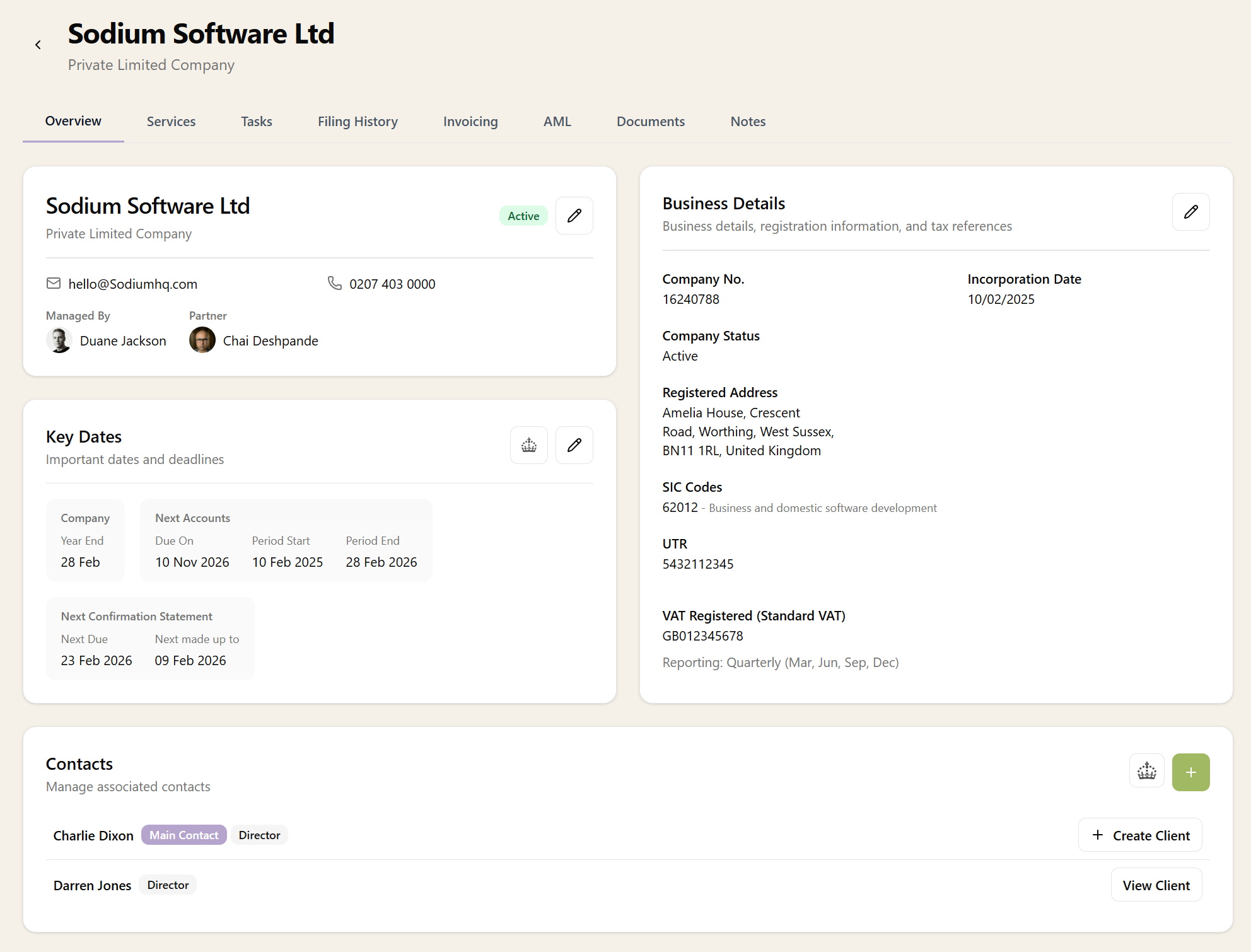
Manage your entire client base, track contacts, agent authorisations, import from CSV, and keep comprehensive records with documents and notes.

Dashboard

Configure your dashboard with widgets, activity feeds, and quick actions tailored to how you work.

Reporting

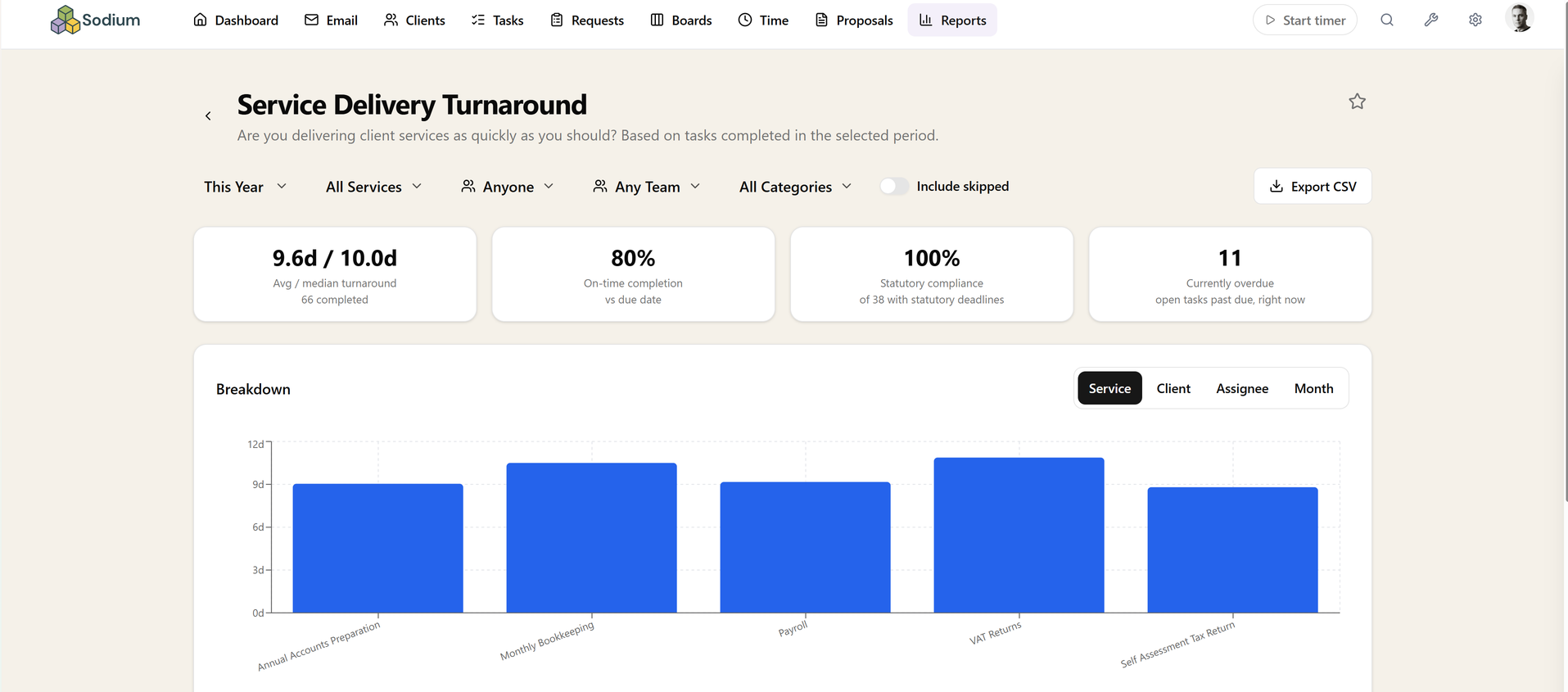
Curated reports over your operational data — service delivery turnaround, deadline compliance, client responsiveness, workflow bottlenecks, team workload, WIP ageing and more.

User Management

Invite your team, assign roles, and control exactly who can see and do what with granular permissions.

Client Portal

A branded portal where clients can view documents, respond to requests, approve engagement letters, and access their information.

Saved Views

Save filtered views of your tasks and clients for one-click access. Add an optional icon and colour, pin views to the navigation menu, or use them to power Focus Panel tabs and dashboard widgets.

Data Import & Export

Import clients from CSV or accounting platforms with a field mapping wizard. Export data to CSV. Persistent mappings for repeat imports.

Custom Fields

Define custom fields on client records with text, number, date, and dropdown types. Organise into groups that display as cards on the client page. Pro plan feature.

Client Teams

Assign teams to clients to organise your client base by department or service line. Filter, sort, and build saved views based on team assignment.

Connected Mailbox

Microsoft 365Gmail

Connect Gmail or Outlook mailboxes as a single combined inbox. Emails are automatically linked to clients and tasks. Compose, reply, search, and move attachments into document requests, all without leaving the app.

Bulk Email

Email hundreds of clients in one go, each message personalised with their own details. Pick an audience from saved views or filters, preview per client, send a test, and watch delivery live — with contact preferences respected.

Services & Billing

Tasks & Workflows

Tasks

Manage tasks across your practice with recurring schedules, team assignments, checklists, client linking, and status tracking.

Focus Panel

A slide-out panel for working through your tasks without losing context. Customisable views powered by saved task queries.

Workflows

Break complex tasks into manageable steps with reusable workflow templates, automated emails, document request collection, and team assignments.

Workflow Steps

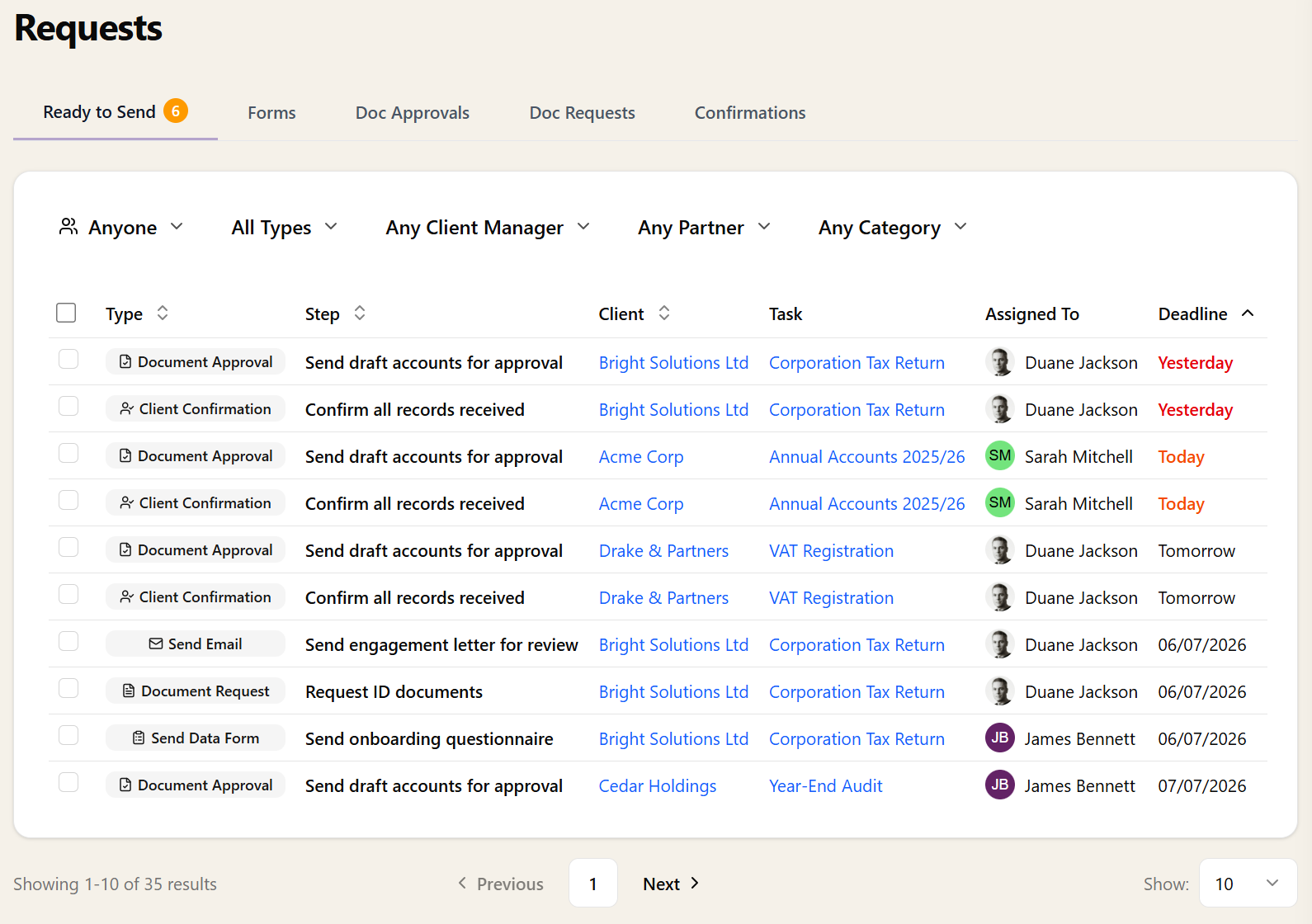
Eight step types that go beyond checkboxes. Send emails, request documents, collect approvals and confirmations, send forms, set service stages, and update client records. Manual steps queue up on the Ready to Send tab for quick review and action.

Requests

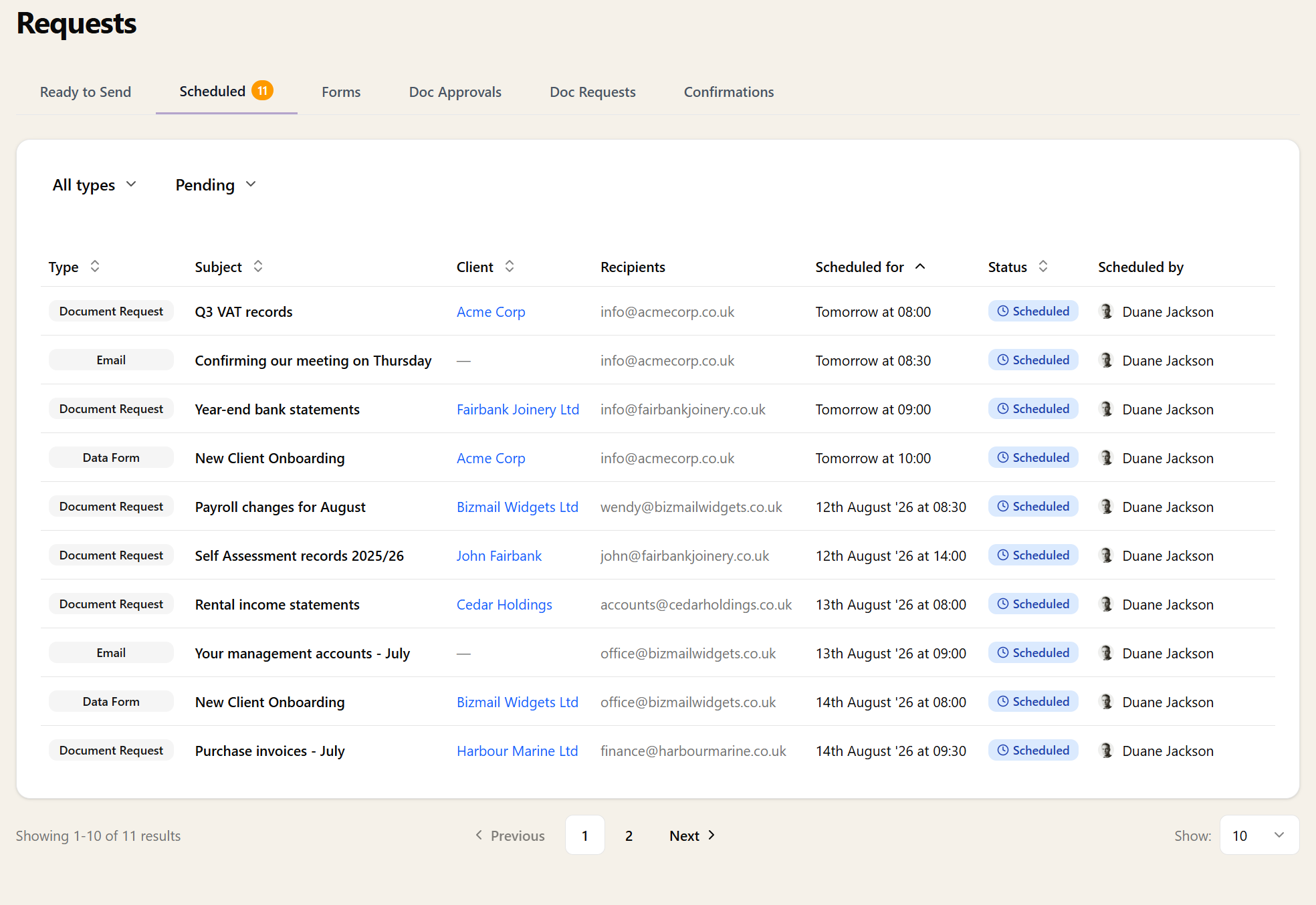
One screen for everything waiting to be sent. Review and send workflow emails, document requests, approvals, confirmations, and forms across all tasks without navigating away.

Client Confirmations

Add sign-off gates to your workflows. The client receives an email, clicks a link, and confirms — then follow-up steps proceed automatically.

Task Teams

Organise staff into teams for group task assignment. Team members pick work from a shared queue, with auto-assignment when someone starts a task.

Recurring Tasks

Create task templates that repeat automatically. Daily, weekly, monthly, or yearly patterns with working day awareness, client date triggers, and automatic deduplication.

Service Stages

Track service delivery progress with custom stages. Define stages like 'Information Gathering' and 'Filed', and automate transitions through workflow steps.

Kanban Boards

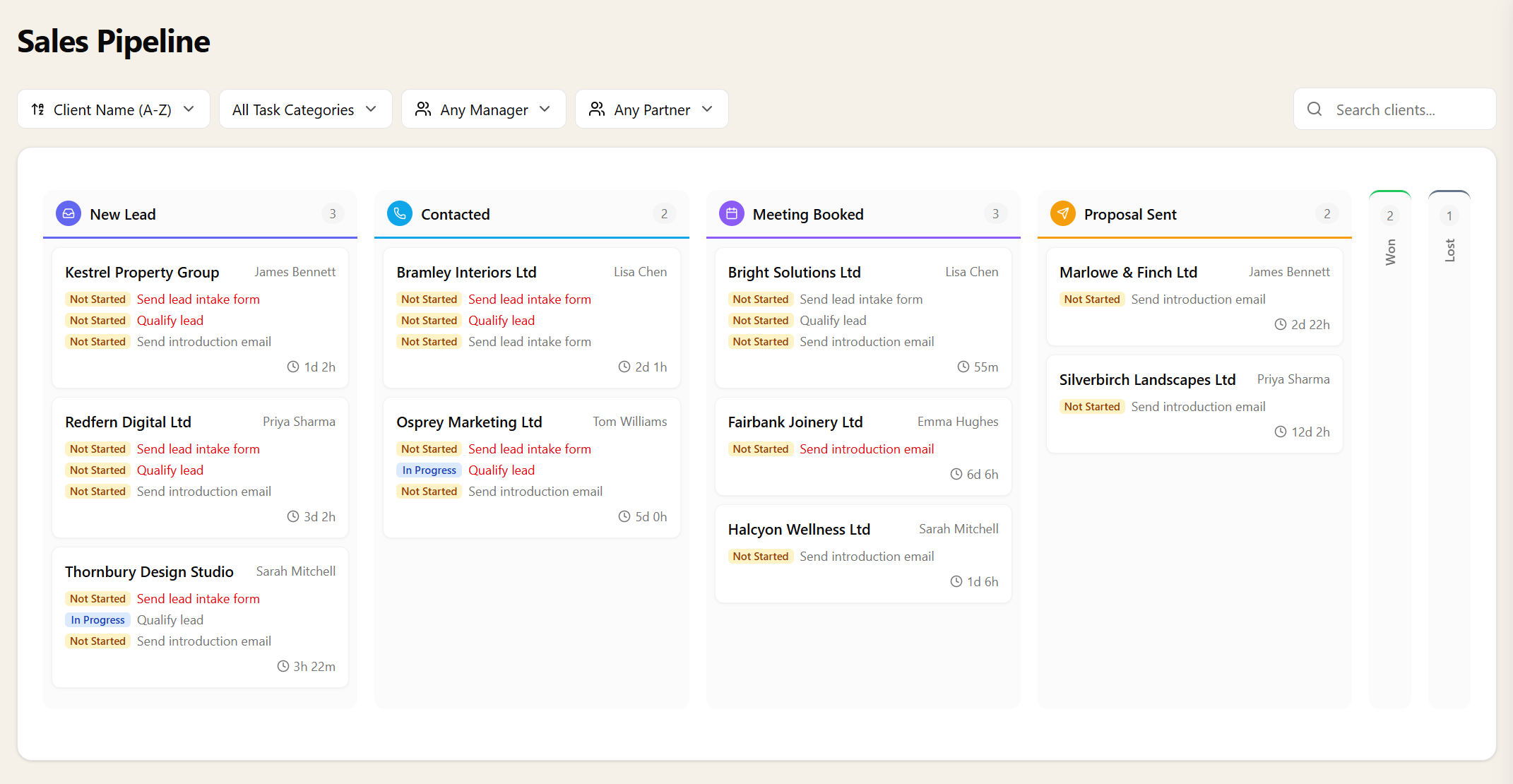
Visualise client progress on a drag-and-drop kanban board. See where every client stands, how long they've been there, and what tasks are outstanding.

Sales Pipeline

A CRM built into your practice management. Track prospects through a drag-and-drop funnel, fire intake tasks automatically, and move from lead to won.

Documents

Anne Sievewright
I've tried other practice management solutions but find they're always heavy work to get them set up - but yours feels a breeze! Anne Sievewright, charlesblack.co.uk