
Calendar Feed

Most of us plan the day in one calendar. If your practice work lives somewhere else, it competes with that calendar rather than fitting into it. Subscribe to your Sodium tasks from Google Calendar, Outlook or Apple Calendar and they simply appear alongside everything else you've got on.

At a glance

  • One private URL, set up once
  • Google Calendar, Outlook and Apple Calendar
  • Your tasks at their start date and time
  • Upcoming recurring work included before it's generated
  • Stays up to date on its own - nothing to export or re-import
  • Client name, status and assignee on every entry
  • Reset the URL at any time

A Subscription, Not an Export

Exporting a calendar file is a snapshot. It's accurate for about as long as it takes to save it, and then you're doing it again next week. A feed is a subscription: your calendar app holds the URL and re-reads it, so a task you move in Sodium this morning moves in your calendar too.

Setting it up is two clicks. Sodium shows your feed URL with buttons that hand it straight to Google Calendar or Outlook, and a webcal:// link that Apple Calendar and most desktop clients pick up on their own. Paste it anywhere else that accepts an iCalendar subscription and that will work too - it's a standard feed, not something proprietary.

Worth knowing: calendar apps decide for themselves how often to refresh a subscribed feed, and most check every few hours rather than every few minutes. Sodium asks them to look every six hours. So a change you make in Sodium can take a while to show up on your phone. For anything you need to be certain about right now, Sodium is still the place to look.
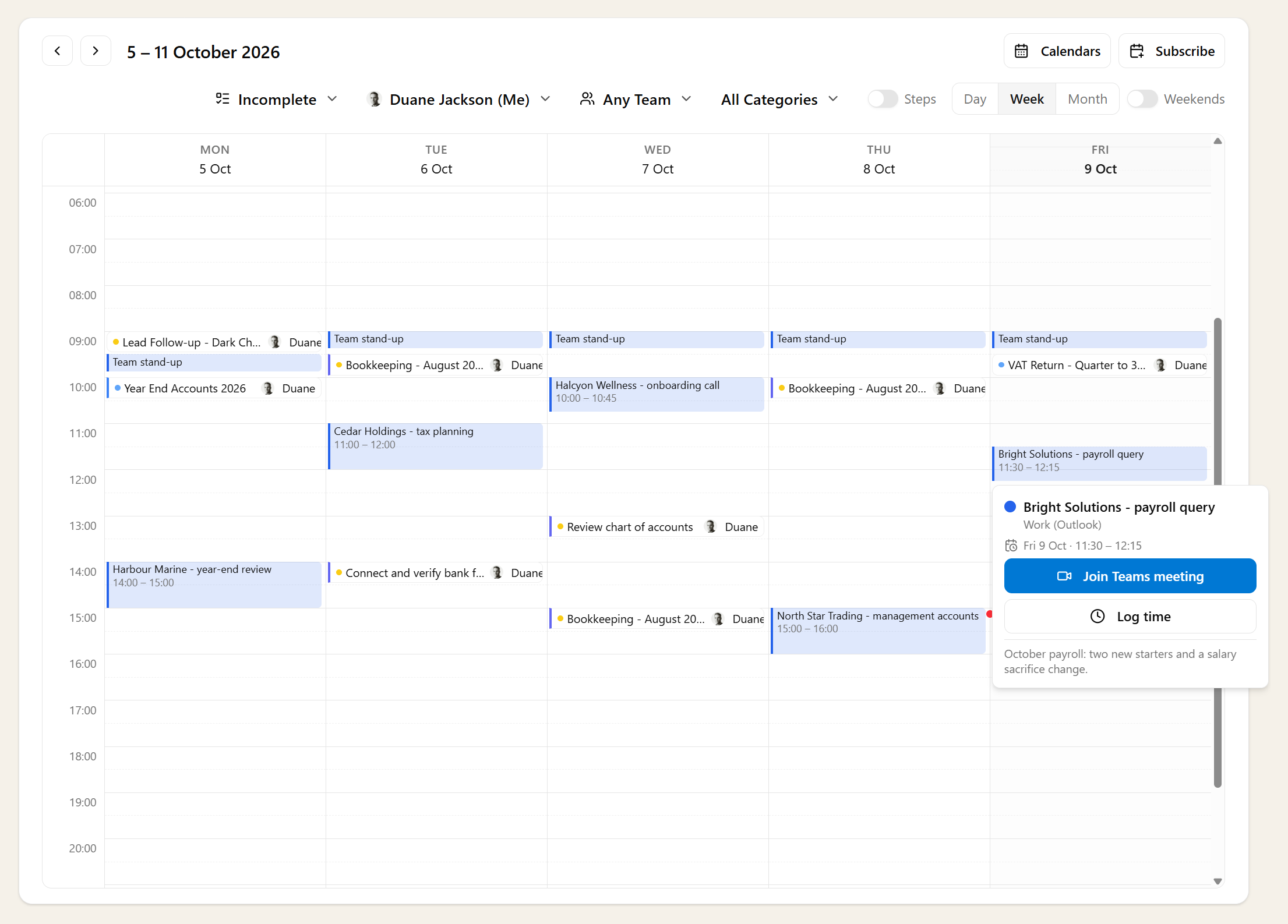
At the Right Time, Not Just the Right Day

Tasks in Sodium carry a start time as well as a start date, so they land in your calendar at an hour rather than piling up in the all-day row where nobody reads them. That's the same positioning you see on the task calendar in Sodium itself, so the two views agree with each other.

Times are your practice's local times, written into the feed without a timezone attached. Nine in the morning stays nine in the morning, whatever your calendar app thinks it knows about where you are.

Each entry is titled with the task and the client it belongs to, and carries the description, the current status and who it's assigned to. Enough to know what a slot is for without opening anything.

Including Work That Doesn't Exist Yet

A calendar showing only the tasks that have already been generated would be a thin picture of the next few months. The feed projects your recurring tasks forward three months, so the quarterly and monthly work heading your way is visible before it's created.

It carries your own assigned tasks, at every status except skipped - a skipped occurrence is work that isn't going to happen, and it isn't worth a slot in your week. If your access is restricted to particular teams or clients, the feed respects that in exactly the way the app does.

For the longer view - a year out, across the whole practice - Sodium is where you go. The feed is deliberately a short-horizon, personal thing.

Your Feed, and Only Yours

Calendar apps can't log in, so the URL itself is the credential. That makes it worth treating like a password: Sodium keeps it hidden until you choose to reveal it, and the copy button means you never have to read it out.

If it does end up somewhere it shouldn't - forwarded in an email, left on a machine you no longer use - reset it. The old URL stops working immediately, and you re-subscribe with the new one. Everyone has their own feed, so resetting yours affects nobody else.

You'll find it on your profile page, and behind a Subscribe button on the task calendar itself.

Want to learn about other capabilities?

Explore all features

Have questions or suggestions?

Get in touch