
Configurable Dashboard

Your dashboard is the first thing you see when you sign in. It should show the work actually in front of you, not a fixed view someone else decided was important.

So you build it. Add the widgets you want from the library, put them where you want them, and leave out the rest.

At a glance

  • A personal dashboard you build from a library of widgets
  • Drag, resize and remove widgets to lay it out your way
  • Counts for clients, tasks and outstanding requests at a glance
  • Task lists filtered how you want them - overdue, yours, by status
  • Report widgets for team workload, deadlines and work in progress
  • A kanban board for a service or sales pipeline, with the stages you choose
  • Notes for yourself, one shared with the practice, and notes pinned from a client or task
  • Everyone in the practice configures their own

A Dashboard Per Person

Open the widget catalogue, add what you want, then drag each one where it belongs and resize it until the things that matter are above the fold. Anything that isn't earning its place comes straight back off.

The layout is saved to you, not to the practice, so a partner watching new business, a manager watching deadlines and a bookkeeper working through a task list can each sign in to something different.
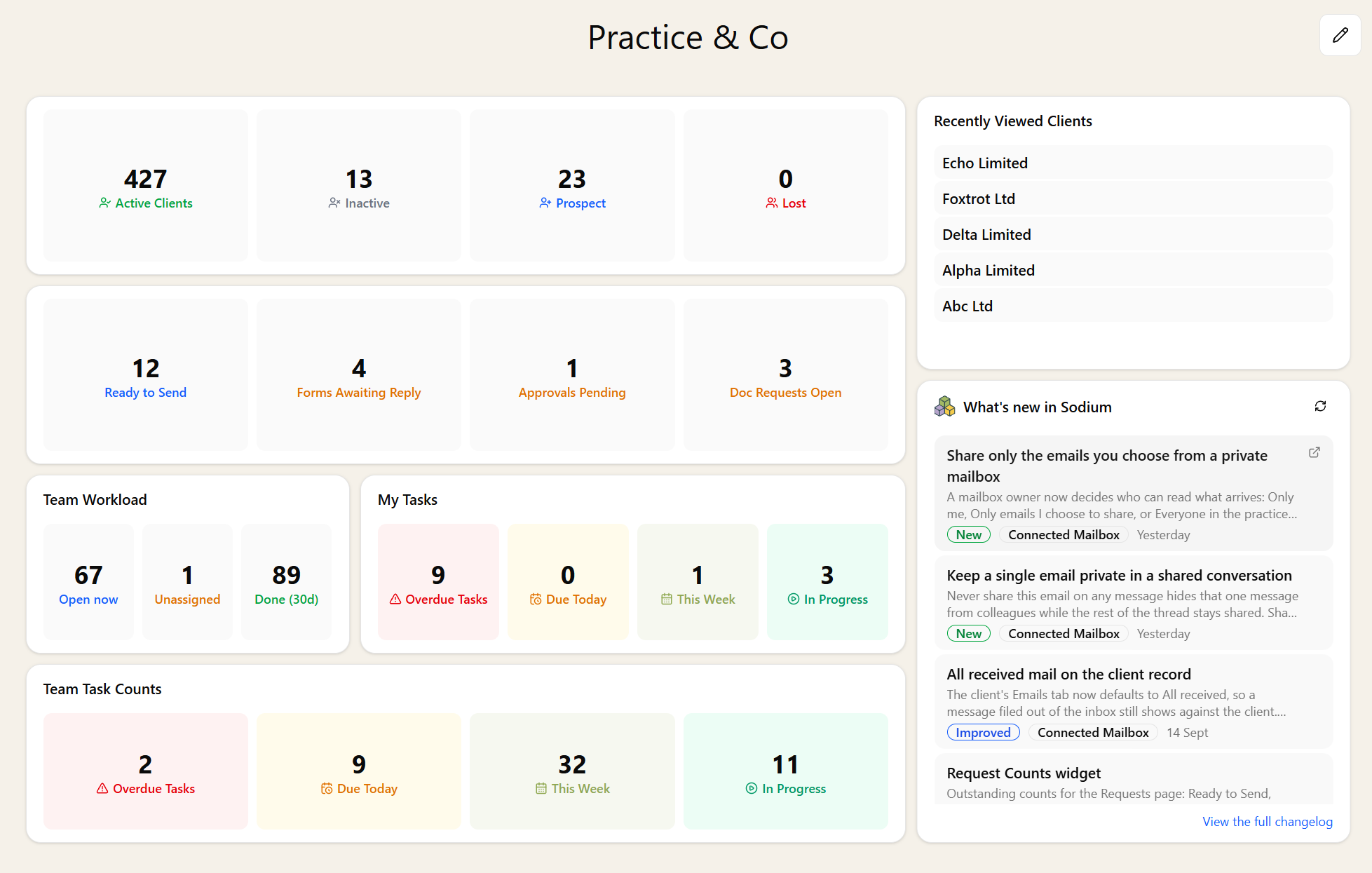
A Sodium dashboard: client and request count tiles, team workload and task count widgets, recently viewed clients, and the What's New in Sodium feed

The Widget Library

The library grows as Sodium does, so it's worth a look every so often. Among the things you can put on a dashboard:

  • Counts - active clients and prospects, tasks by status, and what's outstanding on the Requests page, from items ready to send to forms awaiting a reply and document requests still open
  • Lists - tasks filtered however you like, plus the clients and tasks you've looked at most recently
  • Reports at a glance - team workload, deadline compliance, service delivery, work in progress and ageing
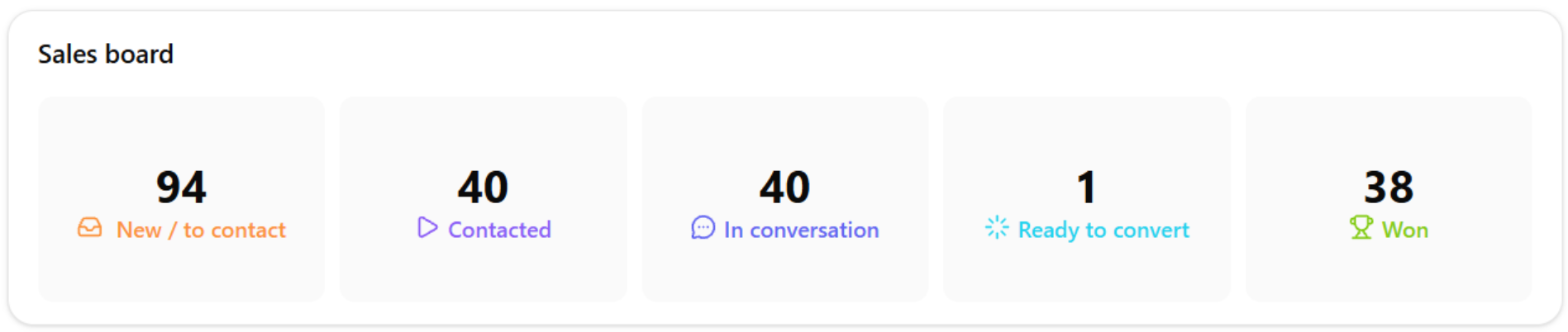
  • Pipelines - a kanban board for a service or a sales pipeline, and the state of your proposals
  • Feeds - what's new in Sodium, and headlines from the industry sites, without leaving the app
A kanban board widget on the dashboard: a sales board with counts for new, contacted, in conversation, ready to convert and won

Most widgets carry their own settings, so two of the same kind can show different things: one task widget for your overdue work and another for the team's, a count tile for clients and another for requests. Across the whole dashboard you can have zeros show as a dash rather than a nought, and choose how often everything refreshes itself.

See it in action

Dashboard in Sodium · Watch on YouTube

Notes

Not everything belongs on a client record. A notes widget is a rich-text scratchpad that saves as you type and is private to you - have as many as you like, each with its own name, so the VAT reminders don't share a box with the payroll ones. There's also a single practice note shared with everyone, which suits the standing reminders that would otherwise go round on email. And a note that lives on a client or a task can be pinned to the dashboard, with a link back to the record it came from.

Dig Deeper From the Dashboard

Most widgets are a way in rather than just a number. Click a count and you land on the list behind it - the overdue tasks, the requests still waiting to go out. Click a row in a list and you are on the client or the task itself. Click a report summary and the full report opens up behind it. Very little on the dashboard is a dead end.

And when it's time to stop looking and start working, the focus panel turns your task list into a guided queue.

Quick actions create a client, a proposal or a task without going through the menus, and saved views pinned to the navigation keep the filtered lists you rely on a click away.