Sales Pipeline

The CRM you'd otherwise pay for separately, built into your practice management. Prospects move through a drag-and-drop kanban funnel while workflows send the emails, chase the follow-ups and advance the deal for you — and by the time the proposal is accepted, the lead is already a fully-onboarded client.

Your Funnel Is a Kanban Board

Every pipeline gets its own board on the Boards page, right alongside your service delivery kanban boards — one colour-coded column per stage, one card per prospect. Drag a card to move a deal and it saves instantly. Sort any column by client name, time in stage, or the next task due date, and the board updates live as your team works the funnel around you.

Cards aren't just names. Each one shows the deal's open pipeline tasks — right down to the workflow step they're sitting on — plus how long the card has been in its current stage. One glance tells you which leads are moving and which are going stale. And the card shows only that pipeline's work, so the board stays a clean picture of your funnel rather than a dump of everything on the client's plate.
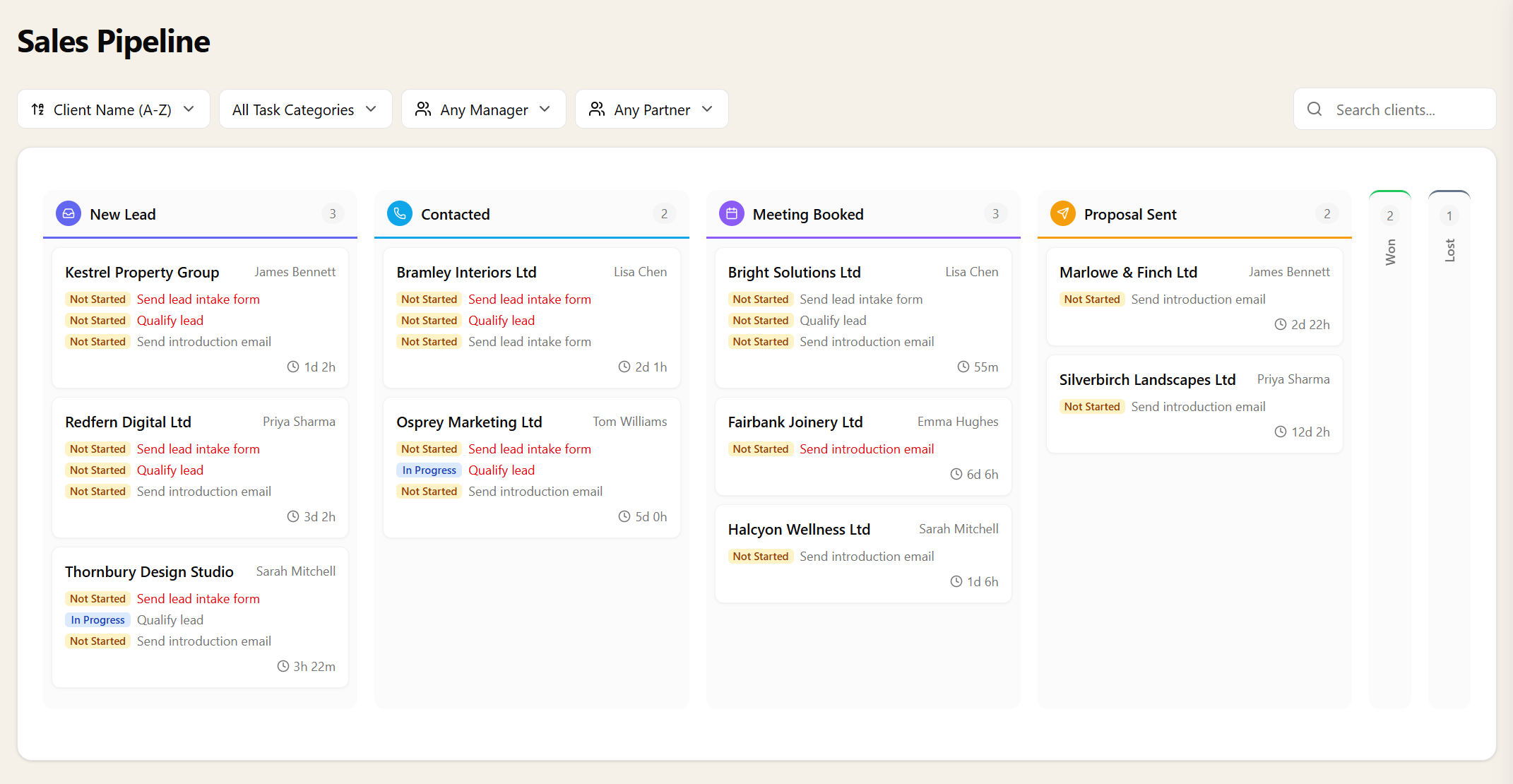
Sales pipeline kanban board in Sodium with prospect cards, their open tasks and time-in-stage across colour-coded stage columns

The Funnel on Your Dashboard

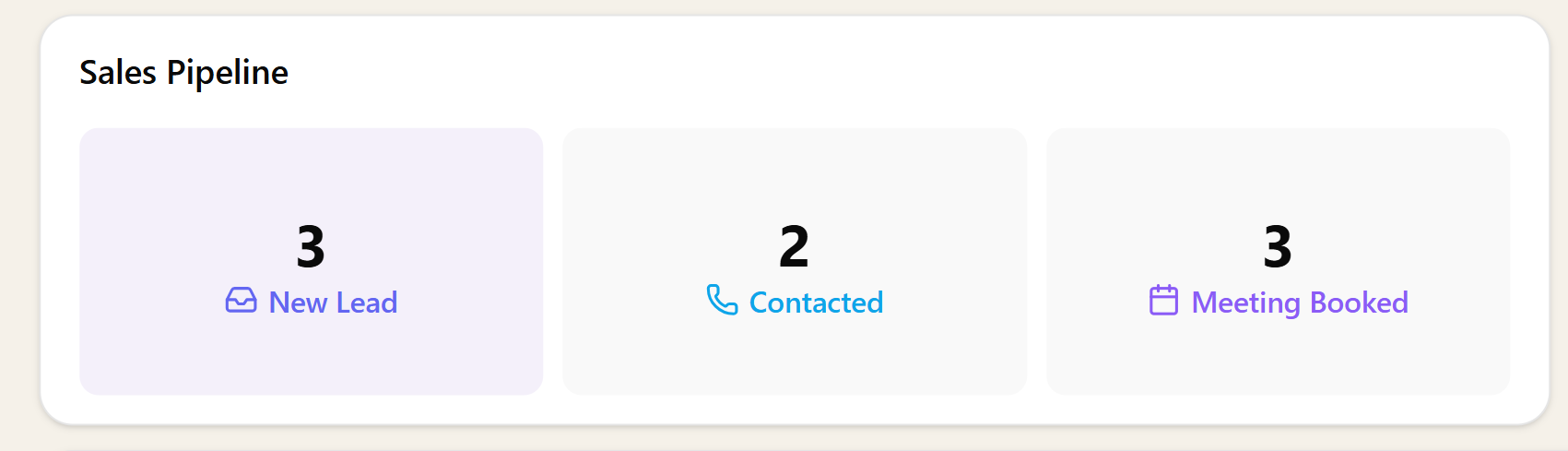
Keep the funnel in sight without opening the board. Add the kanban widget to your dashboard, pick a pipeline and the stages you care about, and every login starts with an at-a-glance view of your deals — who's new, who's in play, and who's about to close.

Dashboard kanban widget showing prospects by sales pipeline stage

Stages You Design — and More Than One Funnel

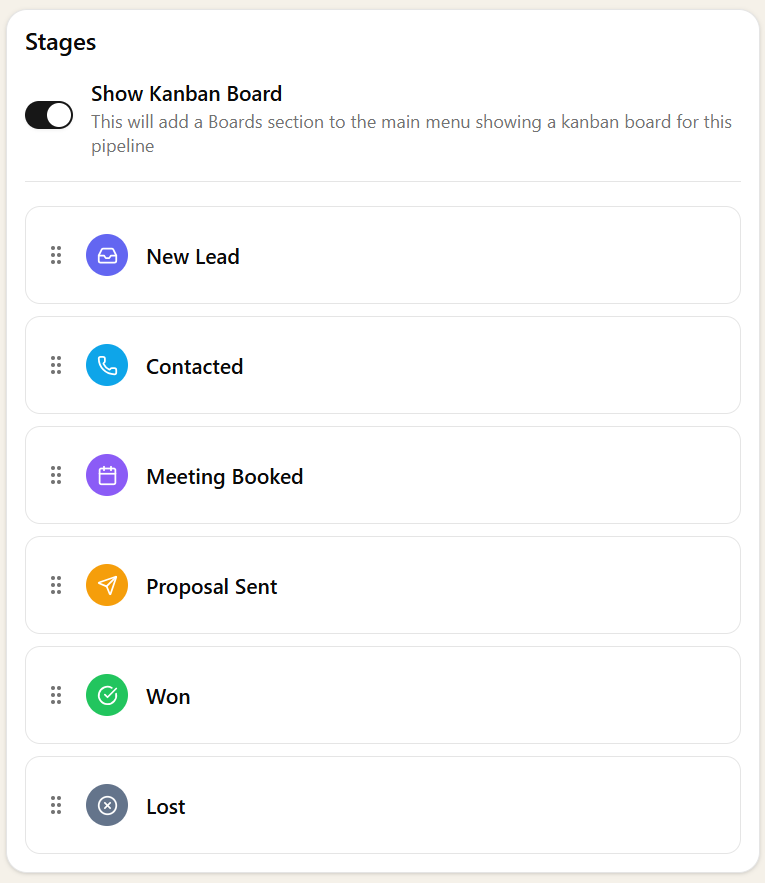
Stages are yours to shape: give each one a name, a description, an icon and a colour, then drag them into order. A six-stage classic funnel, a three-stage triage, a fifteen-stage enterprise chase — whatever matches how you actually sell. Each stage even decides whether the deal should appear on the client's own record, so terminal stages like "Won" can tidy themselves away when the selling is done.

And you're not limited to one pipeline. Run a new-business funnel and a cross-sell funnel side by side, or one per office — each with its own stages, its own automations, its own board, and its own default deal manager.

Pipeline stage editor with draggable, colour-coded stages and the Show Kanban Board toggle

A Complete Funnel in One Click

Don't start from a blank board. Import the ready-made Sales Pipeline from the library and one click installs the whole machine:

  • Six stages — New Lead, Contacted, Meeting Booked, Proposal Sent, Won, Lost — coloured and iconed
  • Intake tasks — "Qualify lead" and "Send lead intake form" — that fire the moment a prospect joins the pipeline
  • A lead intake form your prospect completes online, feeding their details straight into the client record
  • A weekly follow-up recurring task for every lead on the board
  • A nine-step guided workflow that works each deal from intro email to recorded outcome
  • Ready-written, personalised email templates for the introduction and the proposal chase

Everything arrives pre-wired and fully editable. Rename stages, rewrite the emails, change the cadence — it's a working starting point you make your own, not a rigid template.

Workflows That Sell

This is where the pipeline stops being a pretty board and starts doing the selling. The same workflow engine that runs your compliance jobs runs your funnel — and it has a dedicated Set Pipeline Stage step that moves the card for you. Complete the "Send introduction email" step and the deal advances itself to Contacted. Book the meeting, and the card follows. Nobody has to remember to update the board, because the board reflects the work.

The imported follow-up workflow chases each deal end to end: intro email → move to Contacted → send the intake form → book the meeting → move to Meeting Booked → send the proposal → move to Proposal Sent → chase it → record the outcome. Nine steps, three automatic stage moves, zero manual board admin.

And because it's the full workflow engine, every tool applies to your funnel: send emails from your own mailbox, request documents, send forms, add checklists, and chain steps with dependencies. Prefer hands-on? Drag the cards yourself. Most practices mix both.

Follow-Ups That Never Slip

The moment a prospect joins a pipeline, its intake tasks are created — each with its own due-date offset, assigned by rule to the client's manager, the pipeline's default manager, or a named person, with an optional checklist and workflow attached. A new opportunity generates its own to-do list before you've closed the dialog.

Then the drumbeat: point any recurring task at "Clients on pipelines" and it materialises for every lead in the funnel, week in, week out — the imported weekly follow-up is just one example. No lead sits forgotten in a column because nobody's to-do list mentioned them.

You control the throttle. Prospect automations are a single toggle: on, and every Active Prospect in the funnel gets the full treatment; off, and your pipelines become a purely manual drag-and-drop board. Active clients on a pipeline always get its tasks.

From Proposal Sent to Client Won

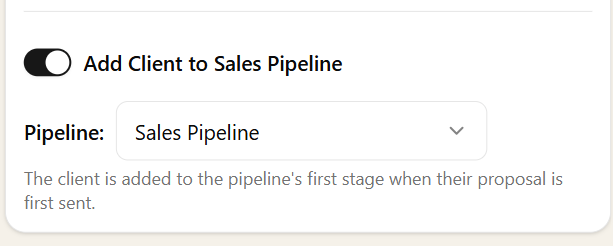
Proposal settings toggle: Add Client to Sales Pipeline when their proposal is first sent

Sodium already owns the closing steps — proposals with online acceptance and engagement letters with digital signatures. The funnel joins on automatically: switch on "Add Client to Sales Pipeline" in your proposal settings and the first time a proposal goes out, the client lands on your pipeline by themselves — card on the board, intake tasks fired, follow-up drumbeat started. Every quote you send becomes a deal you're tracking, with zero double-entry.

When they accept, the prospect becomes an active client automatically — same record, same history, nothing re-keyed. Mark the card Won and the deal steps politely off the client's page while the full journey stays on the board and in the stage history. Onboarding and recurring compliance work begin against the very record you nurtured as a lead.

The Deal Lives on the Client Record

A prospect in Sodium isn't a name in a side database — it's a full client record from day one: contacts, notes, documents, emails, forms and tasks, all in one place. There is no shadow CRM contact to re-key when the work is won, and no history left behind in another system.

Open any client on a pipeline and the deal is the first thing you see: a progression banner across the top of the record showing every stage in the pipeline's colours, the current stage highlighted, and how long they've been sitting in it. Perfect thirty seconds before you pick up the phone.

Sales pipeline displayed on a client record in Sodium

Work the Funnel at Scale

Ten leads or two hundred, the funnel keeps up. Add clients to a pipeline in bulk — pick the prospects, a starting stage, a start date and a deal manager in one dialog — and the intake tasks and follow-ups fire for every one of them.

The pipeline's Prospects tab lists everyone on the board: multi-select cards to move a batch to a new stage or remove them from the pipeline in one action, with each operation gated by your team's permissions. The busywork of running a funnel is exactly the part Sodium takes off your hands.

One Engine, Nothing Bolted On

A Sales Pipeline isn't a module we acquired and stapled to the side. It's your existing kanban boards, stages, recurring tasks, workflows, forms and email pointed at winning work instead of delivering it. If your team can run a board, they can run the funnel — there is nothing new to learn.

It cuts the other way too: pipelines can never leak into your billing, proposals or client portal. They're a separate concept, kept cleanly apart from the services you deliver, so your sales funnel and your fee-earning work never tangle. And like everything in Sodium, the whole thing — pipelines, stages, cards, automations — is available through the API.

Off by Default, On in One Click

Not every practice wants a sales funnel, so the whole feature stays out of your way until you ask for it. Switching it on is a single toggle in Settings — and everything appears at once: the boards, the workflow step, the prospect automations. Switch it off again and it all tidies itself away.

One honest note on pricing: the Sales Pipeline is part of the Pro package, and while it's on, Active Prospects count towards your billable client total, just like active clients — the app tells you the same thing before you enable it. No surprises on the invoice.

Want to learn about other capabilities?

Explore all features

Have questions or suggestions?

Get in touch