Task Templates

Some client work arrives out of nowhere. A change of address. An accountant's reference letter for a mortgage application. There's no schedule, but the work itself is the same every time. Task templates let you define that work once - checklist, workflow, assignment and all - and turn it into a real task for any client in a couple of clicks.

For Work That Has No Schedule

Recurring tasks handle the rhythm of your practice - VAT every quarter, payroll every month, accounts every year. They generate work automatically on a schedule.

Task templates are the other half of the story. They never create anything automatically. Instead, they sit ready for the moment a client asks for something: a team member picks the template, picks the client, and gets a complete, properly-structured task on demand. Ad-hoc work gets the same consistency as your scheduled work - without anyone rebuilding the checklist from memory each time.
Everything a Task Needs, Ready to Go

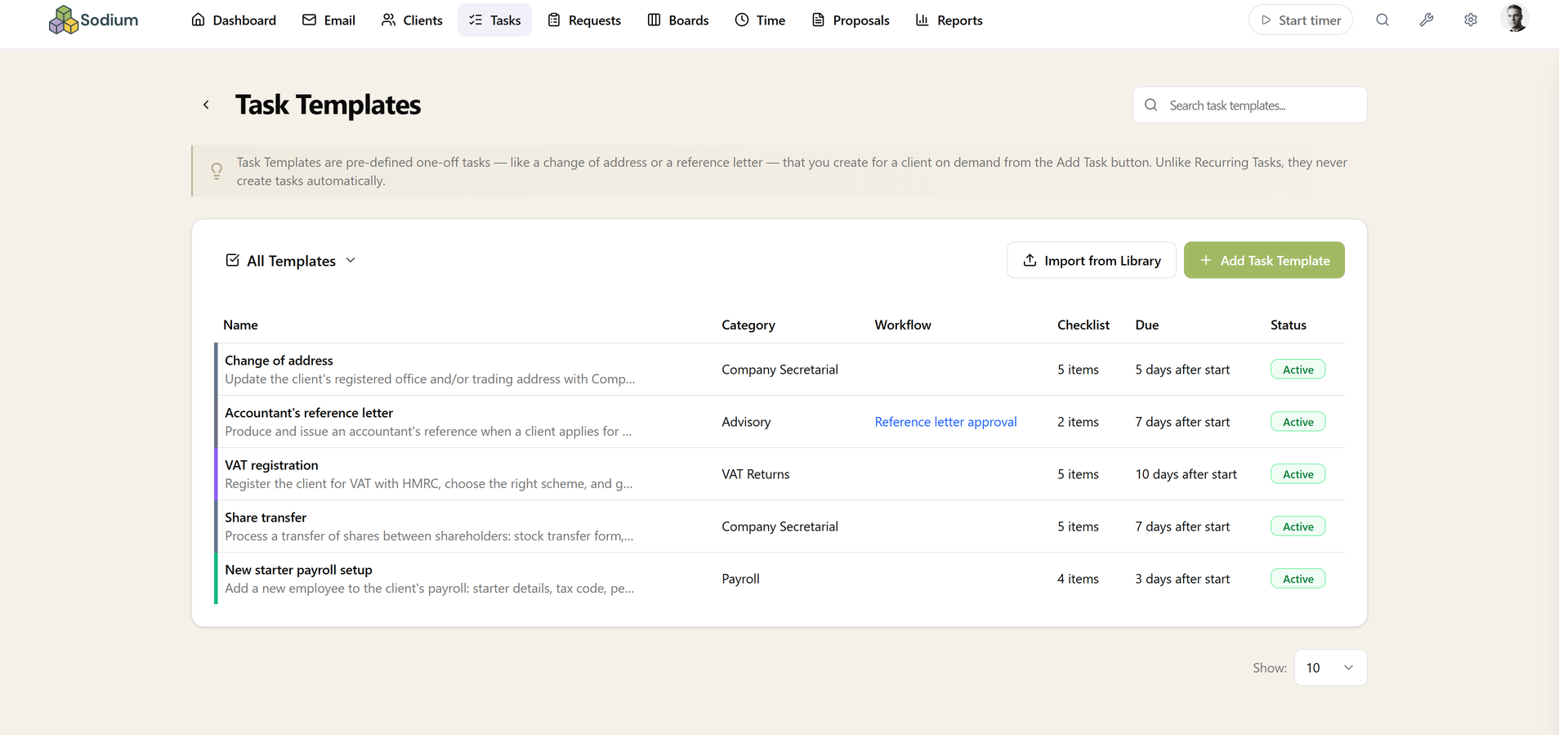
A template holds the complete definition of a piece of work, so nothing gets forgotten when it's needed in a hurry:

  • Name and description - with rich-text formatting for instructions and background
  • A checklist - every step of the job, spelled out once
  • An optional workflow - for work that needs structure, like a Draft → Partner review → Send approval flow
  • A category and time estimate - so the work is classified and planned from the start
  • An assignment rule - who should do the work, resolved automatically when the client is picked
  • A default due date - set as an offset in days from when the task is created, which you can adjust on the day

Templates also have an active/inactive toggle, so retired templates stop appearing when creating tasks without losing their definition.

Task Templates list showing five templates with their categories, workflows, checklists, due date offsets, and active status

Right There When You Add a Task

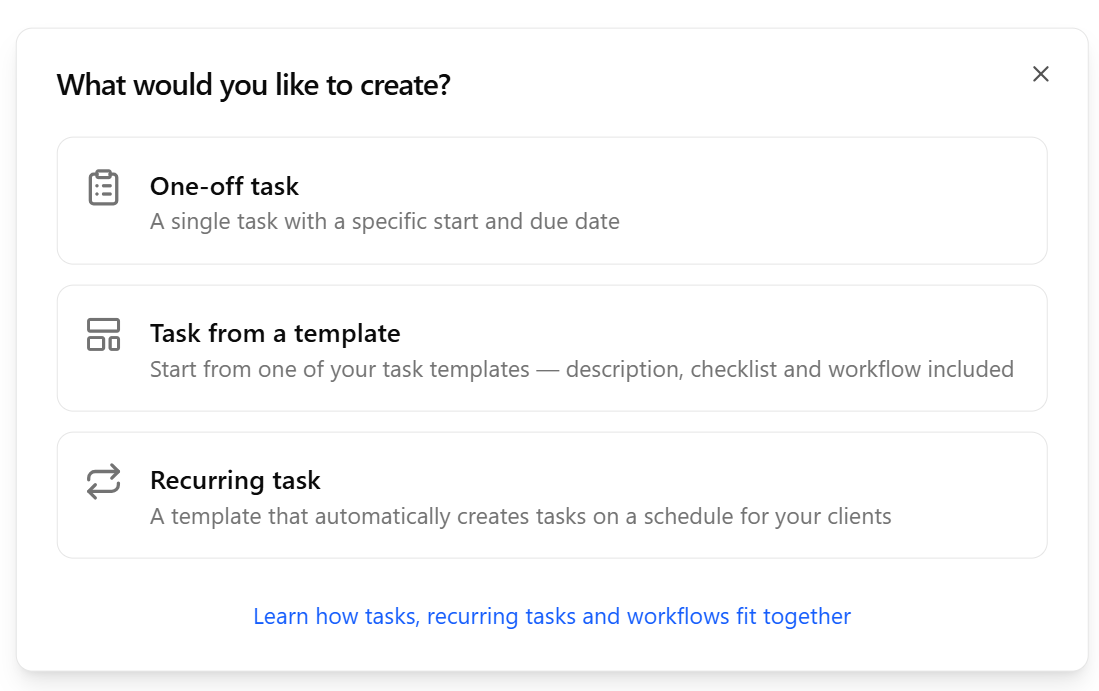
The Add Task button - on the Tasks page and on a client's Tasks tab - offers three choices: a one-off task, a task from a template, or a recurring task. Pick a template and the whole task form is prefilled - description, checklist, workflow, category, estimate, assignment, and due date.

Start from a client's page and the client is prefilled too. Everything stays editable before you save, so the template is a starting point, never a straitjacket.

Add Task dialog asking what you would like to create: a one-off task, a task from a template, or a recurring task

Run Now

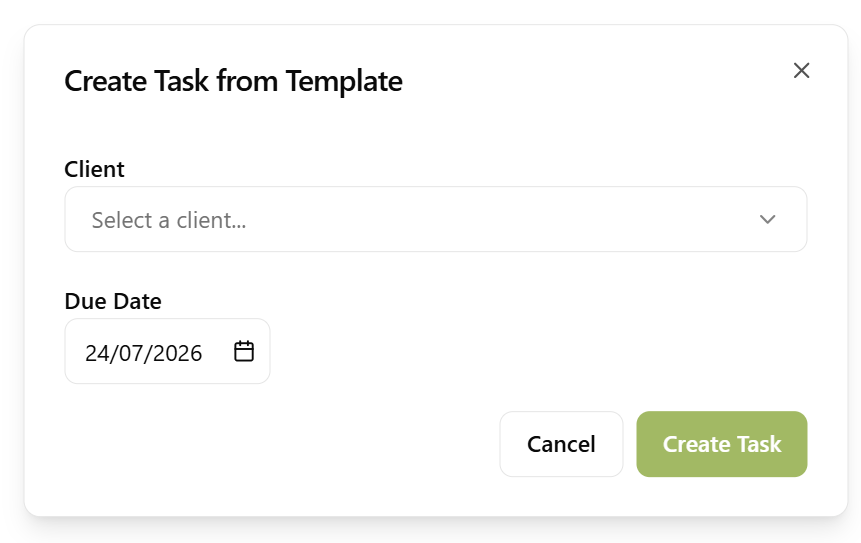
Templates are managed in one place - the Task Templates page, a click away from your Tasks page. Each template has a Run Now button: pick a client, and the task is created immediately with its checklist and workflow in place. When a client calls asking for a reference letter, the work is set up before the call ends.

Templates can also be duplicated - handy for creating variations of the same job - and exported as JSON.

Create Task from Template dialog with the client picker open, choosing which client to run the template for

Assignment That Resolves Itself

Rather than naming a fixed person, a template's assignment rule can be relative to whichever client the task is created for:

  • A specific user - the same person handles it every time
  • The client's manager, partner, or associate - whoever holds that role for the chosen client
  • The manager of a linked service - resolved automatically when the client is picked

One template routes the work correctly across your whole client base - no thinking required at the moment of creation.

Turn Any Task into a Template

Just finished a job you know you'll be asked to do again? Duplicate on any existing task offers three options: another task, a recurring task, or a task template. The task's structure - checklist, workflow, category and all - becomes a reusable template in one step, captured while it's still fresh.

A Ready-Made Library

You don't have to start from a blank page. Sodium ships with a library of ready-made templates you can import in one click, including:

  • Change of address - with a checklist covering Companies House and HMRC notifications
  • Accountant's reference letter - with a partner-approval workflow built in

New practices get both automatically, so the first time a client asks, the answer is already set up.

Want to learn about other capabilities?

Explore all features

Have questions or suggestions?

Get in touch