
Charity Clients

Charities are built into Sodium, not bolted on.

The client type comes out right, and the Charity Commission fills in the rest.

At a glance

  • Charities found on the Charity Commission register by name when you add them
  • Register details refreshed on demand, with your say before anything changes
  • Annual return and accounts deadlines feed your tasks
  • Trustees imported as contacts, matched against the people you already hold
  • Companies limited by guarantee spotted from Companies House and flagged as likely charities

Charity Client Types

Support for charity clients starts with getting the client type right.

Tell Sodium a new client is a limited company and, if Companies House says it's limited by guarantee, we'll suggest you might want to tick the box that says it's also a charity. Tell Sodium it's a CIO and, if we spot a company number, we'll point out it should be recorded as a limited company with the charity box ticked. Either way, one click puts it right.

Trusts and associations can be charities too. Any client that can be a charity has a charity box and a charity number field, and the number is free text so Charity Commission, OSCR and CCNI numbers all fit.
Looked up on the register

Adding a CIO works the way adding a limited company does: type the name, pick the charity from the Charity Commission register, and the name and charity number are filled in.

For a charitable company, the register search opens with the company name already in it, so the charity number goes on the record at the same time as the company number.

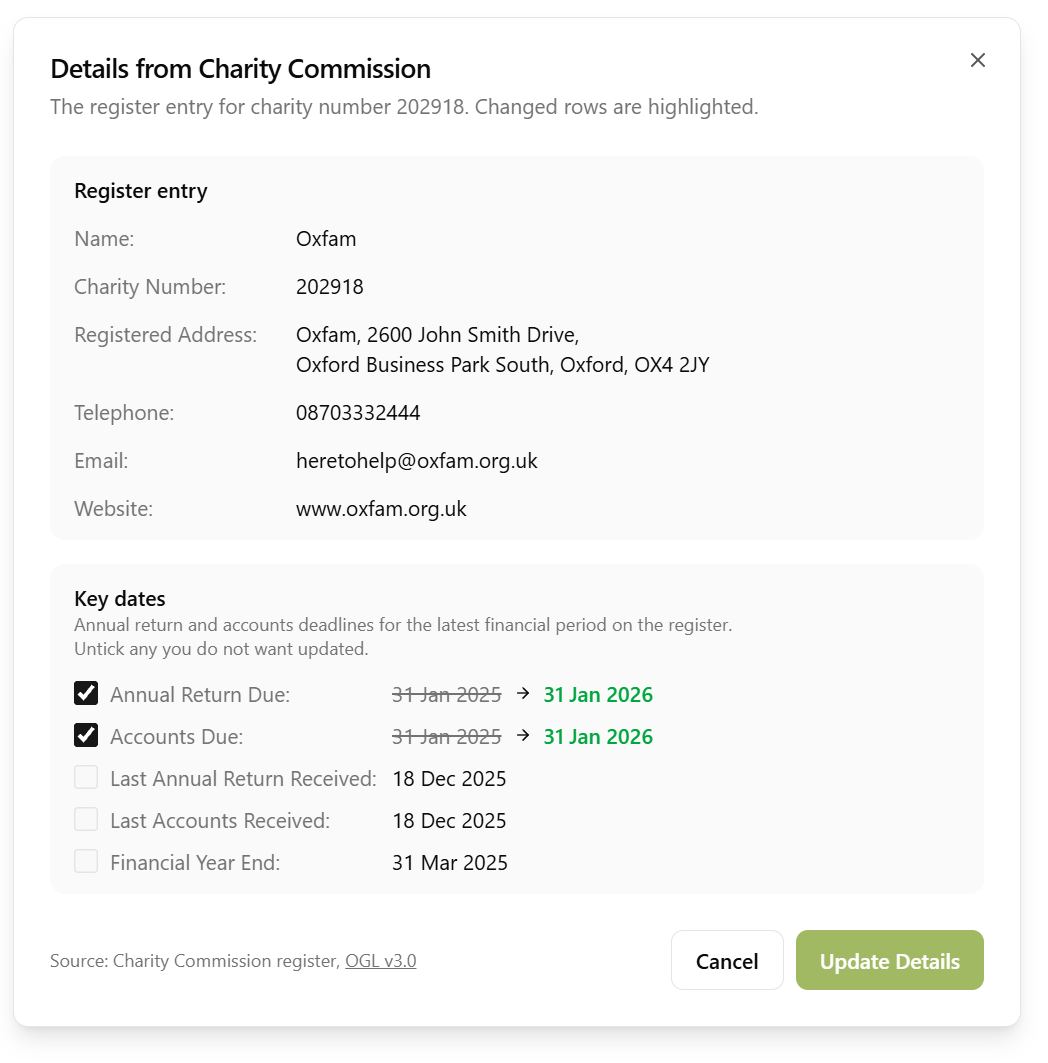
On an existing client, a refresh pulls the register's current details - name, address, phone, email and website - and shows them next to what you hold before anything changes. You choose what to keep. Nothing is overwritten on your behalf.

The register also records the charity's status, registration date, latest financial year and income, and whether it claims Gift Aid, so the client record tells you at a glance what the Commission knows.

Charity Commission details on a client record in Sodium

Deadlines that feed your tasks

Every registered charity files an annual return, and most file accounts and a trustees' annual report, ten months after the financial year end. The register holds those dates, and Sodium brings them onto the client record as key dates:

  • Annual return due
  • Accounts and trustees' annual report due
  • When each was last received by the Commission
  • The financial year end the Commission has on file

They sit alongside the Companies House dates, so a charitable company shows both sets, and they drive recurring tasks the same way a confirmation statement date does.

Trustees as contacts

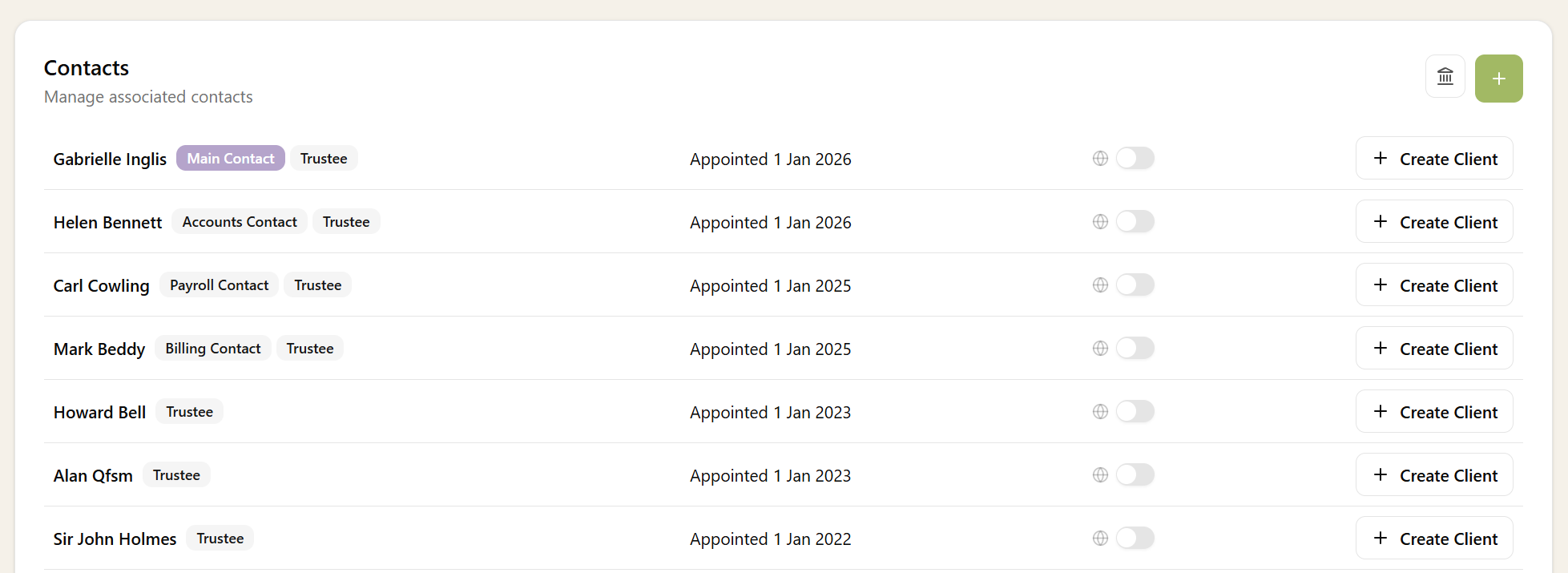
The register lists every trustee, who chairs the board, and when each was appointed. Sodium shows you that list and lets you choose who to bring in as contacts. Where a trustee is already one of your contacts, they are linked rather than duplicated, and you can correct a match before anything is created.

Run it again later and only new trustees are offered. Anyone who has left the board is flagged for you to review, never removed behind your back.

Trustees from the Charity Commission register, matched to existing contacts

Everywhere else charity status matters