Granola Meeting Notes

Granola already writes up your client meetings. Connect it to Sodium and every one of them lands on the right client's meeting notes, with the summary, the full transcript and who was there. Nobody copies anything across, and whoever picks up the work next can see exactly what was said.

Granola

At a glance

  • New meetings arrive in Sodium by themselves, as soon as Granola has written them up
  • Filed on the client whose contacts were in the meeting
  • Granola's summary, headings and all, with the full transcript beneath it
  • The client contacts and your own staff who were there
  • A link back to the meeting in Granola
  • Summaries and transcripts are copied into Sodium, so they stay even if you stop using Granola
  • Meetings Sodium can't place wait on one list, with the likely client suggested
  • Bring in past meetings from a date you choose when you connect

Every Meeting, On the Right Client

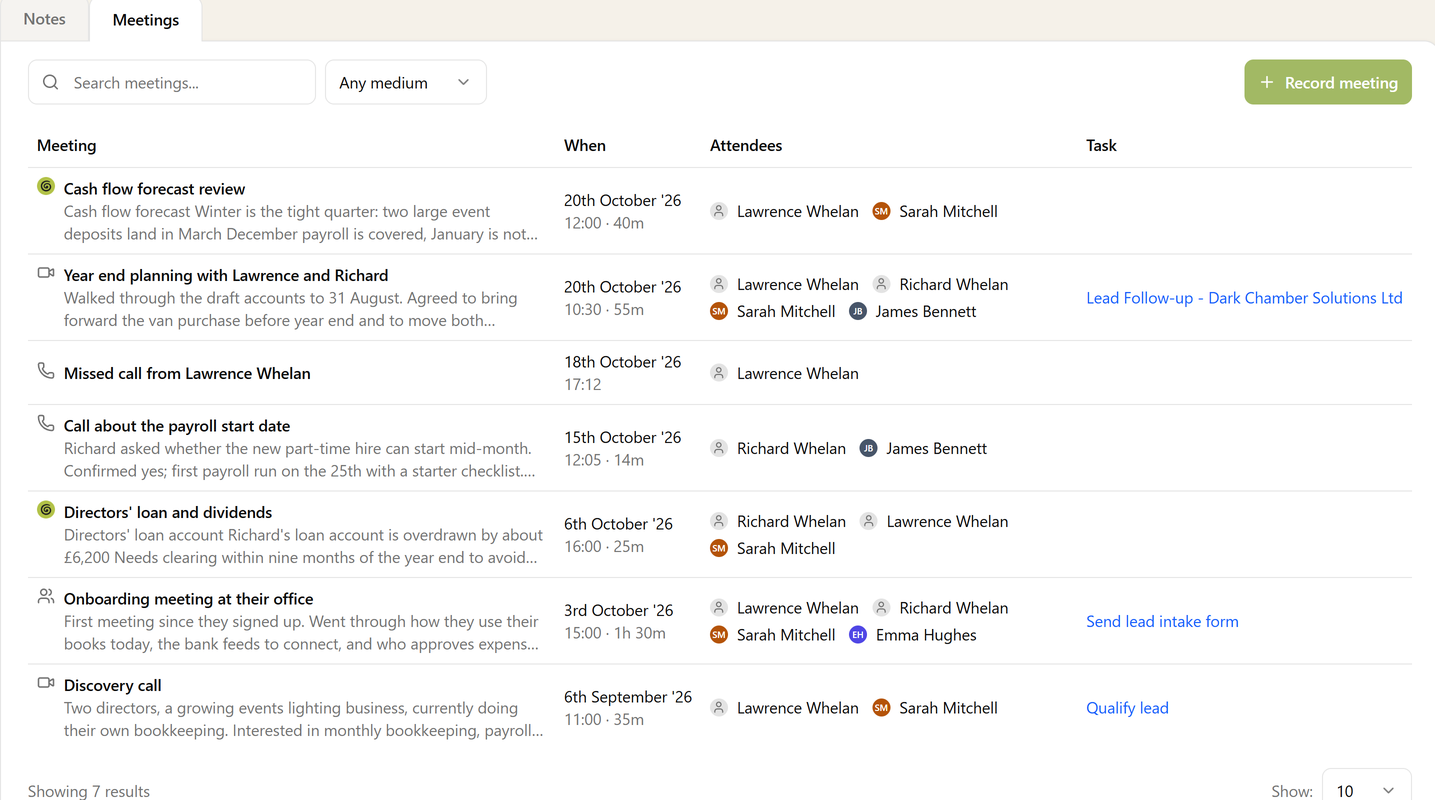
When Granola finishes writing up a meeting, Sodium picks it up straight away. It looks at who was there, matches their email addresses to your client contacts, and files the meeting on that client's Meetings tab, alongside the calls and meetings you record yourself.

A client's Meetings tab with two meetings imported from Granola, marked with the Granola icon, alongside video calls, phone calls and an in-person meeting recorded in Sodium

The Summary, the Transcript and Who Was There

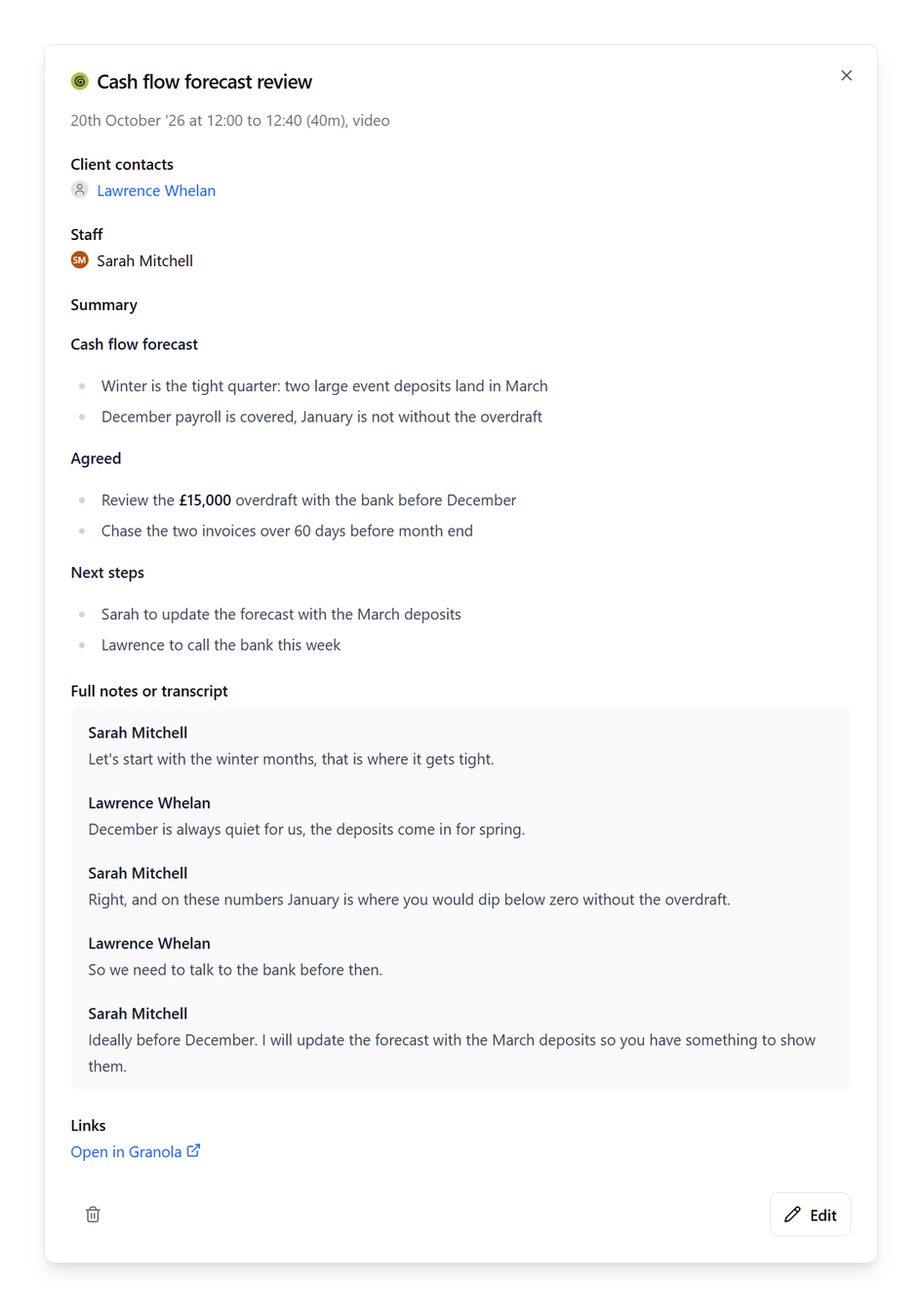
A meeting imported from Granola, showing the client contact and staff member who attended, Granola's summary with its headings and bullet points, the full transcript by speaker, and a link to open the meeting in Granola

Open a Granola meeting in Sodium and you get what Granola wrote: the summary with its sections and bullet points, what was agreed and the next steps. The full transcript sits underneath, speaker by speaker, for when you need to check exactly how something was put.

The attendees are your client's own contacts and your own team, so you can see which director was on the call and who from the practice took it. A link takes you back to the meeting in Granola whenever you want it.

Once it is in Sodium, it is a meeting like any other: tie it to the task it was about, add a link, or edit the notes.

Sodium doesn't just link to your meetings in Granola. It copies the summary and the full transcript into the client's record and keeps them there. If you move to a different notetaker later, or stop using one at all, every meeting you have already brought in stays on the client, exactly as it was.

Your client history belongs to your practice, not to whichever tool happened to take the notes.

When We Can't Work Out Who the Client Was

Granola doesn't always make it clear who a meeting was with. You may not be logging attendees, or it may be an ad-hoc transcript, or you only remembered to turn Granola on halfway through the call (we've all been there). For these, Sodium works out from the meeting who the client most likely is and lets you confirm before it files the call on that client's record.

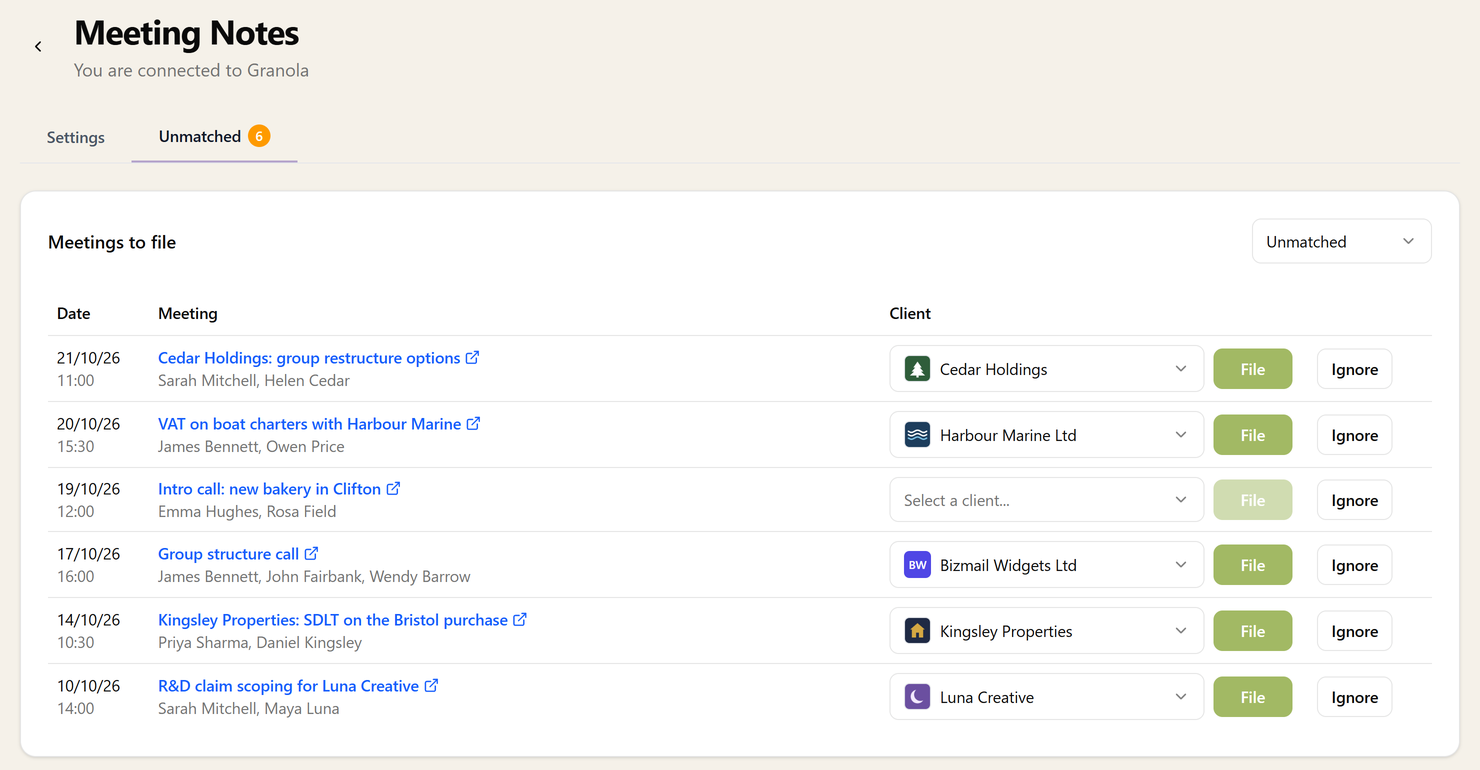
The Unmatched tab listing meetings from Granola with their date, time, title and attendees, each with a client already suggested and buttons to file or ignore it

Sodium suggests the likely client from the attendees and the meeting's title, so most of the time filing one is a single click. Pick a different client if you need to, or ignore the meetings that aren't client work, like your own team catch-up. An ignored meeting never comes back.

Your Granola Account

Sodium connects to your own Granola account with an API key, once, for the whole practice. A workspace key brings in the meetings shared across your Granola workspace; a personal key works too, and brings in that person's meetings. Workspace keys come with Granola's Business and Enterprise plans.

When you connect, choose how far back to go and Sodium brings in your past meetings from that date, so the record starts full rather than empty.

Don't use Granola yet? It is an AI notepad that listens to your meetings and writes them up for you, without a bot joining the call. Find out more at granola.ai.