

Bookkeeping Health

How good are a client's books, really? Connect Sodium to Xenon Connect and the answer sits on the Books tab of their client record — a health score, the number of open issues, the value at risk and a summary of activity — so you see which clients' books need attention before the work lands on your desk.

Xenon Connect

Connect Once, Then Link Each Client

Xenon Connect analyses the quality of bookkeeping data and flags the issues it finds. Connect it to Sodium once, in Settings, with the secret key from your account — one connection covers the whole practice, and Sodium monitors it like every other integration.

Then, on each client's Books tab, choose which Xenon Connect organisation is that client. The likely match sits first in the list, but the choice is always yours — Sodium never links books automatically, and organisations already linked to another client are not offered, so the same books cannot end up on two client records.

The Health of the Books, at a Glance

Once linked, the Bookkeeping Health tab shows the state of the client's books for the period you choose:

  • Health score - Xenon Connect's own percentage score for the quality of the books, shown exactly as the provider reports it.
  • Issues - how many problems Xenon Connect has found in the records.
  • Value at risk - the potential value of those errors, in pounds.
  • Activity - turnover plus counts of transactions, invoices, bills, credit notes, journals and bank transactions, so you can see how busy the books actually are.
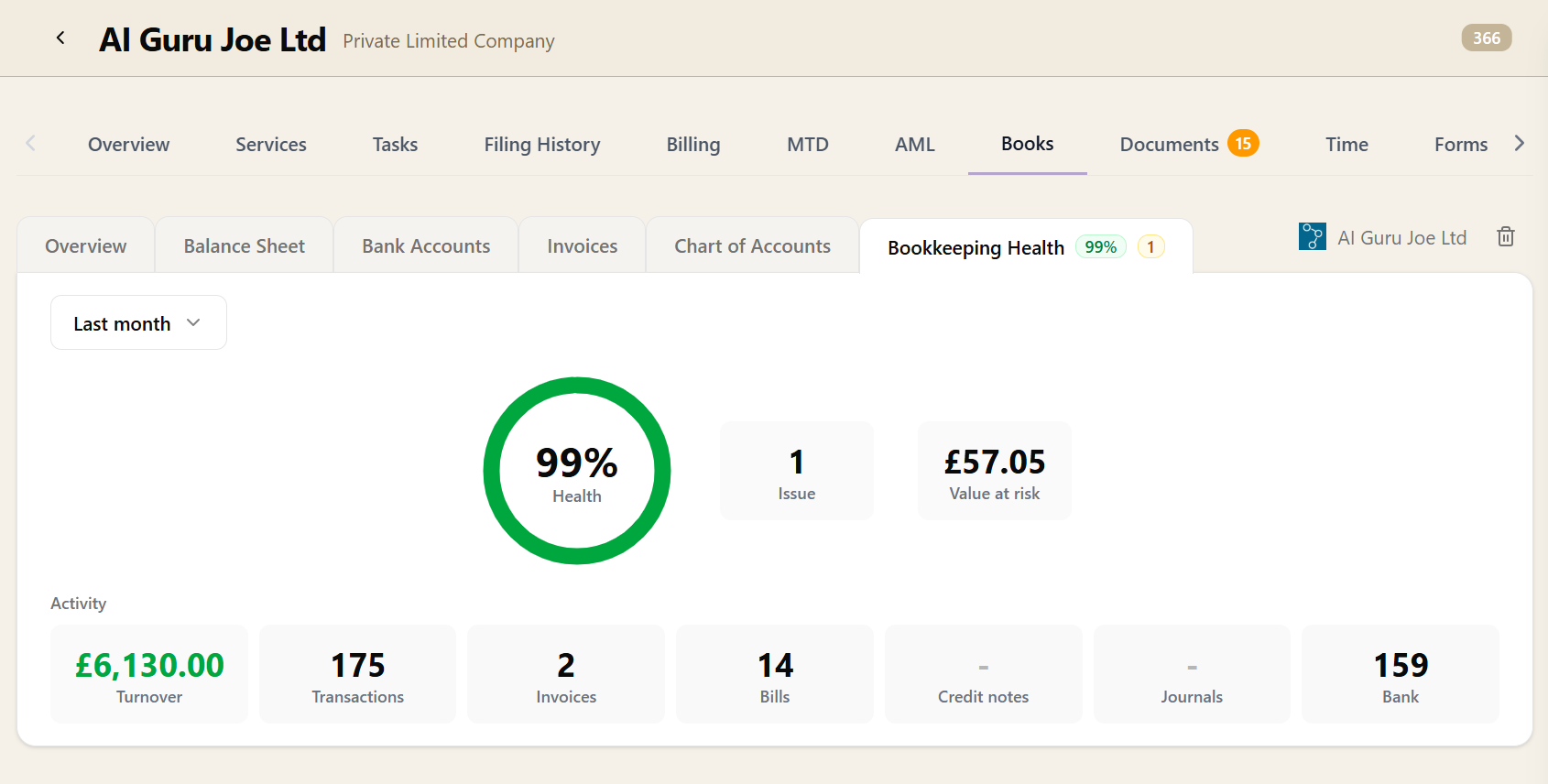
The Bookkeeping Health tab on a client's Books card: a green donut gauge showing the health score, tiles for issues and value at risk, and a row of activity figures for turnover, transactions, invoices, bills and bank transactions

A period selector switches between the time ranges Xenon Connect reports — this financial year, last month, and so on — and Sodium remembers your preferred period across clients, so a partner who always thinks in financial years is not resetting a dropdown on every record.

It is all read-only: Sodium reads the analysis, and never writes to the client's books or their Xenon Connect record.

Where It Helps

Bookkeeping quality usually reveals itself at the worst moment — halfway through the year-end, when the budget for the job is already agreed. Having the health of the books on the client record changes when you find out:

  • See that a client's books need attention before you start the accounts, not after you have quoted for them.
  • Open a fee conversation about bookkeeping or clean-up work with the score and the value at risk in front of you, rather than a feeling.
  • Check the state of the records before a VAT quarter or a task that depends on them.
  • Give a team member picking up an unfamiliar client an honest picture of what they are walking into.

It sits alongside Client Books on the same tab: Client Books shows you the numbers in the client's accounting software; Bookkeeping Health tells you how much to trust them.

Want to learn about other capabilities?

Explore all features

Have questions or suggestions?

Get in touch