
Meeting Notes

Most of what a client tells you, they tell you on a call. The year end plan, the new hire, the van they are about to buy. Meeting notes keep every meeting and call on the client's record, so whoever picks up the work next knows what was said, who said it and what was agreed.

At a glance

  • Every meeting and call with a client on their record, newest first
  • In person, video or phone, with when it started and how long it ran
  • The client contacts and the staff who were there
  • A summary of what was agreed, and the full notes or transcript
  • Links to the recording and anything else that belongs with it
  • Tied to the task it was about, so the work and the conversation stay together
  • Search and filter a client's meetings in seconds
  • Calls pushed in by your phone system or AI call assistant through the Sodium API

Every Conversation, On the Client's Record

A client's Notes tab holds two things now: the short notes you have always kept, and a record of every meeting and call. Each one shows how it happened, when, for how long, who was there and what it was about, so a glance down the list tells you the story of the relationship.

A missed call is worth recording too. A title and a time is enough, so the record shows the client tried to reach you even when nobody picked up.
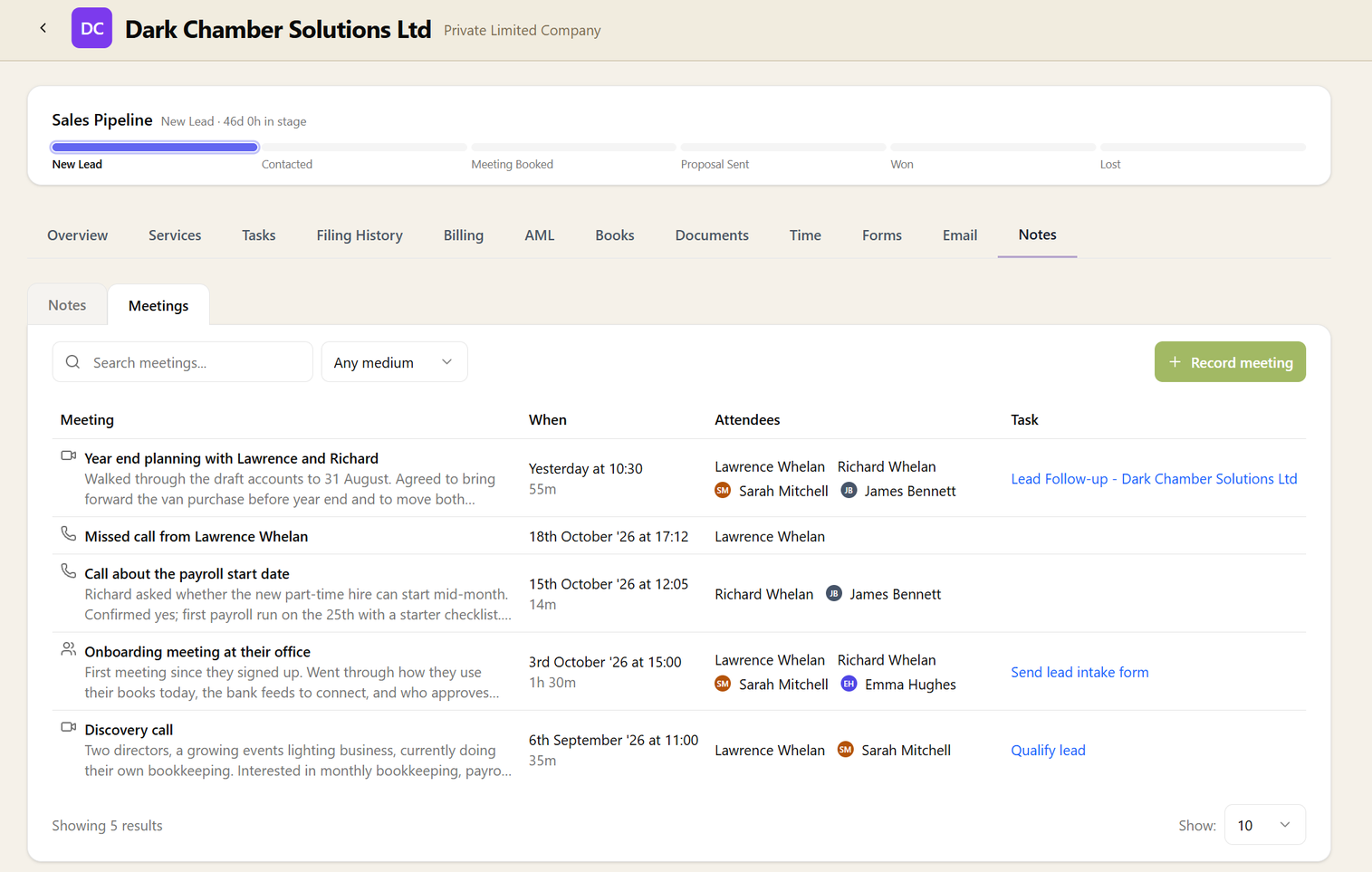
A client's Meetings tab listing video calls, phone calls and an in-person meeting, each with its summary, when it happened and how long it lasted, who attended and the task it relates to

What Was Said, and What Was Agreed

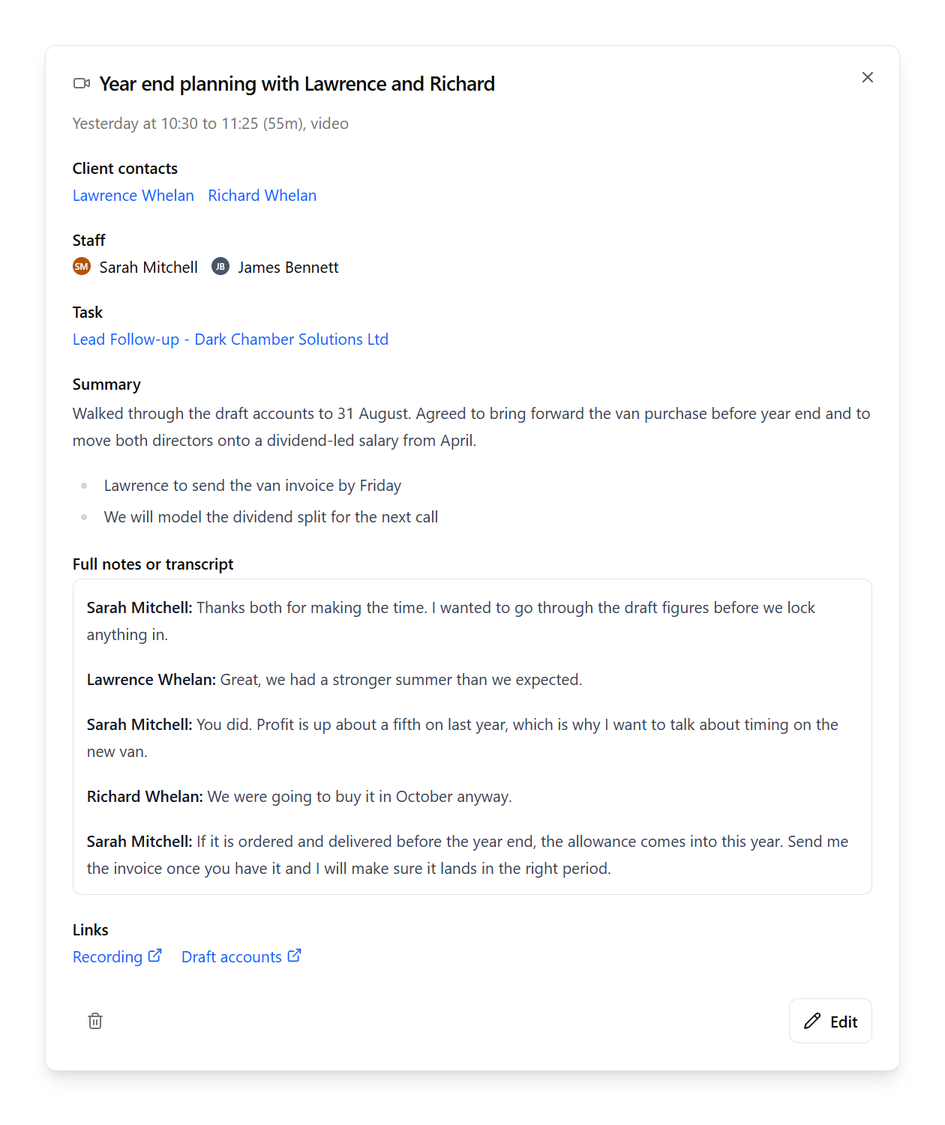
A meeting opened from the list, showing when it took place, the client contacts and staff who attended, the related task, the summary, the transcript and links to the recording and draft accounts

Open a meeting and the summary is at the top: the decisions and the follow-ups. The full notes or the transcript sit beneath it for when you need the detail, with a link to the recording alongside.

Attendees are the client's own contacts and your own team, so you can see at a glance which director you spoke to and who from the practice was in the room. Someone who later leaves the client still shows by name on the meetings they attended: the record does not change because the people did.

Tied to the Work It Was About

A meeting can belong to one of the client's tasks: the year end, the payroll set-up, the reference letter. From the meeting you are one click from the task, so the conversation that shaped the work is never far from the work itself.

Calls That File Themselves

If your phone system or an AI call assistant already writes up your calls, it can send them straight to Sodium through the API: the summary, the transcript and the recording link, against the right client, with the contacts on the call. Nobody has to copy anything across, and the record is there by the time you put the phone down.

Writing one up by hand works just as well, for the meeting at the client's office or the call on your mobile. Both end up in the same place, looking the same.