Ask for everything in one request, and see what's still missing
Send a client every query and document you need in one go, bank lines included. They answer from one link, a few at a time, and you review each answer as it lands while Sodium chases the rest.
How to: send one to a client or put one in a workflow.
One request
Every query and document in one request, not a dozen emails
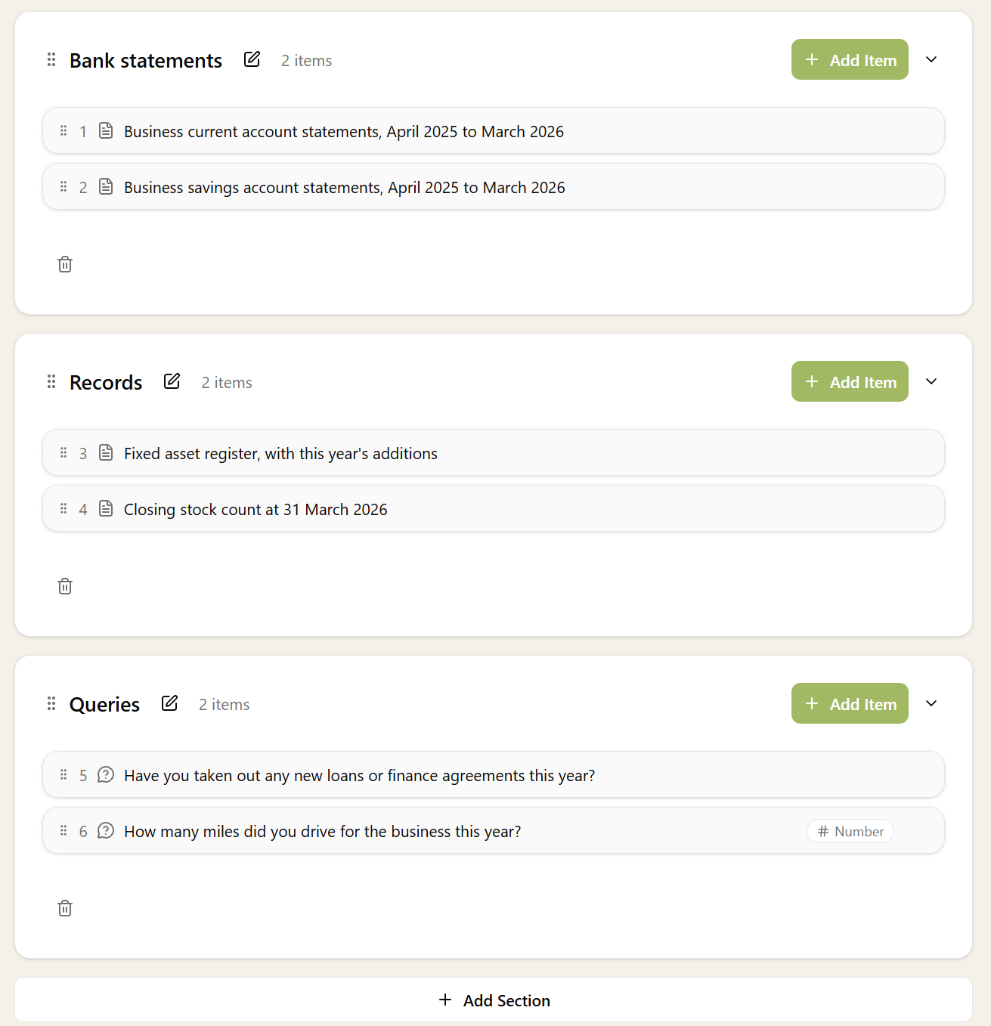
Year end, a VAT quarter, a new client: there's always a list of things to ask. Put the whole list in one request, so the client has one place to answer it and you have one place to see what's back.
- Queries and documents side by side, numbered, in the order you want
- A bank line on a query, with its date, description and amount
- The answer you need: text, yes or no, a number, a date, or a choice from your options
- A deadline, and your own description at the top
- Just one document, when that's all you need
Sections
Long lists, grouped the way your client thinks about them
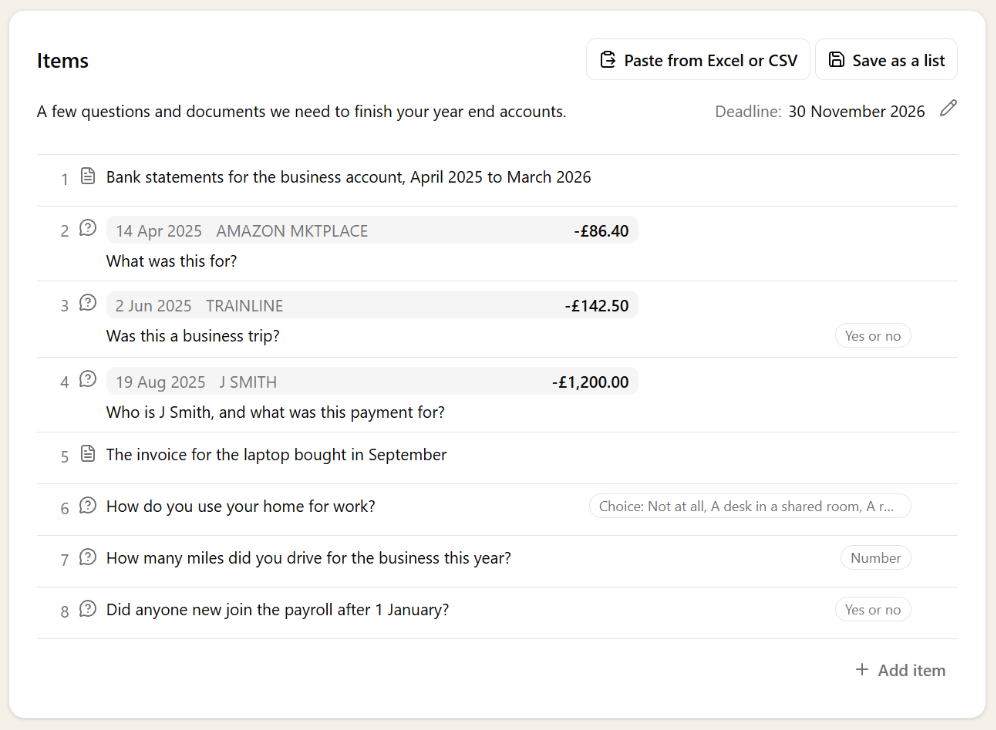
A year end request can run to dozens of items. Put them under your own headings, such as bank statements, records and queries, and the client works through one topic at a time, with each section showing how much of it is done.
- Your own headings, in the order you want
- Move an item to another section, or a whole section up or down
- The client sees each section with how much of it is done
- Finished sections fold away, so what's left stands out
- Sections carry through to saved lists and workflow steps
- No sections needed: a short request stays one simple list
From the books
Bank lines straight from the client's books
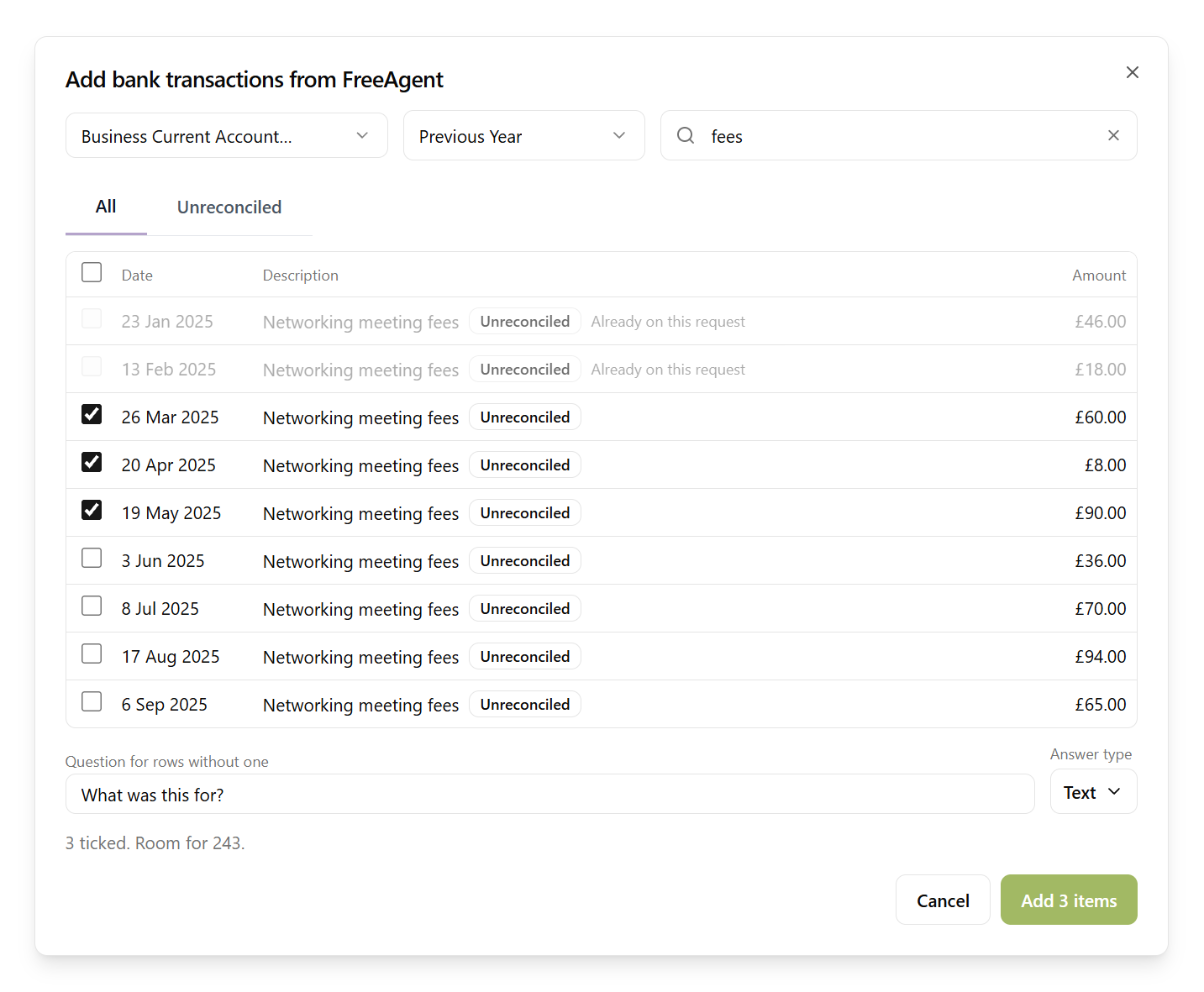
The questions that hold up a set of accounts are usually about transactions nobody can explain. Pick them from the client's bank account in their accounting software, or paste them from a spreadsheet, and each one becomes a query with the date and amount already on it.
- Transactions read live from FreeAgent, QuickBooks and Zoho Books
- Show only the lines that aren't reconciled yet
- Lines already on the request are marked, so nothing is asked twice
- Or paste rows from Excel or a CSV, with the columns worked out for you
For the client
Easy for the client to answer, a few at a time
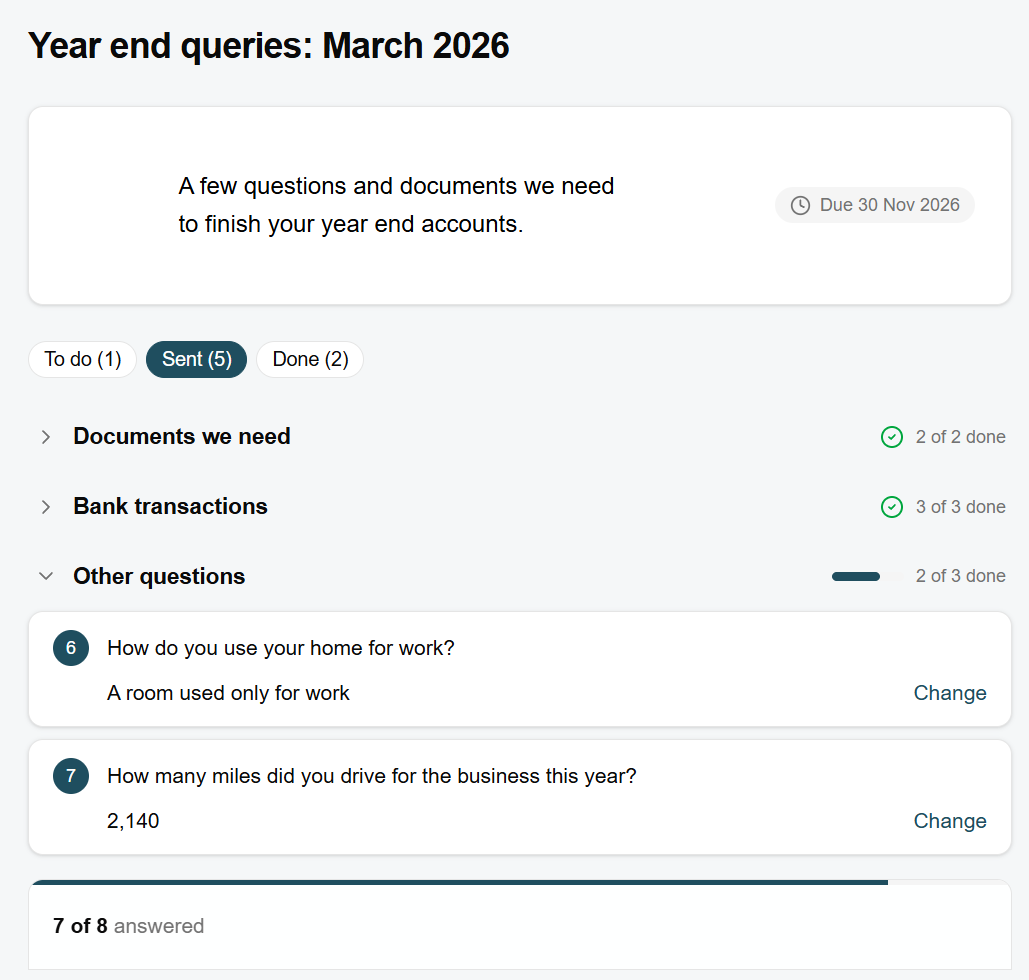
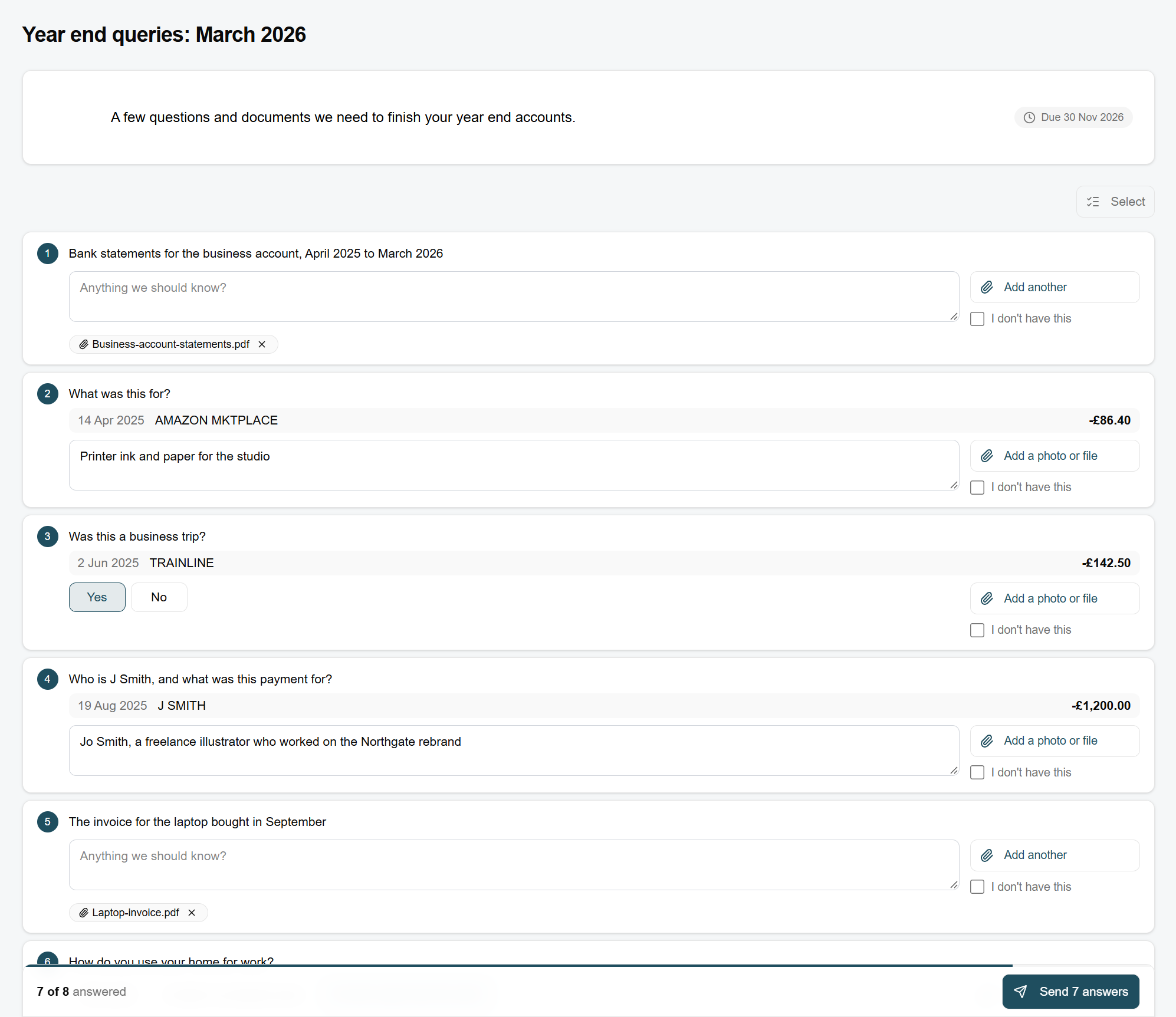
The client opens one secure link, with no account or password, and answers each item where it sits. They can answer what they know now, send it, and come back for the rest, so the easy answers don't wait for the hard ones.
- One link from the email, or the request in their portal
- A photo or file against the item it answers
- "I don't have this" when they can't provide something
- Answers save as they type, and go to you when they press Send
- A progress bar, so they can see how much is left
- Long requests grouped under your headings, each folding away once it's done
Review
Review each answer as it arrives
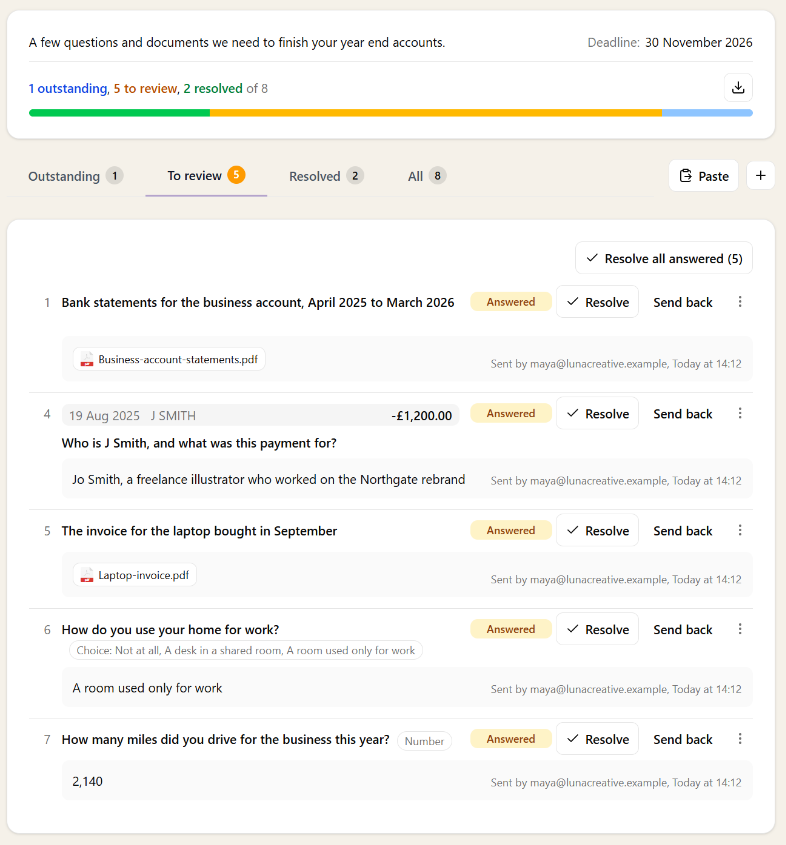
You see straight away what's outstanding, what's waiting for you and what's done. Resolve the answers that are fine, and send back the ones that aren't, with a note saying what's still needed. The rest of the request carries on.
- Outstanding, To review and Resolved, with a count on each
- Resolve an answer, or all of them at once
- Send one back with a note, and the client sees it next to the item
- Answer for the client when they tell you over the phone
- Files open in a preview, without leaving the request
- Export every item and answer to a spreadsheet
Ask more after it's sent
Spotted something else? Add items to a request the client is already answering. They join the same link, and go out with the next chase, or straight away if you email the client now.
In your workflows
Sent for you, at the right point in the work
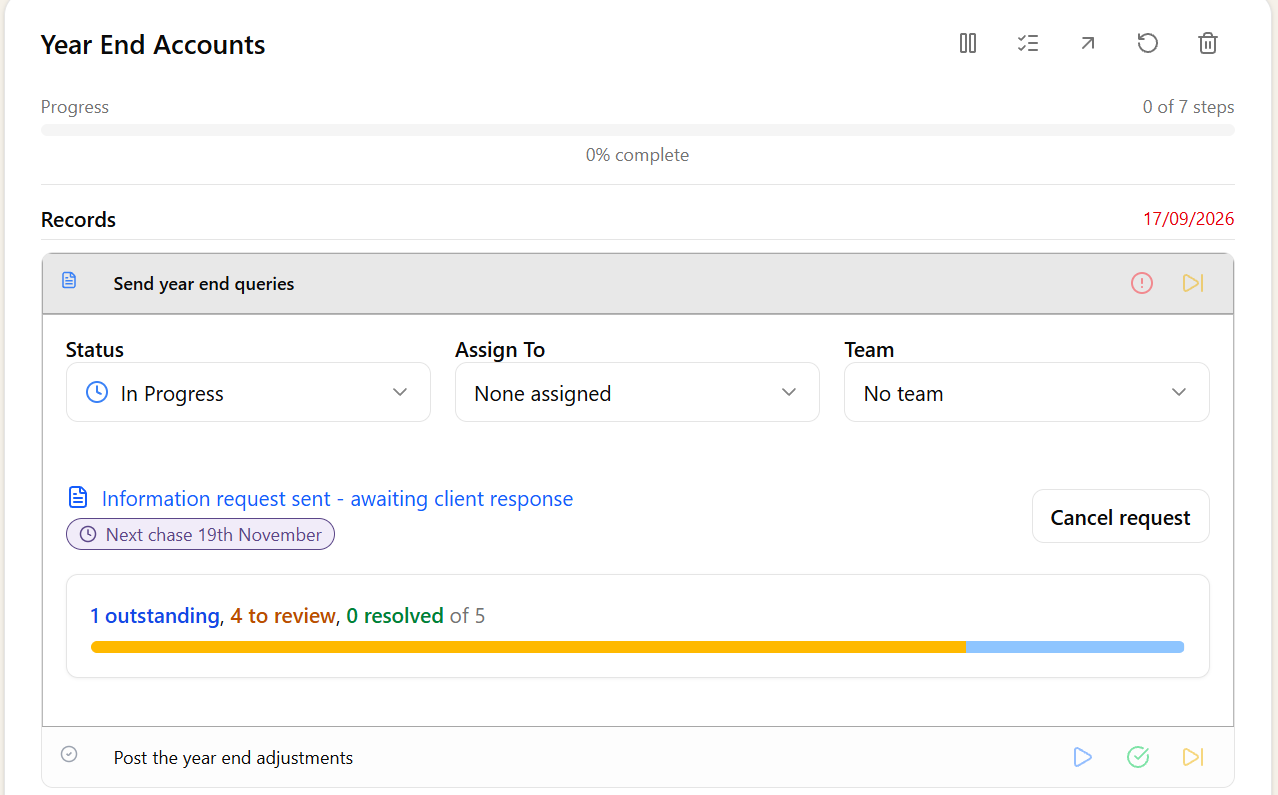
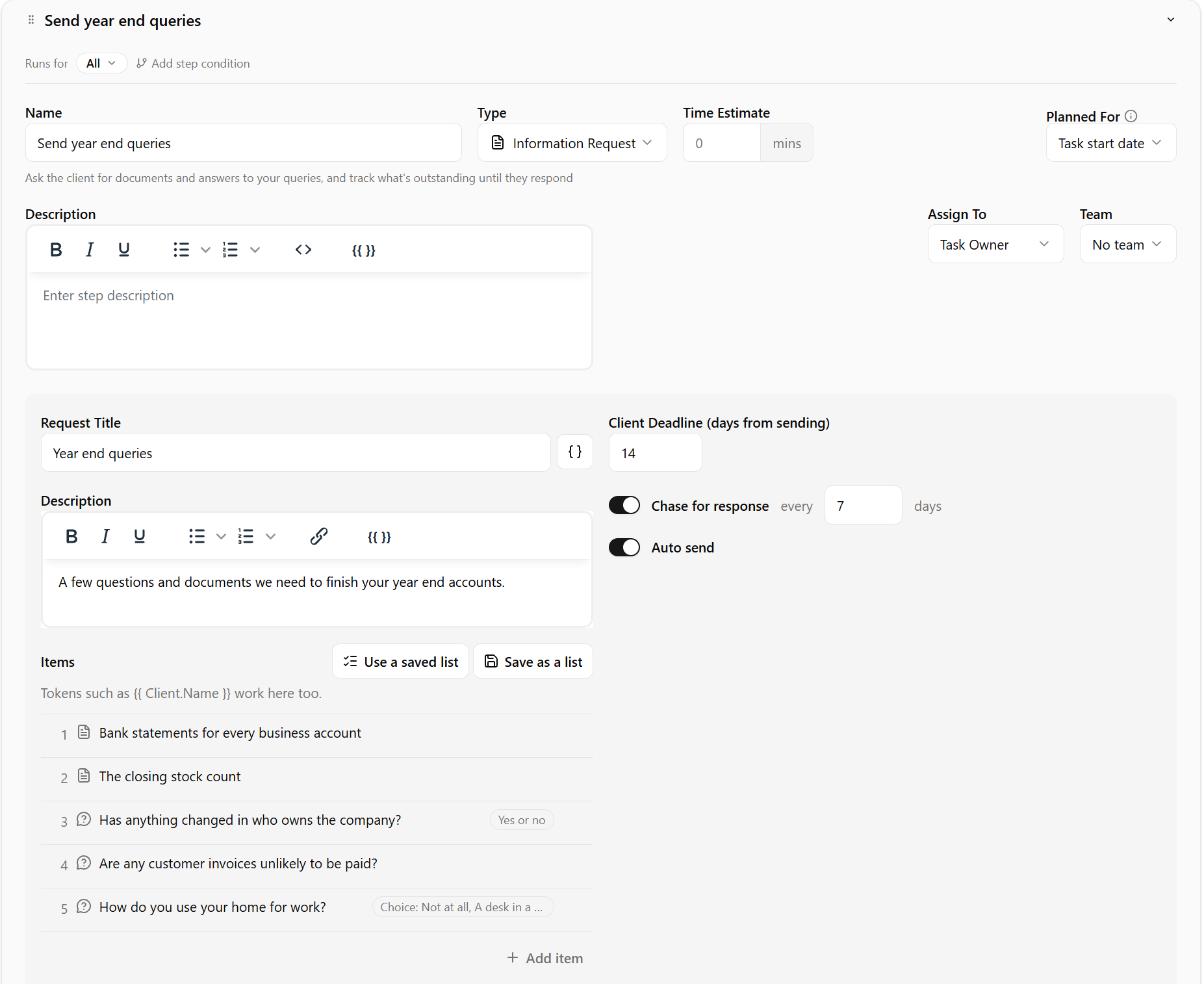
Put an information request in a workflow step and it goes out on its own when the task reaches it, with the client's details filled in. The step shows how far the client has got, and links straight to the request.
- Items, and their sections, set once on the workflow step for every client
- Client details filled in with tokens such as {{ Client.Name }}
- Sent automatically when the step is reached
- Progress on the task step: outstanding, to review and resolved
Lists
The lists you ask for every year, ready to use
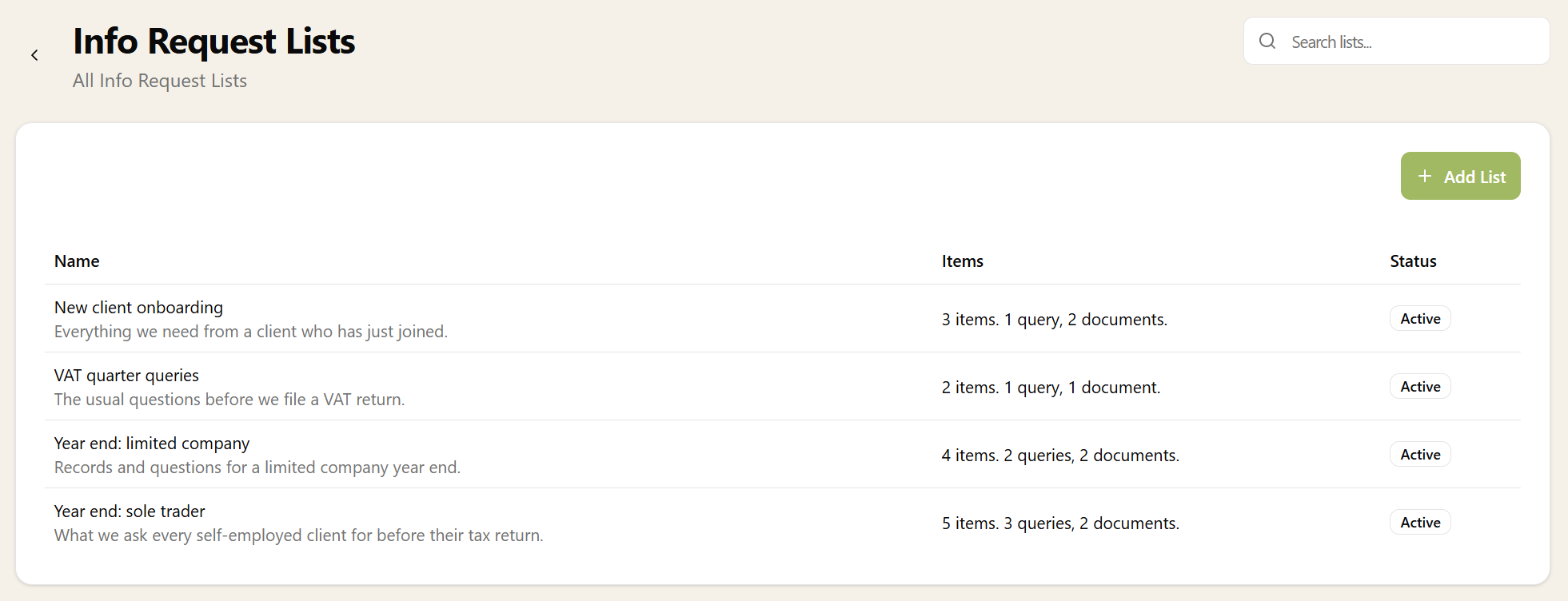
Keep your year end checklist, your VAT questions and your onboarding documents as Info Request Lists. Add one to any request or workflow step, then change what you need for that client.
- Save any request's items as a list, sections and all
- Add a saved list to a request or a workflow step
- Retire a list without losing it
Chasing
Chased for you, about what's still missing
Set how often to chase, and Sodium reminds the client until everything is in, listing only what's outstanding. When they send answers, the right person on your team is told.
- Chasing on your schedule, stopping when nothing is left to ask
- Each chase lists only the items still outstanding
- Your team notified when answers arrive
- Requests waiting for review counted on the client and the Requests page