Content Management

At the heart of Sodium is a comprehensive templating and content management system. This gives you complete control over the words your clients see - in engagement letters, proposals, emails, and web content.

No more locked-in templates or clunky mail merge. Write once, reuse everywhere.

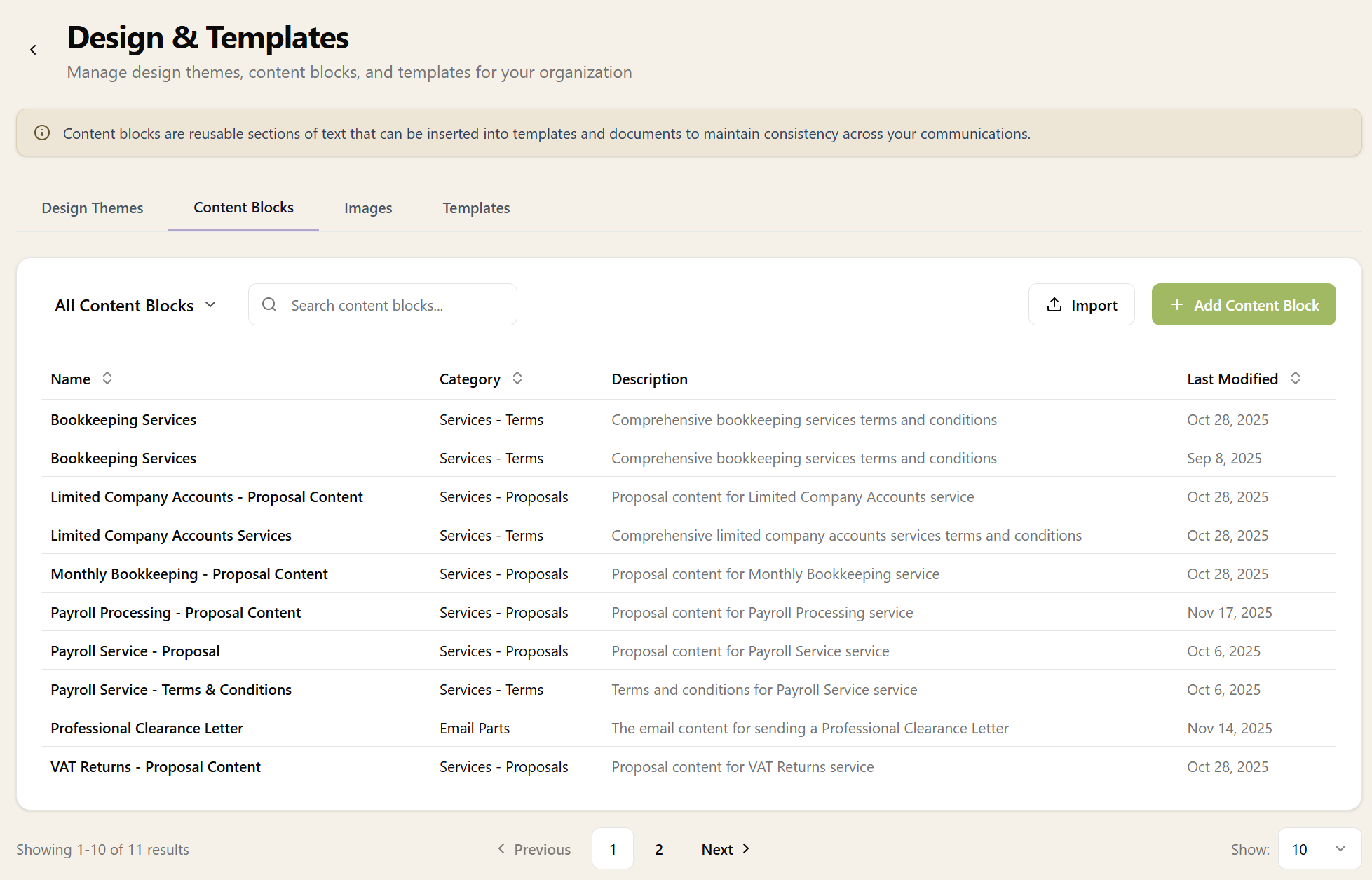
Content Blocks

Content blocks are reusable pieces of text that can be inserted into documents throughout Sodium. Create them once, then use them in:

When you update a content block, it updates everywhere it's used. Consistent messaging across all your client communications without the copy-paste headache.

Content Blocks

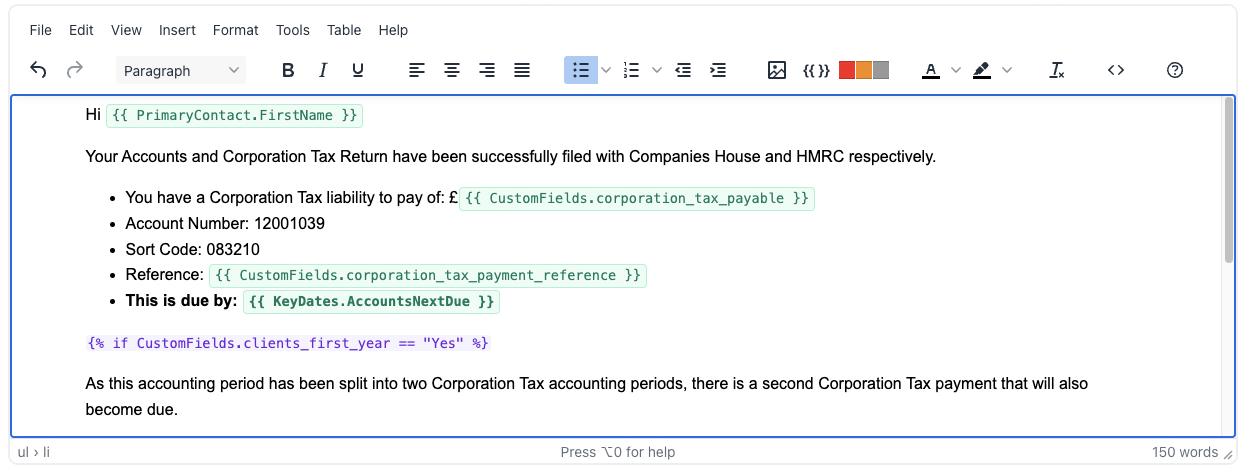
Intuitive Editor

Sodium's content editor meets you where you are. For most users, the WYSIWYG (What You See Is What You Get) editor is all you need:

  • Bold, italic, underline formatting
  • Bullet points and numbered lists
  • Headers and subheadings
  • Tables for structured information
  • Images and logos
  • Links to external resources

Everything works like a familiar word processor. No technical knowledge required.

Raw HTML Mode

For power users who want pixel-perfect control, switch to raw HTML mode. This gives you direct access to the underlying markup so you can:

  • Apply custom CSS styling
  • Create complex layouts
  • Embed custom elements
  • Fine-tune spacing and alignment

Switch between WYSIWYG and HTML mode at any time - use whichever approach suits the task at hand.

Dynamic Variables

Content blocks support dynamic variables that are replaced with real values when documents are generated. Include things like:

  • Client name and address
  • Company registration number
  • Partner and manager names
  • Service descriptions and pricing
  • Today's date and deadlines

Variables use a simple syntax that's easy to understand. When a proposal is generated, variables are automatically populated with the correct values.

Example: "Dear {{client.primaryContact.firstName}}" becomes "Dear Sarah" when the proposal is generated.

Design Themes

Content blocks work hand-in-hand with design themes. Themes control the visual appearance of your documents:

  • Colours and fonts
  • Header and footer styling
  • Logo placement
  • Page margins and spacing

Create multiple themes for different purposes - perhaps a formal theme for engagement letters and a more modern theme for proposals. Apply themes at the document level without changing your content.

Document Templates

Document templates combine content blocks and design themes into complete documents.

Templates support:

  • Conditional sections (show content only if conditions are met)
  • Loops (repeat content for multiple services, contacts, etc.)
  • Formatting filters (dates, currency, capitalisation)
  • Nested content blocks

When you generate a proposal or engagement letter, the template pulls together all the pieces and renders a polished PDF.

Email Templates

The same content management system powers your email communications. Create templates for:

Every email your practice sends can be customised to match your tone and branding, while still benefiting from dynamic variables that personalise each message.

Content Library

Don't want to start from scratch? Sodium includes a library of pre-written content blocks covering common needs:

  • Standard engagement letter clauses
  • GDPR and data protection statements
  • Limitation of liability wording
  • Service scope definitions

Use them as-is or as a starting point for your own customised versions. AI can also help draft new content based on your existing materials.

Edited a block from the library and messed it up? No problem - one click can restore it to the original.

Want to learn about other capabilities?

Explore all features

Have questions or suggestions?

Get in touch