
Zoho Books

Your clients on Zoho Books shouldn't be the ones you have to log in somewhere else to check. Connect their organisation to Sodium and their numbers sit in Client Books on their client record, the same way as your Xero and QuickBooks clients.

Zoho Books

At a glance

  • Connect through Zoho's own sign-in, with no shared logins
  • Profit and loss for any date range, with income, expenses and profit at a glance
  • Balance sheet as at any date, in Zoho's own groupings
  • Aged debtors by customer, then every sales invoice with what is still outstanding
  • Aged creditors by supplier, then every bill with what is still to pay
  • Bank accounts with balances, and the full chart of accounts
  • Invoices and bills link straight through to the record in Zoho Books
  • Read live each time, and read-only

One Place for Every Client's Books

Most of your clients might be on Xero, but some will have chosen Zoho, often because they already run their business on Zoho One. That shouldn't make them the awkward ones. Once connected, a Zoho Books client looks like any other: the same Books tab, the same reports, next to their services, tasks and documents.
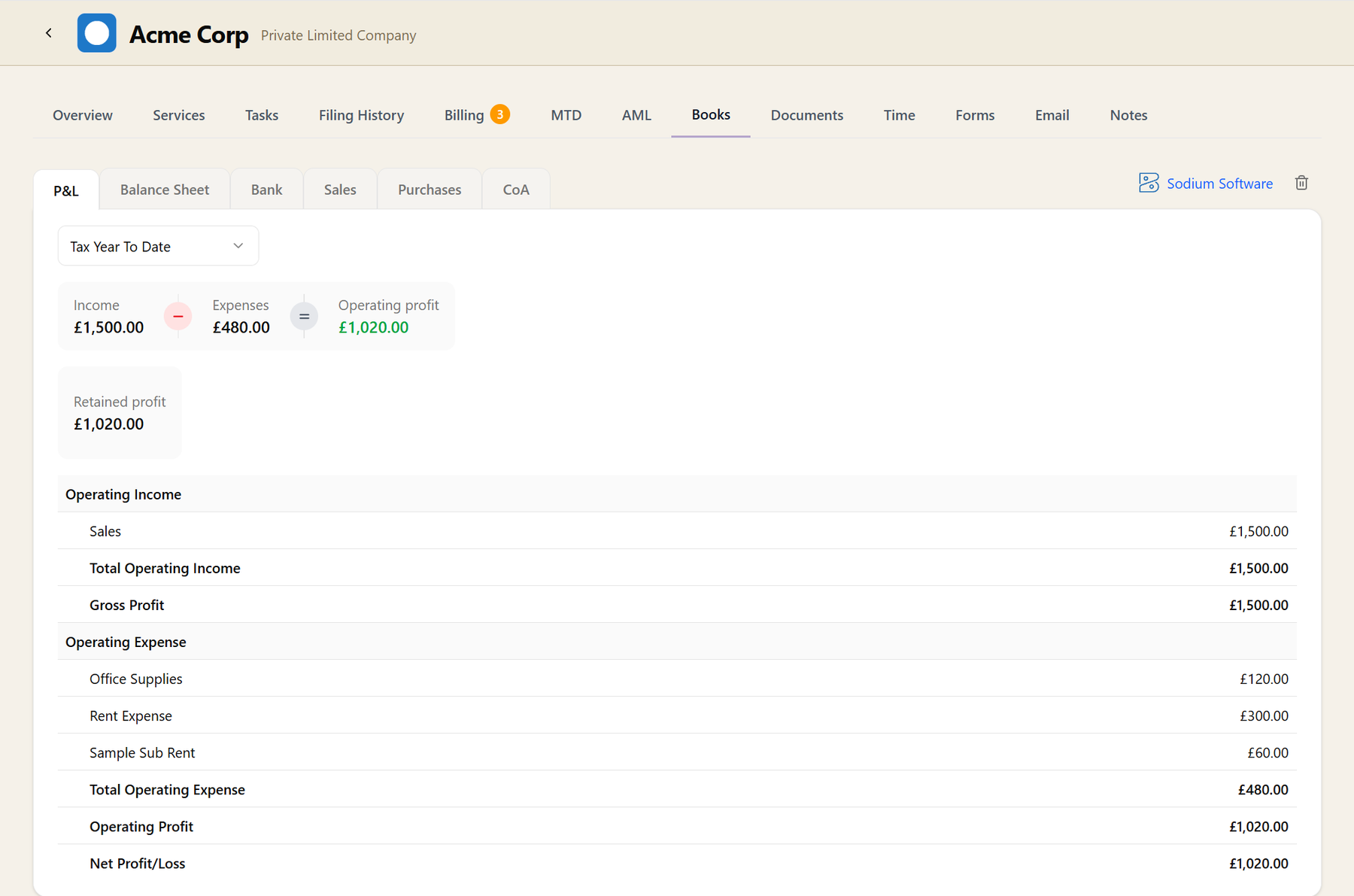
The Books tab on a client record connected to Zoho Books, with P&L, Balance Sheet, Bank, Sales, Purchases and CoA sub-tabs, and a profit and loss report showing income, expenses and operating profit above Zoho's own sections

How the Client Is Trading, and Where They Stand

Profit and loss runs for any period you choose, with income, expenses and profit pulled out at the top and Zoho's own sections beneath them. The balance sheet shows the client's position as at any date, and says which date the figures were stated for.

Bank accounts come with their currencies and balances, and the chart of accounts is there when you need a nominal code without asking the client for it.

Who Owes Them, and Who They Owe

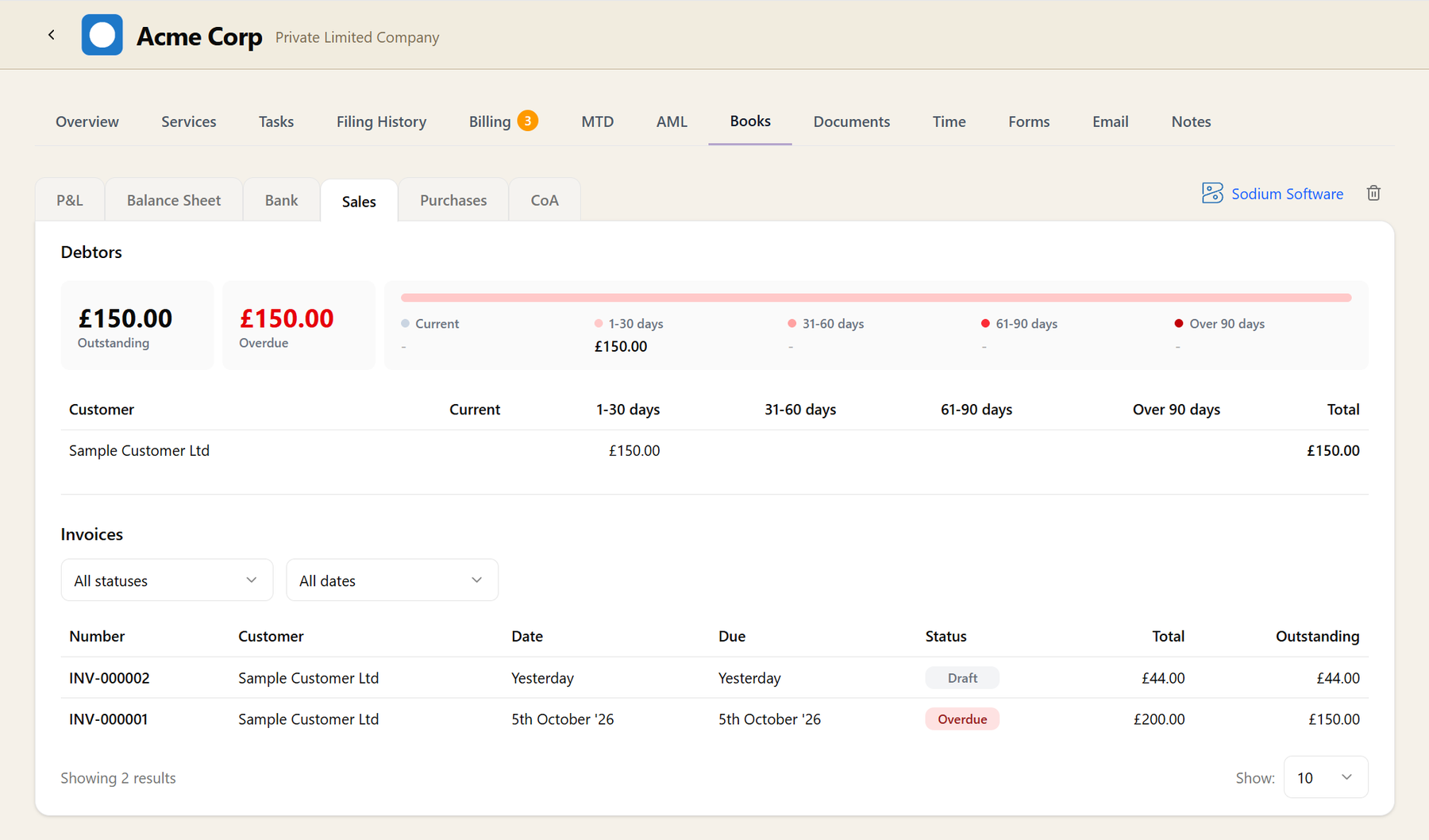
Sales opens on how much the client is owed and how old it is, by customer, with the invoices underneath. Purchases does the same for what they owe their suppliers. Each invoice and bill links straight through to the record in Zoho Books when you need the detail.

The Sales tab for a Zoho Books client: outstanding and overdue totals, debt split across age bands, the amount owed by each customer, and a list of invoices with their status, total and outstanding amount

Read-Only, and Always Current

Sodium reads from Zoho Books each time you open a tab, so what you see is what is in the books right now. It only ever asks Zoho for permission to read, so it can't change anything in the client's accounts.

You connect through Zoho's own sign-in, wherever the account is hosted, UK included. Your team gets the financial context on a client without anyone handing round a Zoho login.

Zoho Books is for your clients' books. For your practice's own invoicing and importing your client list, Sodium connects to Xero, QuickBooks, FreeAgent or Sage.