The months ahead, not just this week
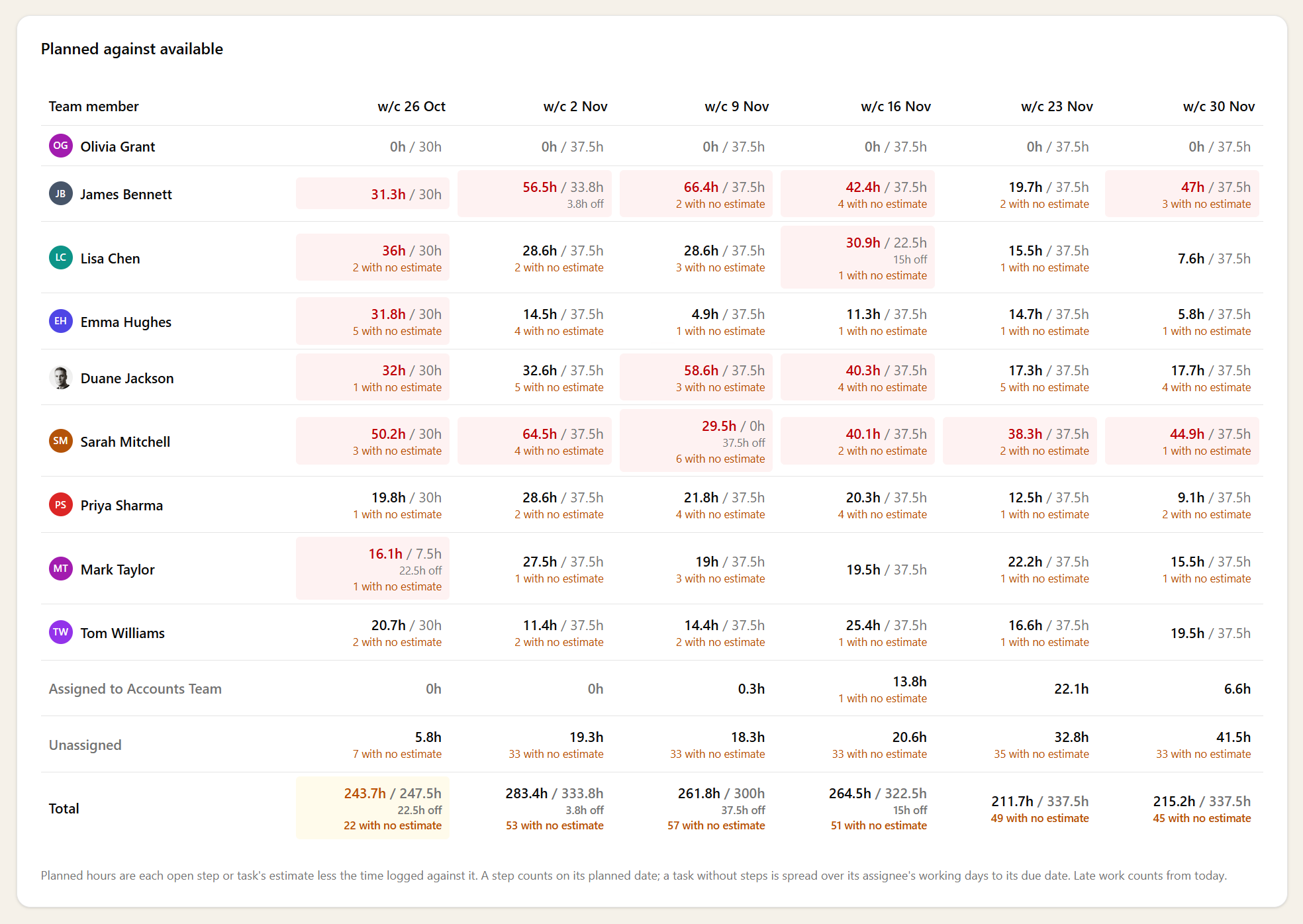
Next quarter's year-ends, VAT returns and payroll runs count before they've even started, because your recurring work is already planned against the people who'll do it. Look three months out and you see the real load, not an empty diary that fills up the week it arrives.
That's what makes it a planning tool rather than a status report. You can tell whether there's room to take on a new client this month, or whether saying yes means something else slips.
Hours people actually have
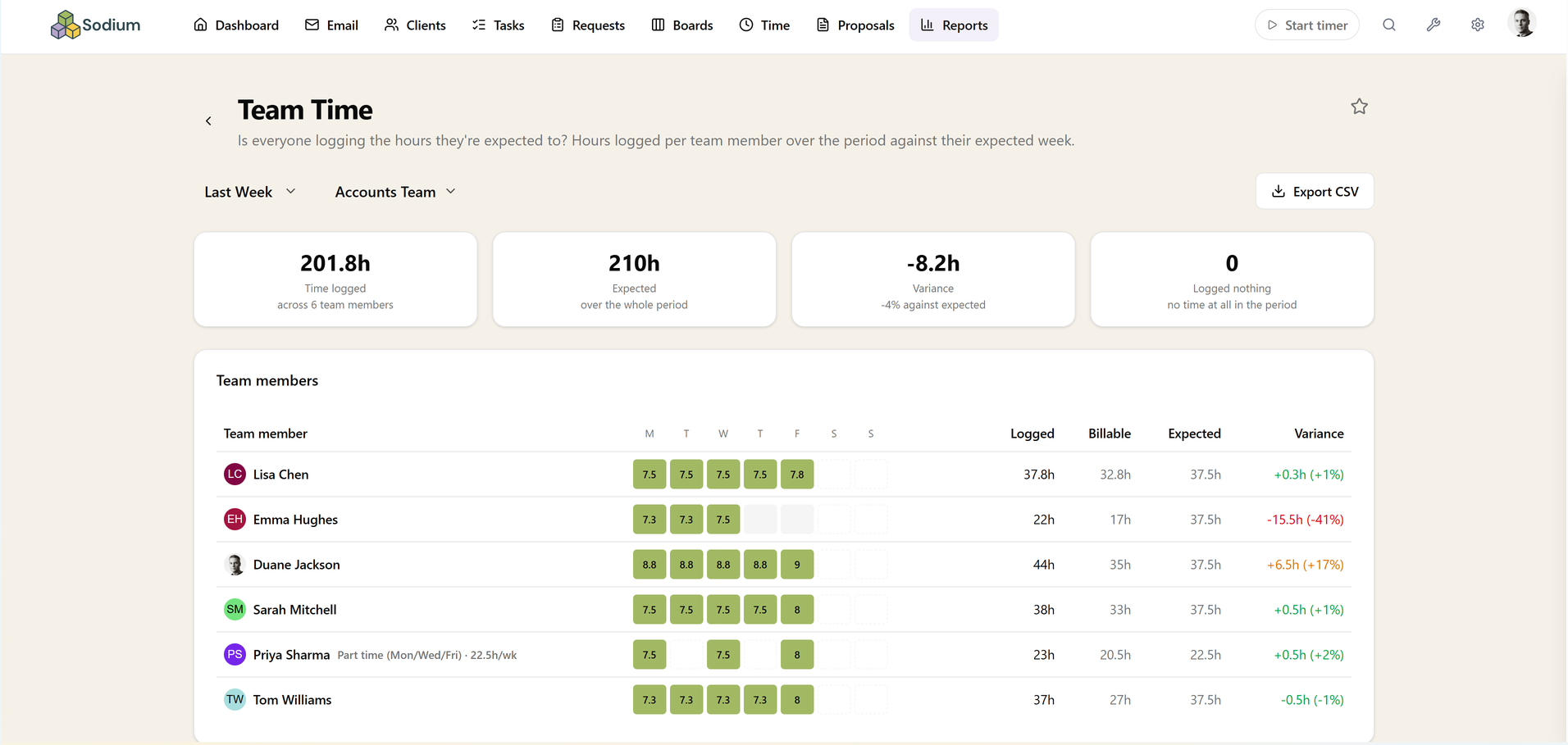
Availability follows each person's working pattern, with bank holidays, your own closure days and their booked time off taken out. A part-timer isn't measured against a full-time week, and a fortnight's holiday shows up as the crunch it is, weeks before it happens.
Record time off once and it's reflected everywhere: in capacity, in expected hours on Team Time, and as an on-leave flag when someone is picking who to give a job to.
Move work to where there's room
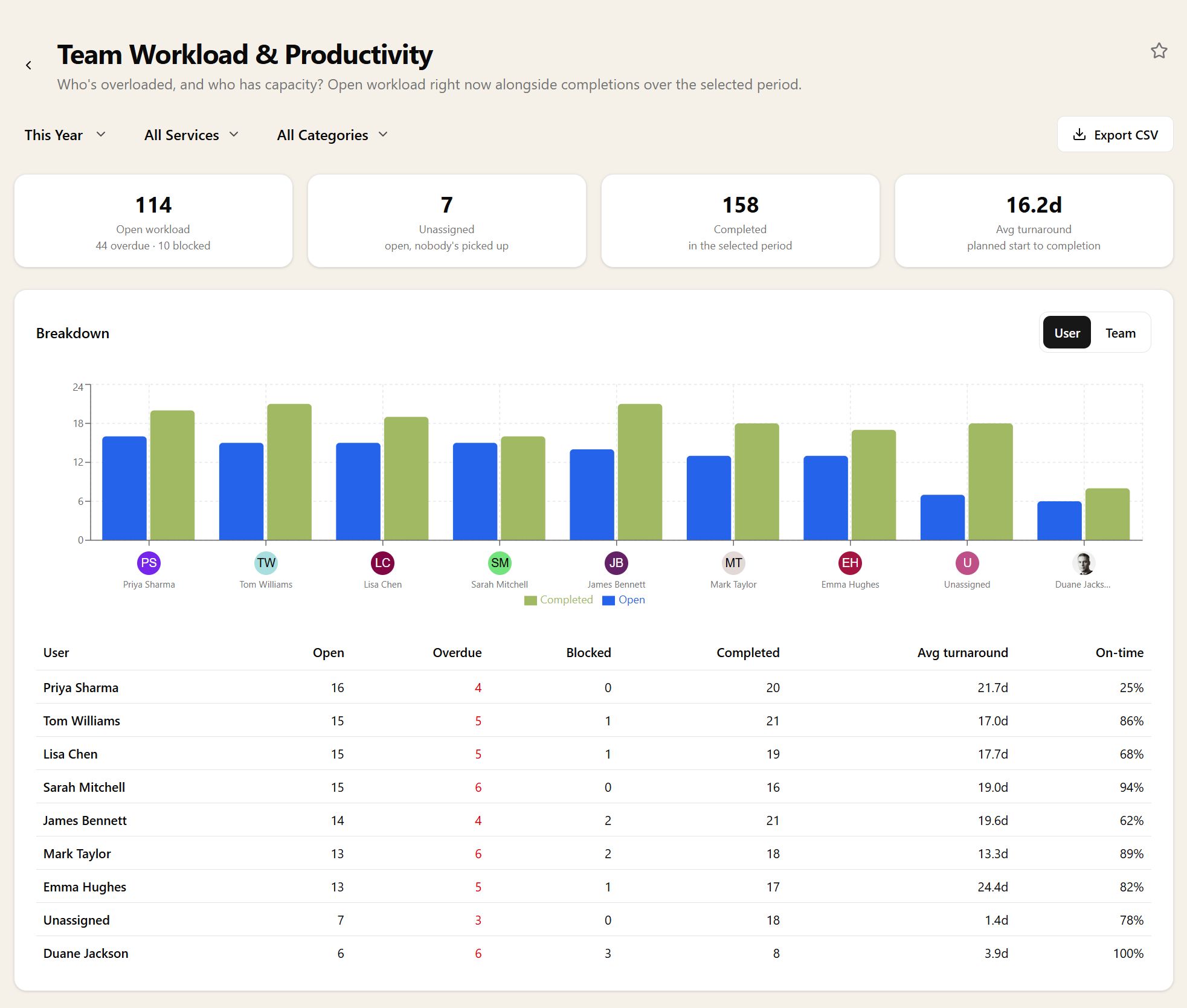
Open any person's week to see the work behind the number, and hand a step or a task to someone with spare hours there and then. The figures update as you go, so you can rebalance a busy month in one sitting.
Narrow it to a team when you're planning one department's month, and its own shared work comes with it.
Nothing hiding as spare capacity
Work held by a team and work with nobody's name on it get rows of their own, and so does anyone who has left but still holds open jobs. None of it quietly drops out of the total.
Work with no estimate is counted and flagged, rather than adding nothing. A blank estimate is the easiest way for a planning report to flatter a practice, and this one shows you where they are.