
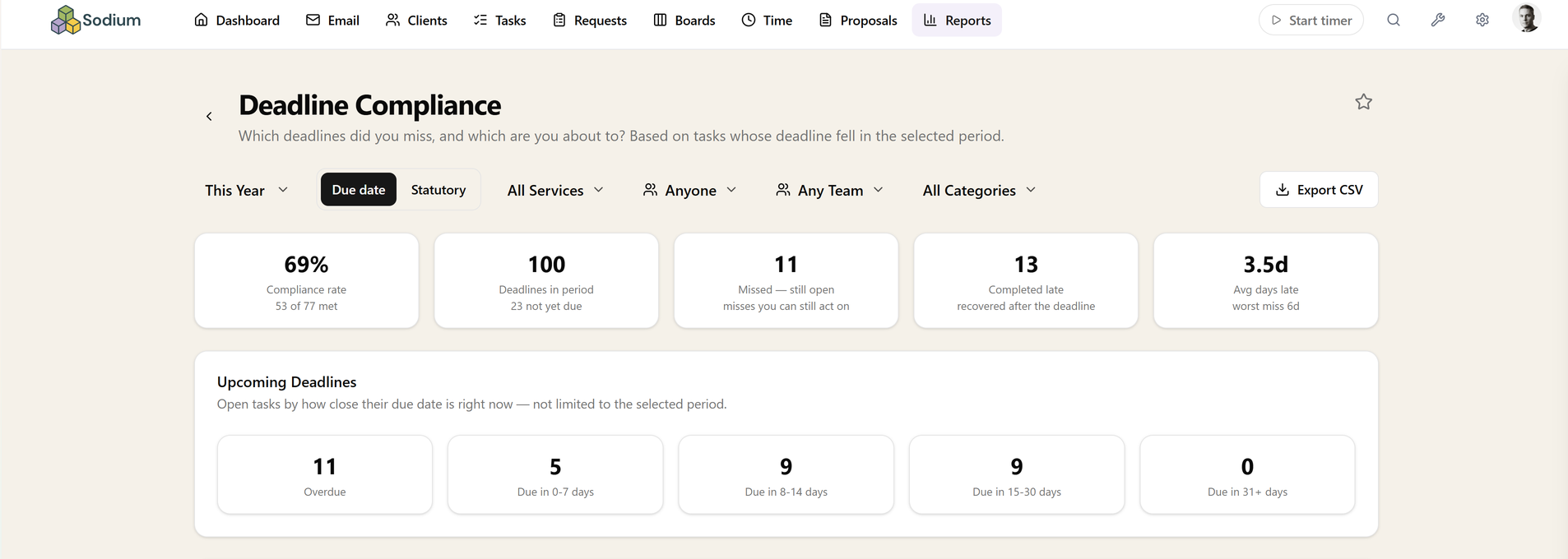
Deadline Compliance
Which deadlines did you miss — and which are at risk?
Every due or statutory deadline that fell in the period, sorted into met, recovered late, or missed and still open — plus a forward view of what is coming, so nothing sneaks up on you.
Late is not the same as missed
A deadline you recovered late and one that is still open are very different situations, and lumping them together as failures hides the ones that still need action today. They are counted separately here, so the list of things genuinely at risk stays short and worth reading.
It also keeps the report honest in the other direction. A practice that recovered thirty deadlines late had thirty near-misses, and a single compliance percentage that counts those as failures reads as a disaster while one that counts them as successes reads as a clean sheet. Neither is true, so both numbers are shown.
Looking forward, not just back
The upcoming breakdown groups what is due by how many days remain, which turns the report from a post-mortem into something worth opening on a Monday morning. Compliance rates by service, client, assignee or month show whether a pattern is one client, one service line, or one person's workload.
Grouping by month is the one that changes decisions. Most practices have a compliance shape rather than a compliance number — a January that eats everything, a quiet spring — and seeing it laid out is what makes the case for moving deadlines, resourcing differently, or getting records in earlier.
Where the dates come from
Statutory dates come off the client record and the services they are signed up to, and internal due dates come from the tasks themselves — including the ones your recurring schedules generate months in advance. Nothing has to be re-keyed into the report.
Because recurring work is already dated, the forward view covers jobs that have not started yet, not just ones already open on someone's list.
Filtering, drilling in, and getting it out
Choose a preset period or your own dates, filter by service, client or category, and switch grouping between service, client, assignee and month. Every count clicks through to the underlying tasks, so "four missed" becomes four named jobs.
Export to CSV for a partner meeting, pin it to your dashboard so the at-risk count is on screen every morning, or query it through the MCP server.
Related reports
These answer the question next door. If this report tells you something is wrong, one of them usually tells you why.
Related features
The parts of Sodium this report reads from — set these up and the report fills itself in.