
Team Time
Is everyone logging the hours they are expected to?
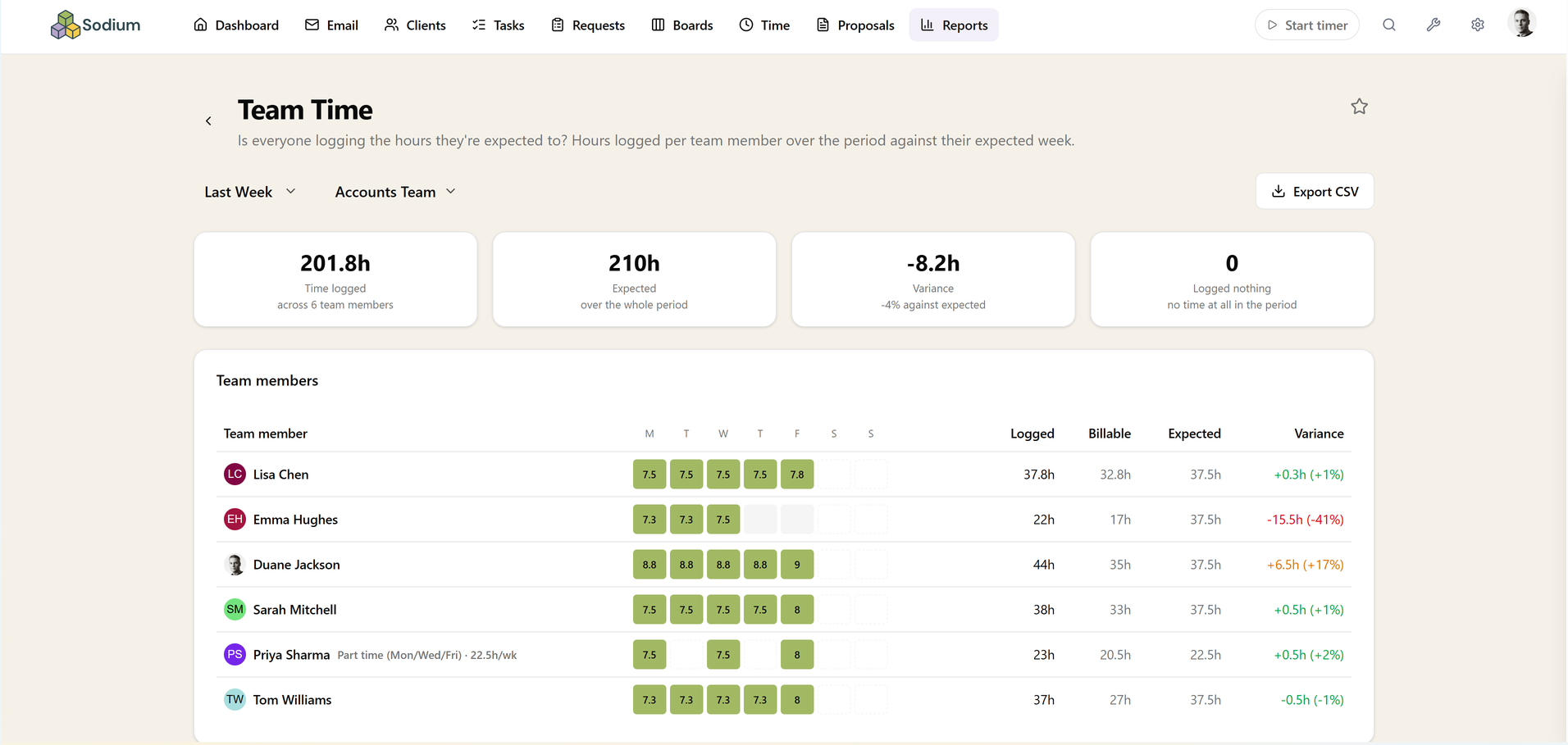
Hours logged per team member over the period against their expected week, with the whole team on one screen — so a missing few days and quiet overtime are both obvious at a glance, without checking person by person.
Anyone who logged nothing at all still gets a row, because those are the ones worth finding.
Measured against the right week
Expected hours come from each member's working pattern, so a part-timer is not measured against a full-time week and the days they do not work never read as gaps. Bank holidays and your own closure days come out automatically.
That detail is what makes the report usable rather than something everyone learns to ignore: a comparison that flags every part-timer as behind every week is one nobody opens twice.
Honest mid-week
Check it on a Wednesday and the comparison still holds — expected hours are counted up to today rather than across the whole period, so a mid-week glance does not show the entire team as behind.
On short periods each row also carries a day-by-day strip, which is where a three-day hole in someone's week jumps out immediately.
A completeness check, not a productivity score
This report answers whether time is being recorded, not whether it was well spent. Someone at a hundred per cent of their expected hours might have spent the week on the wrong work, and that question belongs to Service Time and Team Workload instead.
Read that way it is a quick weekly hygiene check: find the gaps while people can still remember what they were doing, rather than at month end when the answer is a guess. Billable hours sit alongside the total on every row, so undercharging shows up in the same glance.
Filtering, drilling in, and getting it out
Choose a preset period or your own dates and the whole team appears on one screen, zero-hour rows included. Any row opens the time entries behind it, so a gap turns into the specific days to ask about.
Export to CSV for payroll or a review, pin it to your dashboard, or query it through the MCP server.
This report needs time tracking switched on.
Related reports
These answer the question next door. If this report tells you something is wrong, one of them usually tells you why.
Related features
The parts of Sodium this report reads from — set these up and the report fills itself in.