
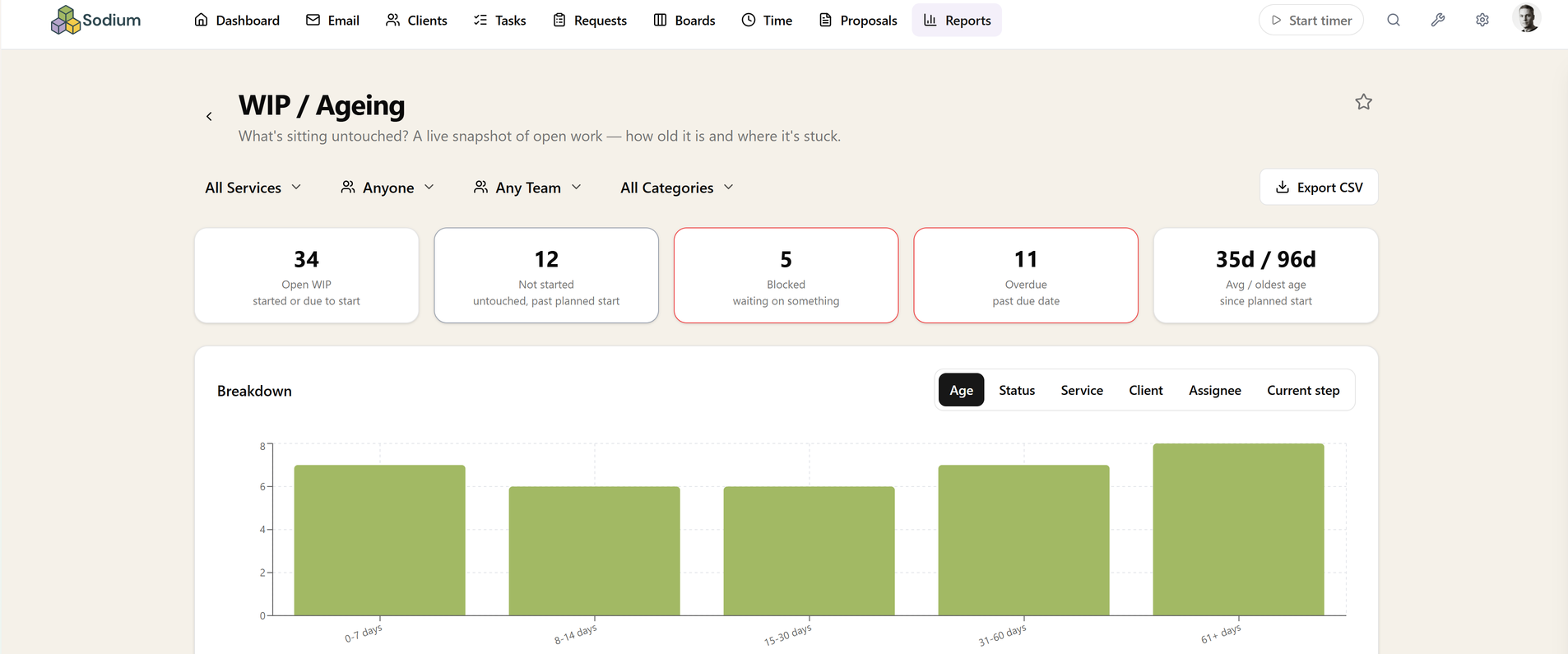
WIP / Ageing
What is sitting untouched?
A live snapshot of open work by age bucket, status, service, client, assignee, or the workflow step it is stuck at.
Age is the signal
Nothing in a practice announces that it has been forgotten. Work does not fail loudly; it just stops moving while everything around it carries on. Bucketing open work by age is the cheapest way to surface that, because the pile that has been sitting for ninety days is almost never the pile anyone is thinking about.
Age also catches what a due-date report cannot. A job with a deadline nine months out is not overdue and never appears on an at-risk list, but if it has been open and untouched since spring it is already in trouble.
Stuck where, exactly
Grouping by the workflow step work is stuck at turns a vague backlog into a specific one — twelve jobs all waiting at the same approval step is a process problem with an obvious fix, not twelve separate oversights.
Because it is a live snapshot rather than a period report, it is the one worth glancing at regularly rather than reviewing monthly.
Not-started, blocked, and overdue are different piles
Open work is split by status rather than counted as one number. Not-started work that is ageing means jobs were created and never picked up; blocked work means somebody is waiting on something; overdue means a date has already gone. Those need three different responses, and a single backlog figure prompts none of them.
Blocked is the one most often worth clearing first, because it is usually capacity you already have sitting behind something small.
Filtering, drilling in, and getting it out
Switch the grouping between age bucket, status, service, client, assignee and current workflow step, and filter by service, client or category to look at one part of the practice at a time. Any bucket clicks through to the tasks inside it.
Export to CSV, pin it to your dashboard so the oldest bucket is visible daily, or query it through the MCP server.
Related reports
These answer the question next door. If this report tells you something is wrong, one of them usually tells you why.
Related features
The parts of Sodium this report reads from — set these up and the report fills itself in.