
Scheduled Send

Plenty of accountants catch up in the evenings and at weekends, and plenty of their clients are doing exactly the same. Even so, you might not want a chase landing in someone's inbox at one in the morning. Write it when you have the time, and choose when it goes out.

Written at 1am on Sunday. Delivered at 8am on Monday.

Evenings and weekends are often when the uninterrupted work actually gets done, and a fair few clients are at their desks then too. The awkward part is just the timestamp. An email that arrives at one in the morning can leave someone feeling they ought to reply at one in the morning, and a Sunday chase can land when a client was hoping not to think about work at all.

Scheduling settles that without changing how you work. Clear the backlog whenever it suits you, and let it all arrive on Monday morning.
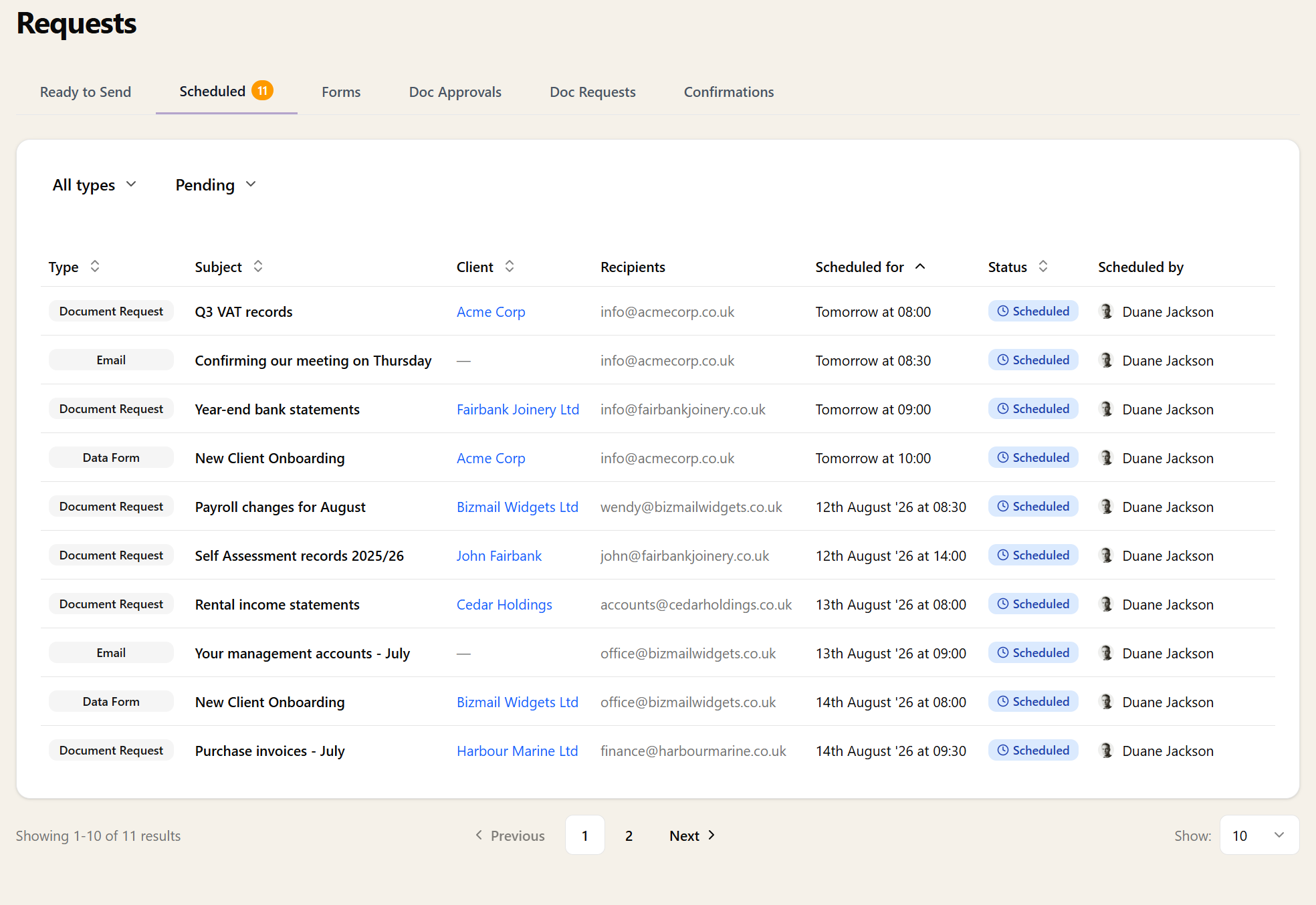
The Scheduled tab on the Requests page listing queued document requests, emails and forms with the client, recipients and the date and time each one sends

One Extra Click, Wherever You Send

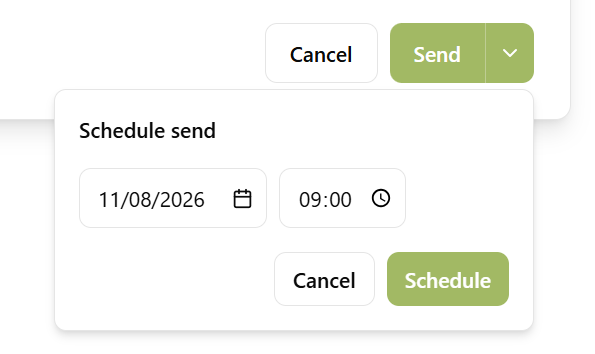
The Schedule send popover open under a green Send button, with a date and time chosen and a Schedule button to confirm

Scheduling isn't a separate screen to learn. Everywhere Sodium has a Send button, there's an arrow next to it — click that instead, pick a date and a time, and you're done. Nothing else about how you work changes.

It's there when you compose or reply in your mailbox, when you send a bulk email to hundreds of clients, when you open a document request or send a form, and when you send documents out for approval. Times are your local times — no timezone arithmetic.

Nothing Is Committed Until It Goes

Everything you've queued sits in one Scheduled list, with what it is, who it's going to, and when. Changed your mind about the timing? Move it. Changed your mind entirely? Cancel it. Right up until the moment it sends.

If a send fails, it says so plainly and stays in the list rather than disappearing — so a message you thought went out on Monday morning can never quietly not exist.

Still From You, Still On the Record

A scheduled email is an ordinary email that happens to leave later. It goes from your own connected account — Microsoft 365 or Google Workspace — so it comes from your practice's address, and replies land back in your mailbox against the right client.

It's recorded on the client's timeline the same way anything else is. Nobody looking at the record later can tell it was written on a Sunday, and nothing is missing because it was.

Want to learn about other capabilities?

Explore all features

Have questions or suggestions?

Get in touch