Job Budgets

A fixed fee only pays if the work fits inside it. Most practices find out it didn't months later, when someone runs the numbers on a job that has already been done, billed and forgotten.

Job budgets put a figure on every client's job: the hours it should take each period and the fee its time should fit within. Then Sodium measures the work against it as it happens, so a job running over is a conversation this week, not a write-off at year end.

At a glance

  • An hours budget and a fee budget for every client's job, per billing period
  • One budget per service, scaled to each client's billing period
  • Adjust a client by a percentage, or agree figures of their own
  • Progress on the client, on a Budget card on each task, and in the time entry before it is saved
  • A notification to the job's manager when it nears its budget, and when it goes over
  • A Budgets report of every job, worst first, and each client's last 12 months, with CSV export
  • Click any job to see its time by task and by person
  • Budgets built stage by stage on services with stages
  • Price, fee budget and what was billed side by side in Cost & Profit
  • Fee figures only for the people you allow to see them

Set It Once, Per Service

Most clients on a service take about the same effort, so a budget starts as one figure on the service: so many hours a month for bookkeeping, so many a year for the accounts. Every client on the service is measured against it straight away, scaled to how often they are billed. With fee budgets on, the fee each job's time should fit within starts at each client's own price, so there is nothing more to set.

Then deal with the exceptions. The client whose records always arrive in a carrier bag takes the service's budget plus 30%. The one who agreed a lower fee on fewer hours gets their own figures. Change the service's budget later and everyone following it follows, while the figures you agreed stay agreed.

The hours can also follow the step estimates already in your workflows, so the budget and the plan never drift apart.
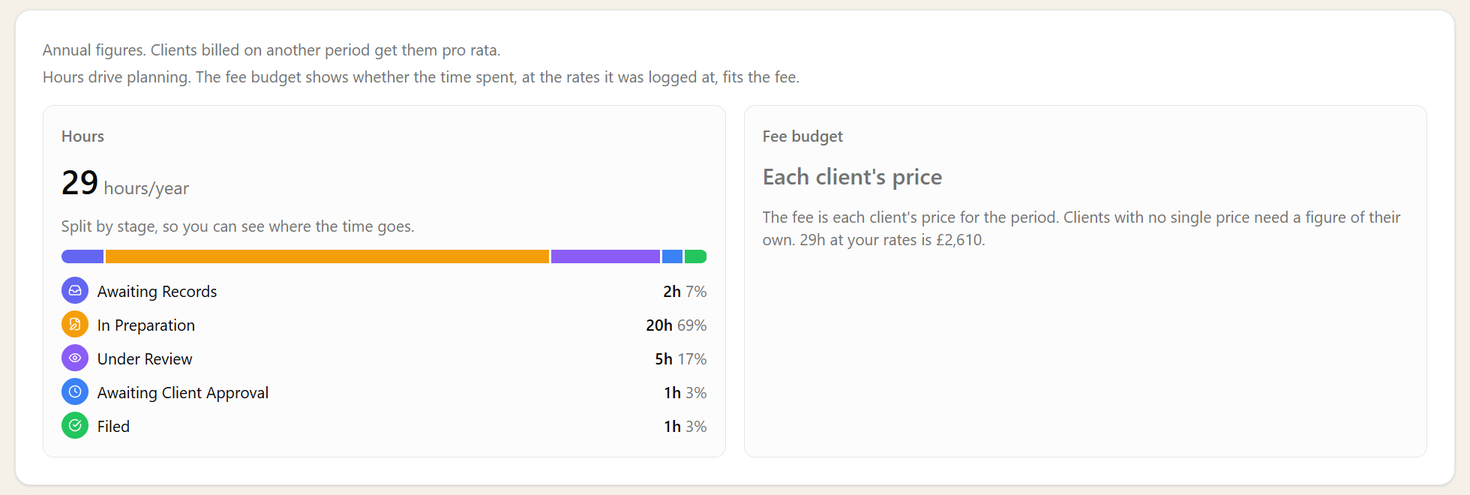
A service's budget: 29 hours a year split by stage, with a bar in the stage colours, and a fee budget of each client's price

The Warning Comes Before the Overrun

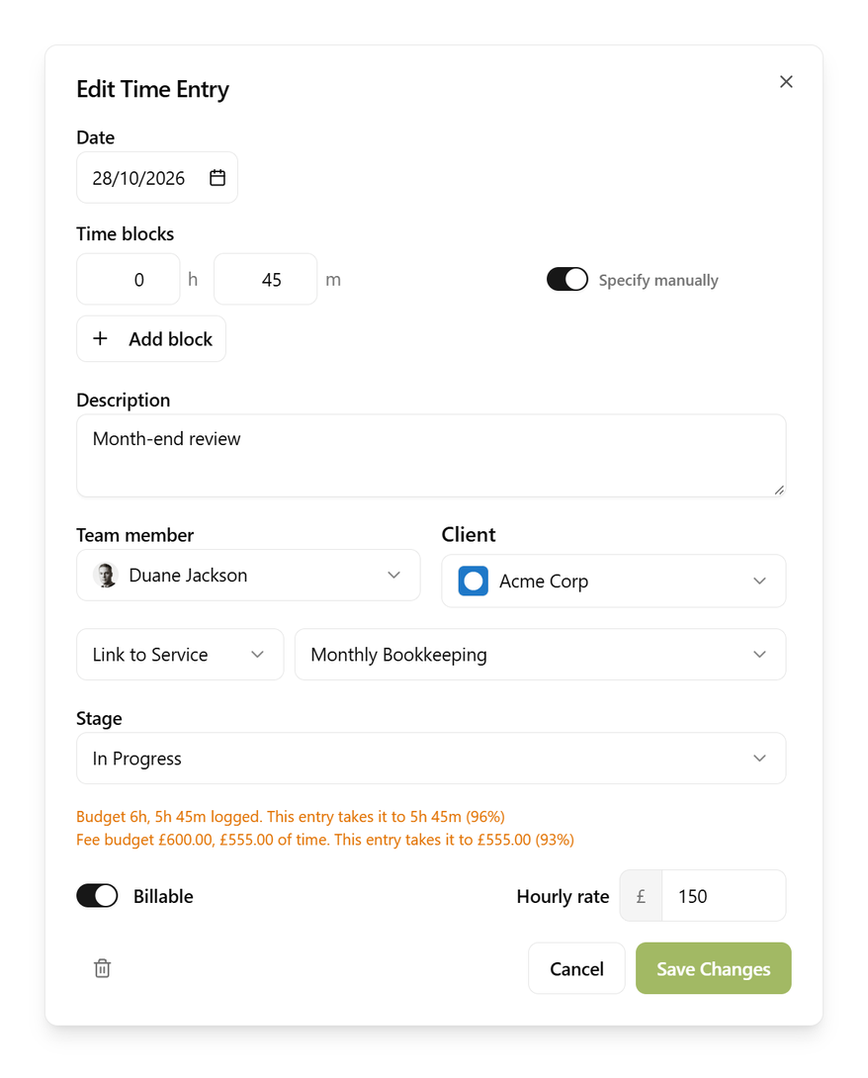
The time entry dialog saying the entry takes the job to 96% of its hours budget and 93% of its fee budget

A budget is only useful if people see it while there is still time to act. So it follows the job everywhere the work happens: on the client's service, as a Budget card on every task linked to it, as a column on the task list, and in the time entry itself, where it says what this entry will do to the budget before anyone presses save.

Figures turn amber at your warning level and red once a job is over. Nobody is stopped from logging time, because the time was spent either way. Instead the job's manager hears about it: one notification when a job nears its budget and one when it goes over, once a period, however many entries follow.

Hours drive planning. The fee budget shows whether the time spent, at the rates it was logged at, fits the fee, so where people have their own rates it also catches a job on track for hours but done by more senior people than planned.

Every Job, Worst First

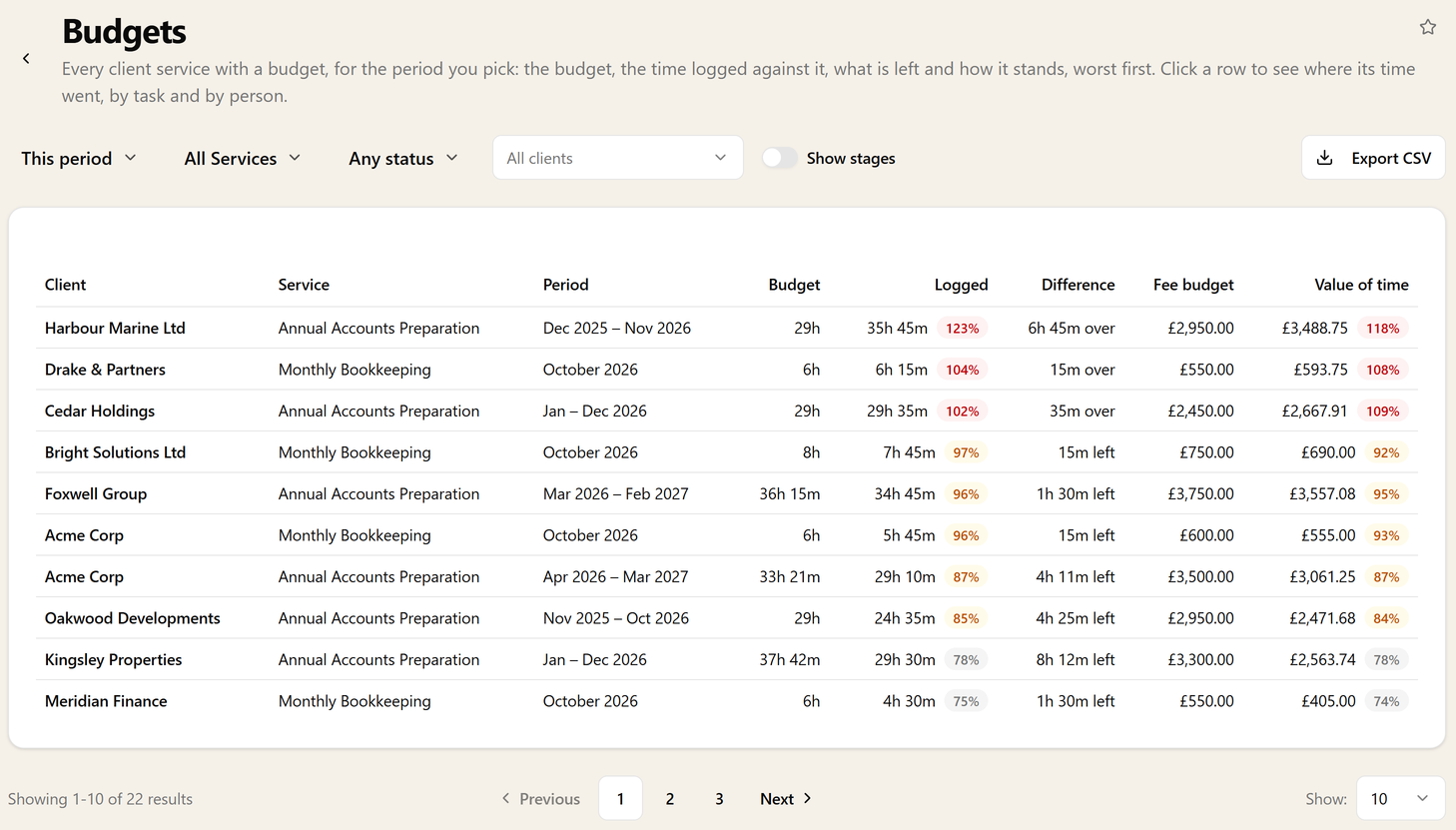
The Budgets report lists every client's job with a budget for the period: what it should take, what it has taken, what is left and how it stands, with the jobs in trouble at the top. Narrow it to one service, one client, or only the jobs near or over, and look back over a client's last 12 months to see whether they go over every time.

Then click a job to see why. Its time is laid out task by task and person by person, so the task that ran over, or the partner's day on a job priced for a junior, is there in front of you rather than something to piece together from timesheets.

The Budgets report listing client services worst first, with budget, logged, difference, fee budget and value of time

See Which Stage the Hours Went To

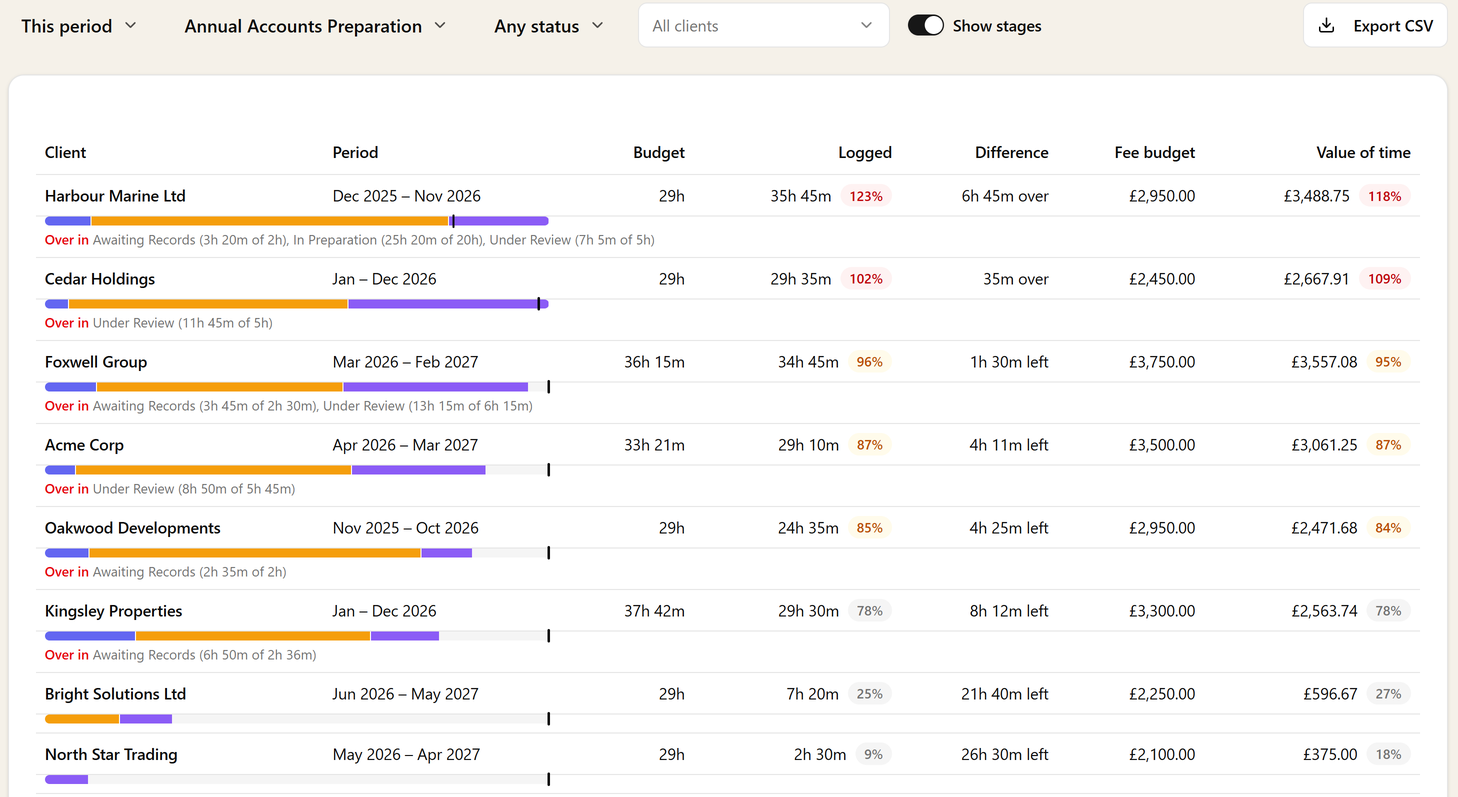
Knowing a job went over is half the answer. On a service with stages, every time entry records the stage the work was in, and the budget can be built stage by stage: two hours waiting on records, twenty in preparation, five in review. Each stage then has its own line, so you can see it is always the review on this client that runs long, or the chasing that takes up the first week. In the report each job gets a bar in the stages' own colours, with a tick at its budget, and only the stages that are over are named.

The Budgets report for Annual Accounts Preparation with stages shown: a stage bar under each job with a tick at its budget, and the stages that are over named

Is This Job Priced Right?

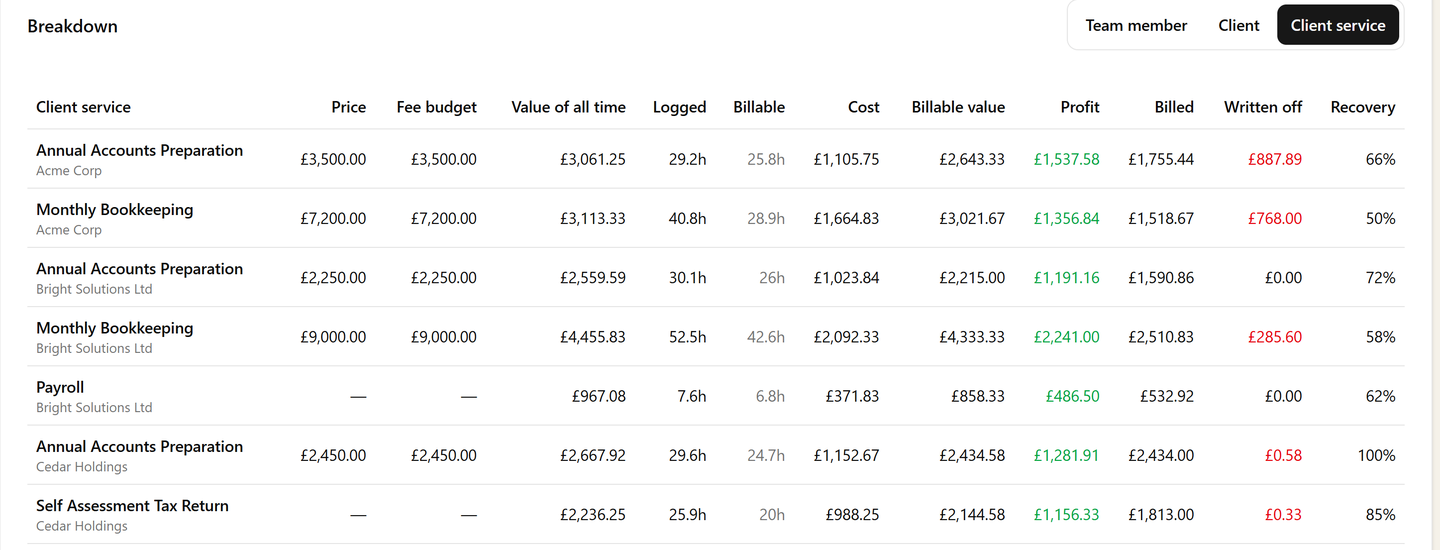
Cost & Profit puts each job on one row: its price for the periods in the window, its fee budget, the value of all the time spent on it, what that time cost, what was billed and the recovery. The jobs whose time keeps running past their fee stand out, and that is the list to take into next year's fee review.

Cost & Profit broken down by client service: price, fee budget and value of all time beside logged time, cost, billable value, profit, billed and recovery

Where It Helps

The fixed-fee practice is the obvious case: every monthly bookkeeping client quoted the same, a handful quietly costing twice what they pay. Then there is the manager with forty sets of accounts in flight who needs to know which three are heading over now, the partner pricing a renewal who wants to see last year's hours before naming a figure, and the team lead who suspects the review stage is where the time goes and would like the numbers to prove it.

Budgets use the time your team already logs in time tracking, at the rates you already charge, so there is nothing new to record. The guide to job budgets covers setting them up.