
Two-Factor Authentication

Add an extra layer of security to your practice. Turn on two-factor authentication and everyone on the team is required to enter an additional code from the authenticator app on their phone when signing in. Setup only takes a minute.

At a glance

  • Enforced for the whole practice with one switch in your settings
  • Takes effect immediately, even for people already signed in
  • Works with any authenticator app, including Microsoft and Google Authenticator
  • Nobody to chase: everyone is walked through setup themselves
  • A recovery code at setup, for when the phone is not to hand
  • Applies however people sign in: email and password, Google or Xero

One Switch for the Whole Practice

Two-factor authentication lives on the Security page in your practice settings, and it is one switch: Enforce two-factor authentication. Turn it on and it applies at once. Every member of the practice confirms their sign-in with a six-digit code from an authenticator app, and anyone signed in without one is asked to sign in again. There is no per-user setting to forget, and nobody can opt out.

If you already use two-factor authentication yourself, you stay signed in after saving. If you don't, Sodium signs you out so you can set yours up first — the same way everyone else will.
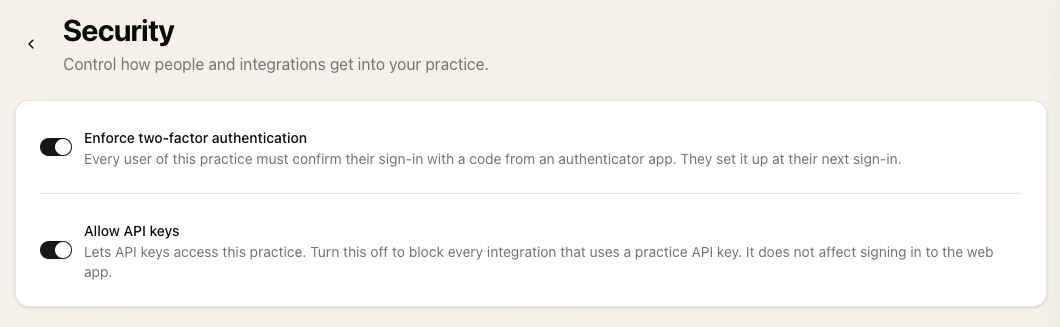
The Security page in practice settings with two switches: Enforce two-factor authentication, and Allow API keys

Set Up in a Minute

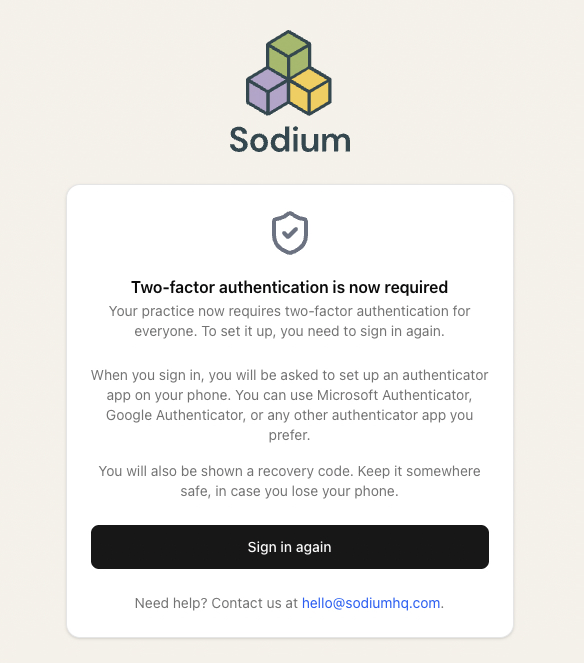
The screen a team member sees once two-factor authentication is required, explaining that they need to sign in again and set up an authenticator app

Nobody needs a briefing. The moment you save, everyone signed in without two-factor authentication is told the practice now requires it and sent to sign in again, where Sodium walks them through it: install an authenticator app if they don't have one, scan the code, type in the six digits it shows. Microsoft Authenticator, Google Authenticator or any other authenticator app works.

They are also shown a recovery code, for when the phone is not to hand. Kept somewhere safe, it gets them back in without a call to you.

After that, signing in takes a few seconds longer: the usual details, then the code from the authenticator app.

One Login, Several Practices

Some people belong to more than one practice: a partner in two firms, an outsourced bookkeeper, an accountant who also runs their own. Two-factor authentication follows the person, not the practice. If any practice they belong to enforces it, they are asked for the code wherever they sign in — and switching it off in one practice makes no difference while another still requires it.