
Monthly CIS returns, without the chasing
CIS Manager is Sodium's CIS app. Connected to Sodium Practice Management, every client's tax month runs as a workflow: the client always knows what to pay, their payments stay up to date, and the return is filed with HMRC on time.


What CIS Manager is
A dedicated cloud platform for CIS
CIS Manager is a cloud platform built for one job: managing the Construction Industry Scheme. Subcontractor verification, deductions, monthly returns and payment statements, all filed with HMRC from one place.
In line with our vision, it's a complete product in its own right, used by practices and contractors who don't use Sodium at all. Connect it to Sodium and it becomes far more powerful: CIS runs inside your practice's workflows, and your clients do their part in your own branded portal.
The built-in workflow
One workflow, from the 6th to the 19th
Sodium has a built-in CIS workflow, and you can edit it to suit your practice. This is how it works out of the box: every step is set for the right point in the month, for every CIS client, so the return is ready long before the deadline.
From the 6th · Open CIS payments page
Your client always knows what to pay
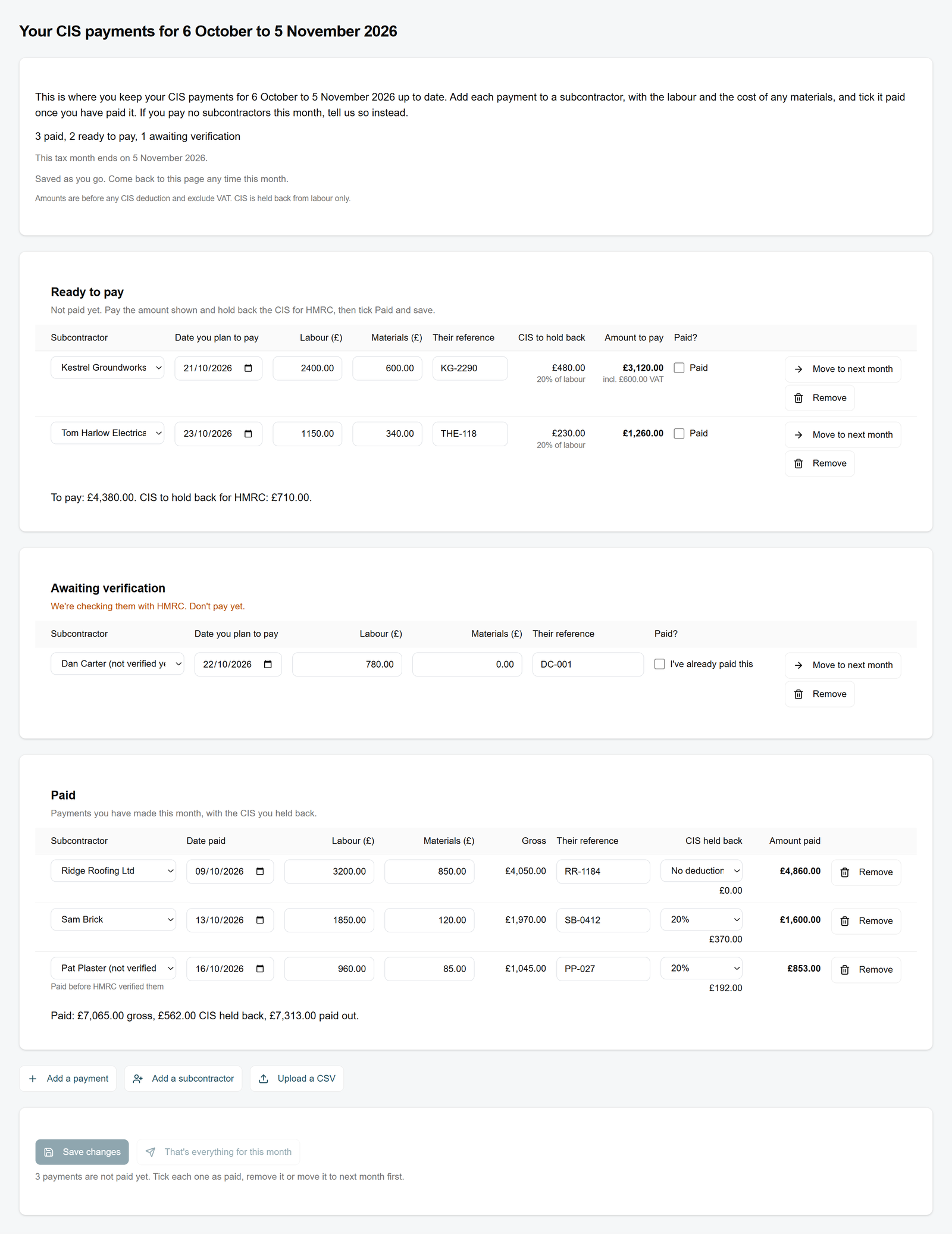
Each tax month the client gets their own CIS page in your portal and keeps it up to date as they go: payments made, and payments coming up. Verified subcontractors show exactly what to pay and how much CIS to hold back. Anyone new says don't pay yet.
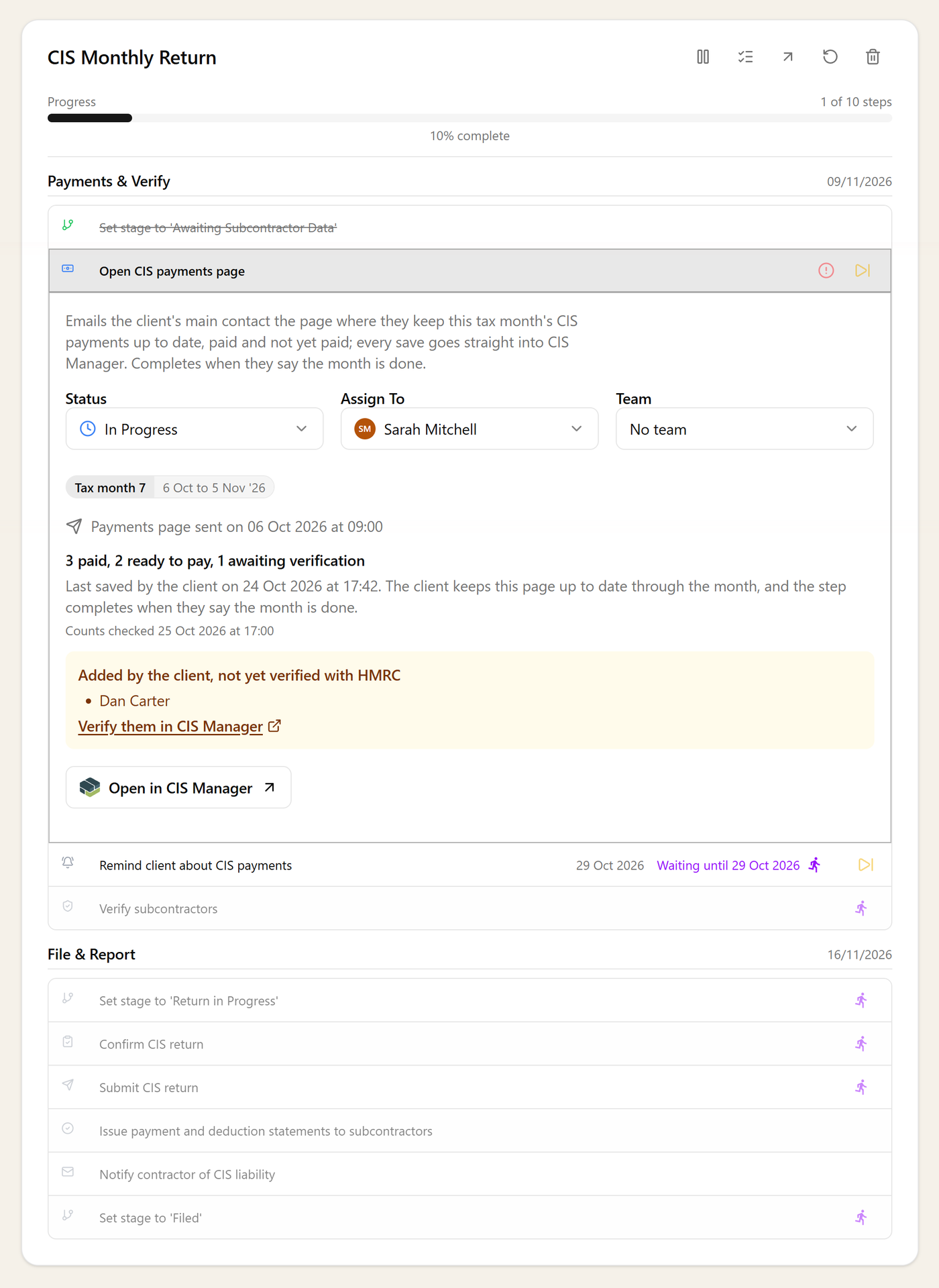
A week before month end · Remind client about CIS payments
A nudge before the month closes
A week before the month ends, the client is reminded to bring their page up to date. The return starts from complete figures, and nobody on your team has to chase.
Before anyone new is paid · Verify subcontractors
New subcontractors checked before they're paid
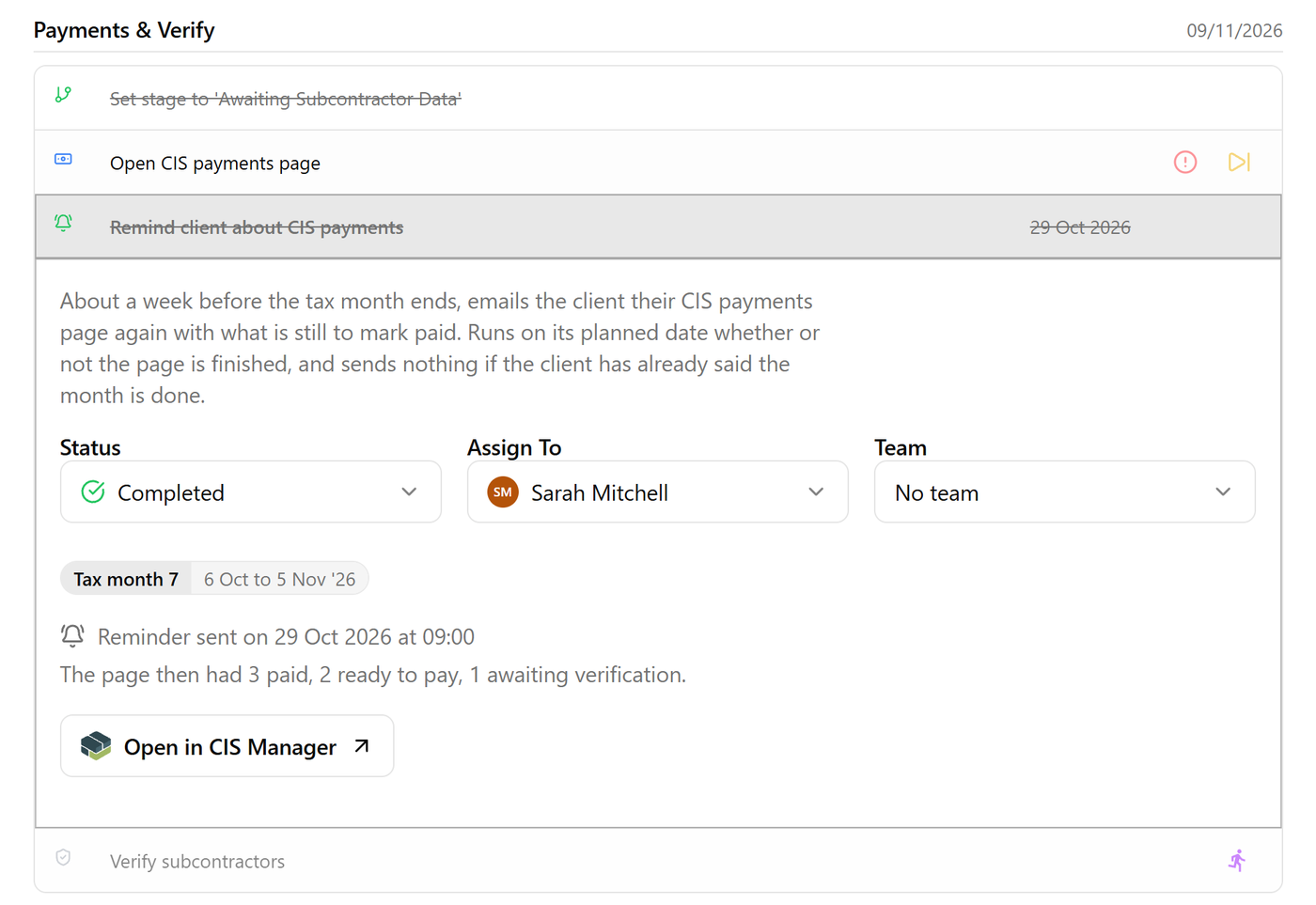
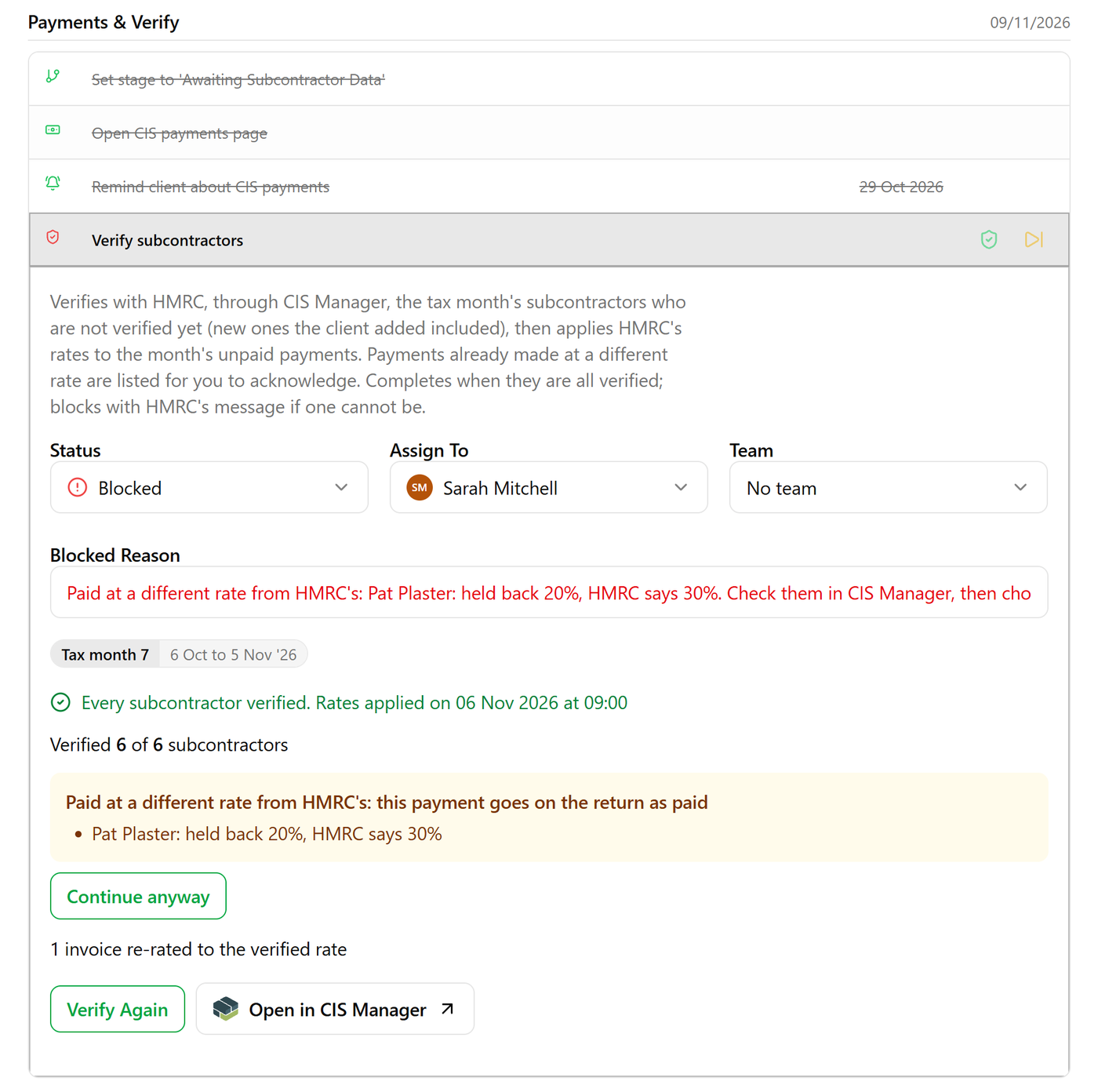
Your team verifies new subcontractors with HMRC, and the client is emailed the moment they can pay, with the amount. Anything already paid at the wrong rate is flagged for the accountant to put right.
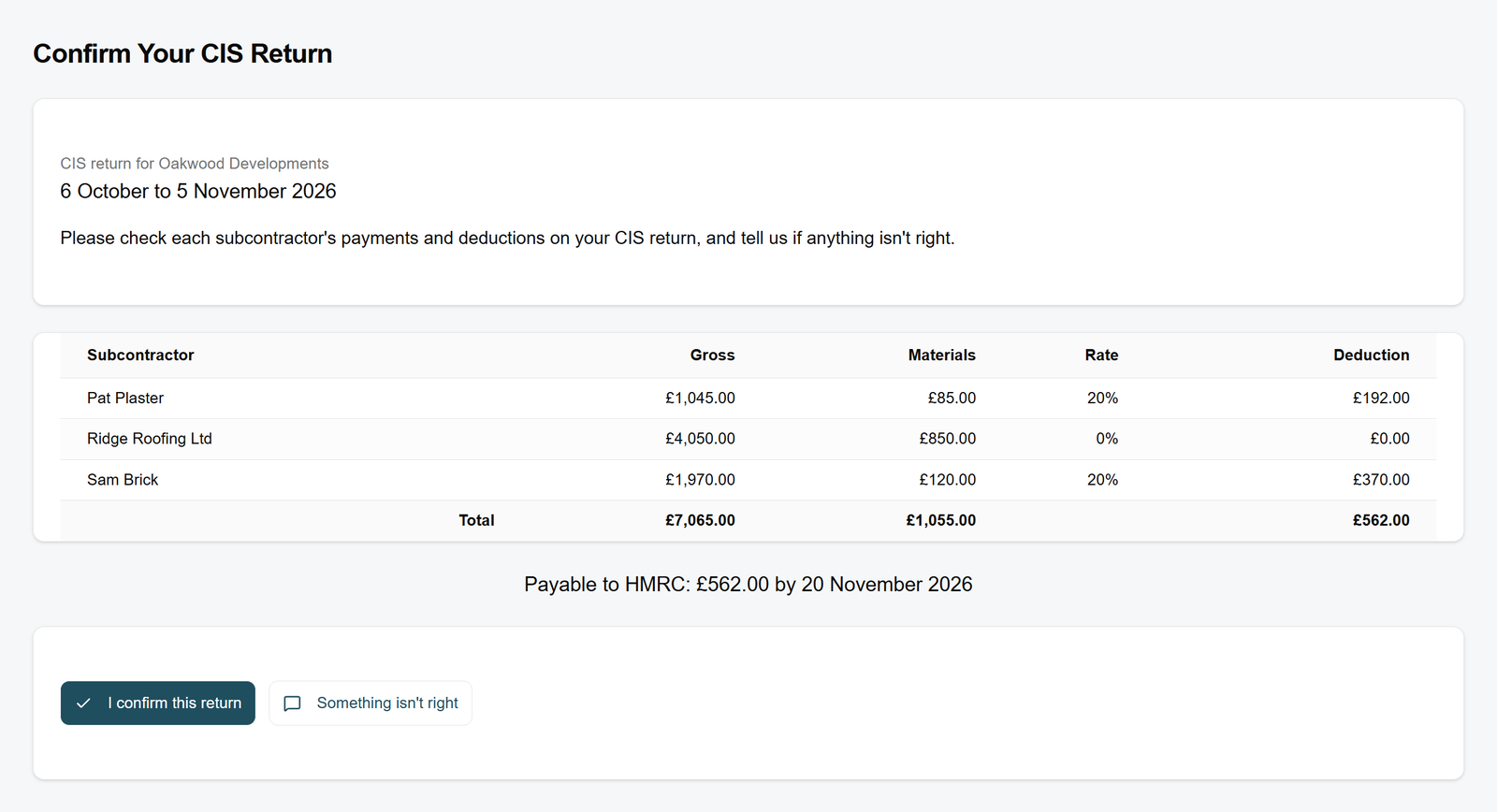
After the 5th · Confirm CIS return
The client signs off the return
Once the month closes, the client sees the return in your portal and confirms it, or raises a query. Nothing goes to HMRC until they're happy with it.
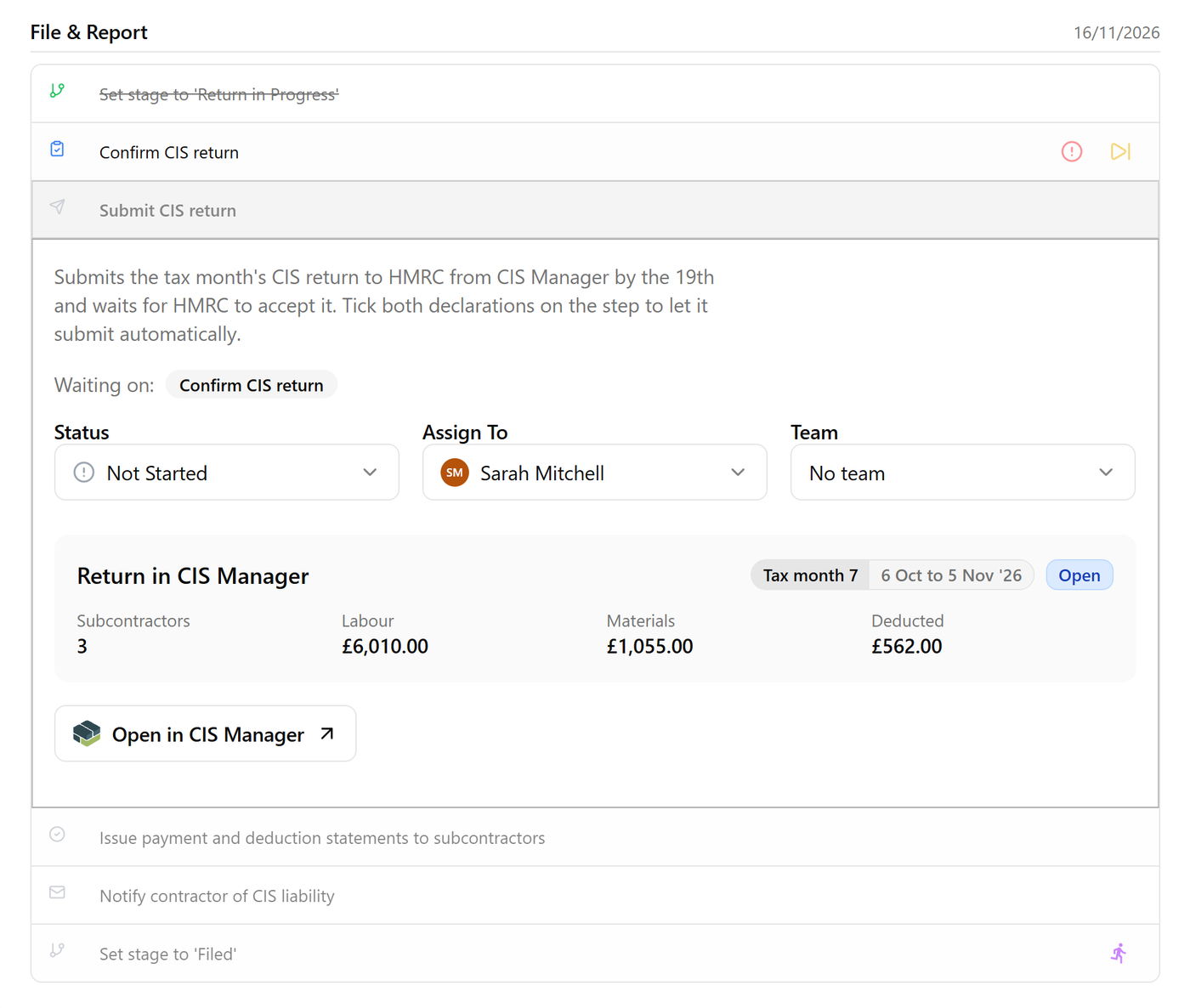
By the 19th · Submit CIS return
Filed with HMRC, with the confirmation shown on the task
The return is filed with HMRC from CIS Manager, and HMRC's confirmation is shown on the client's task. You can see every client's month is done without opening anything else.
Set up once
CIS in the workflows you already run
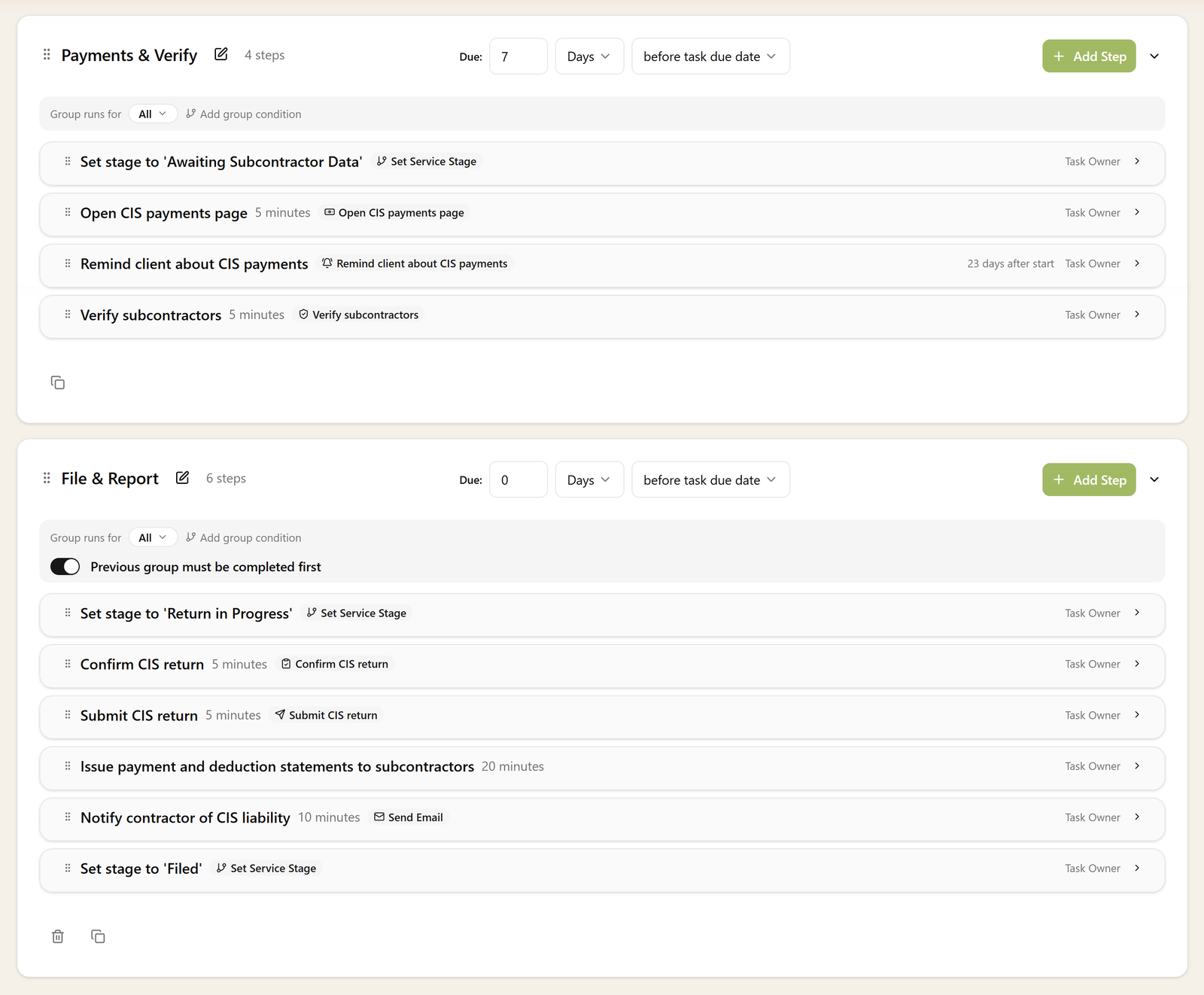
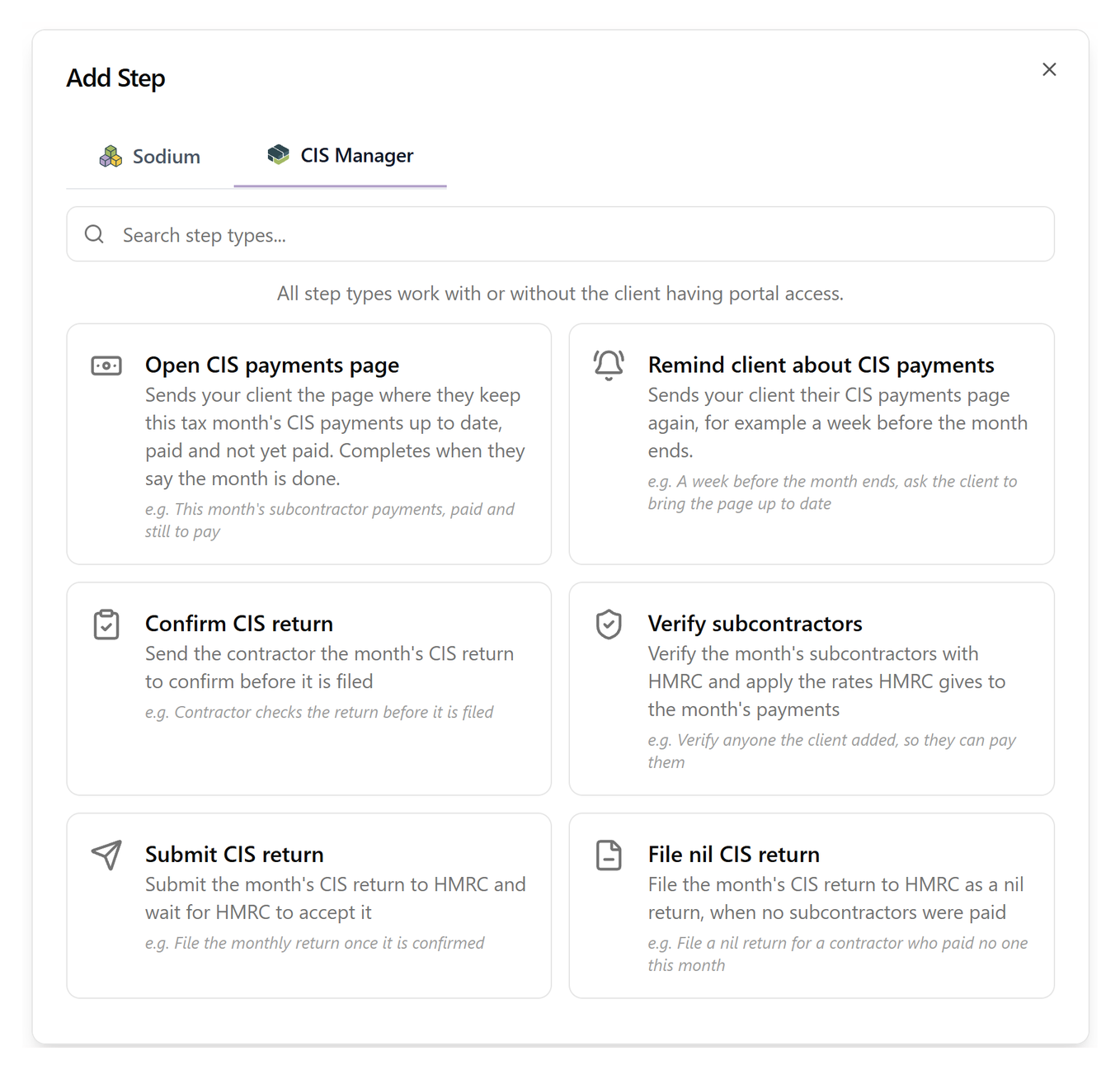
The CIS workflow comes ready-made in the workflow library, every step in the right order, and CIS steps fit into workflows of your own too. After that, each tax month starts by itself.
Every month, every client
The rest of CIS, handled too
- Quiet months coveredWhen a client pays no subcontractors, a nil return goes in just the same, so a quiet month never turns into a late-filing penalty.
- One client, never typed twiceClients and their CIS details stay in step between Sodium and CIS Manager, whichever side you change them on.
- Your portal, your brandClients do their CIS in your practice's branded portal, alongside everything else they do with you. Or they open a secure magic link from their email, with no portal account to set up.
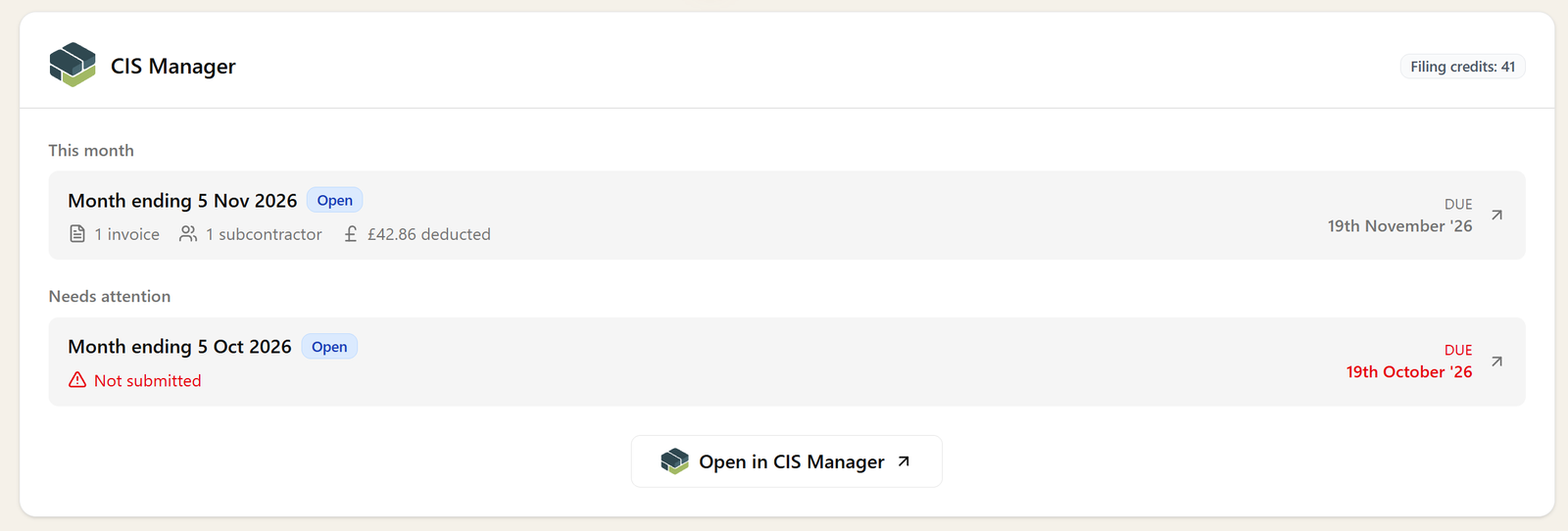
Pricing
Pay for the returns you file
Each monthly return uses one filing credit for every subcontractor paid that month, and a nil return uses one. Credits are purchased within Sodium and cost £1 each plus VAT, and can top up automatically by Direct Debit, so a return is never held up.